Do you remember those spirograph sets that created mesmerizing geometric patterns with just a pen and plastic gears?
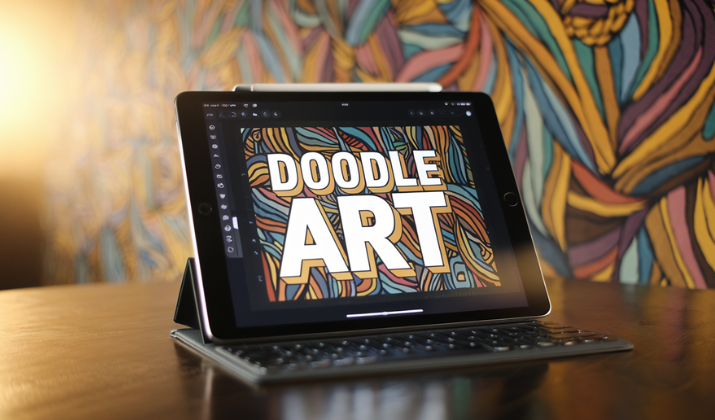
Doodle Art tries to capture that same hypnotic satisfaction, but on your phone screen with neon glow effects.
Peaksel Games promises a stress-busting drawing experience where anyone can create intricate mandala-style artwork, regardless of artistic ability.
Sounds perfect for those mindless subway commutes or late-night wind-down sessions, right?
Well, there’s more to this colorful app than the screenshots suggest, and not all of it glows as brightly as those neon spirals.
Let’s dig in and find out.
Check Out: Penbook Review
What is the App About?

Doodle Art positions itself as a creative drawing tool that combines over 200 colors with 20 different brushes, letting users create everything from simple doodles to elaborate mandala designs.
Think of it as a digital spirograph on steroids you know, those geometric drawing toys from childhood, but now with glow effects and seasonal stickers thrown in.
The app features spirograph designs that automatically create symmetrical patterns, which is genuinely satisfying if you’re into that sort of thing.
The core concept isn’t reinventing the wheel; it’s taking the meditative appeal of repetitive drawing patterns and packaging it into a mobile format.
Explore: Is Charcoal App Good?
Who is Doodle Art for?

Here’s where things get interesting.
The app markets itself as suitable for both beginners and experienced artists, but let’s be real, this is primarily a casual time-killer.
If you’re a parent looking for something to occupy your five-year-old during a car ride, it works. If you’re an adult who finds coloring books relaxing, you’ll probably dig the vibe.
Professional artists? You’ll be frustrated within minutes. The app excels at creating pretty geometric patterns with minimal effort, which is either a feature or a limitation depending on what you’re after.
It’s not Adobe Illustrator, and it doesn’t pretend to be, but that clarity of purpose could be stronger in its marketing.
Explore: Best Drawing Apps For Laptop
So What Can You Do With Doodle Art?

Here’s what you see the app offering:
- The app includes animation playback that shows all the steps you took while drawing.
- It offers customizable backgrounds where you can add your own photos, improved line functionality for smoother strokes, and the ability to hide patterns or stickers you don’t currently use.
- You can save your masterpieces to a gallery, set them as wallpaper, or share them on social media.
- The seasonal categories, Easter, Halloween, Christmas, Valentine’s Day, and so on, add themed stickers and brushes that change throughout the year, which keeps things fresh if you’re a regular user.
- The color customization deserves mention. Beyond the preset palettes, you can create your own colors using a spectrum selector, which is more flexibility than many free drawing apps offer.
The brush thickness adjustment and eraser function work as expected, with undo and redo options that’ll save you when you inevitably mess up that perfect spiral.
Explore: Best Drawing Apps For Android
Is Doodle Art Smooth On Performance?

And here’s where we hit turbulence.
Users often experience performance issues with the app. Lag is one, for example. It progressively worsens until the app freezes entirely, sometimes losing several minutes of work if it freezes during saving.
That’s not just annoying, it’s genuinely frustrating when you’re in a creative flow state.
A recent update made the matters worse for users. It made controls more complex with too many layers, reduced background options, and created a generally clunkier experience.
When users are begging developers to revert to an older version, that’s a red flag.
The app requires Android 7.0 or higher on Android devices and iOS 12.0 or later on Apple products, which is standard enough.
File size sits around 62-146MB depending on the platform and version, not massive, but not tiny either for what’s essentially a drawing toy.
Explore: Best Apps For Artists
What’s the Catch With Free Apps?

Let’s address the elephant in the room: ads. This is a free-to-play app with an option to pay for ad removal.
Several users who previously paid to remove ads report that after updates, advertisements returned despite their purchase, hitting them with ads after drawing just two lines or selecting a tool.
The developer responds to these complaints by directing users to email support, but the pattern is concerning. If you’re considering paying for the ad-free version, proceed with caution and keep your receipt.
The ad frequency in the free version appears aggressive based on user feedback.
When ads interrupt the actual creative process rather than appearing between sessions, it breaks the relaxing, meditative quality the app tries to cultivate.
For an app marketed around stress-relief and creativity, that’s counterproductive.
Also Read: Best Drawing Apps For iPad
How Does the Interface Feel?

The recent interface overhaul seems to be a divisive topic.
On one hand, the app added new features like text insertion with multiple fonts, resizable and rotatable stickers, and better background options.
On the other hand, longtime users find the new layout less intuitive. The complaint about “too many layers” in the controls suggests the app may have fallen into the classic trap of adding features without maintaining simplicity.
Navigation should be effortless in a creative app. You shouldn’t need to hunt through menus when inspiration strikes.
When the interface becomes a barrier rather than a tool, something’s wrong. The earlier version apparently struck a better balance between functionality and ease of use.
Explore: Must-Have Digital Art Apps For iPad
Can You Make Original Creatives?

This is where expectations need adjustment. The spirograph-style designs inherently produce similar-looking results, that’s kind of the point.
The app helps users learn to draw patterns and shapes they might not have attempted otherwise, with progression from simple to complex designs. But “original” might be stretching it.
You’re working within preset patterns and templates. The creative expression comes from color choices, pattern combinations, and sticker placements rather than freeform drawing.
For true blank-canvas creativity, you’ll want different software.
But for generating visually appealing geometric art with minimal skill required? It delivers on that promise. Think of it more as creative coloring than actual drawing.
Explore: Best Free Digital Art Apps For Windows
Is Your Data Safe?

Privacy-conscious users should note that the developer indicates that data may be used to track users across apps and websites owned by other companies.
For a free drawing app, this isn’t shocking, you’re the product when you’re not paying, but it’s worth knowing.
The app requires numerous permissions, typical for its feature set but worth reviewing before installation if you’re particular about what apps can access.
Also Read: Best Digital Art Apps For Android
What About Updates and Support?

The developer regularly adds seasonal content, with themed stickers and brushes for holidays and special occasions throughout the year.
They also claim to work on performance optimization and respond to user feedback, though the persistent complaints about lag and ad issues suggest implementation lags behind intention.
The email support channel exists, but user reviews indicate mixed results in actually resolving problems.
The Steam version offers 140 brushes compared to the mobile version’s 20, suggesting desktop users get more bang for their buck, though you’ll have to pay for it.
Also Read: Best Drawing Apps For iPhone
How Does It Stack Up Against Alternatives?

In the crowded space of casual drawing apps, Doodle Art occupies a specific niche: geometric pattern creation with low barrier to entry.
Apps like Procreate offer infinitely more capability but require actual drawing skills and cost money upfront.
Free alternatives like ibis Paint X provide more traditional drawing tools. Doodle Art’s unique selling point is the spirograph system that makes anyone feel like an artist instantly, for better or worse.
The glowing neon aesthetic differentiates it visually from more naturalistic drawing apps, appealing specifically to users who enjoy that electric, mandala-esque style.
If that aesthetic doesn’t grab you, the app has less to offer.
Explore: Sketchbook Review
So, Is Doodle Art Worth Your Time?
Doodle Art by Peaksel Games is a frustratingly inconsistent package.
When it works, it’s a pleasant way to create geometric art without artistic skill, perfect for stress relief or keeping kids entertained.
The color options are generous, the spirograph functionality is genuinely fun, and the seasonal updates show ongoing developer engagement.
However, the execution falls short of the concept’s potential. Performance issues plague too many users to dismiss as isolated incidents.
The ad situation, particularly for users who paid for removal, borders on unethical. The recent interface changes suggest the developers don’t fully understand what made their app appealing in the first place.
Is it worth downloading? Sure, if you’re curious and willing to tolerate ads.
Is it worth paying for? That’s harder to recommend given the reports of purchased features not sticking.
Is it the best option in its category? Probably not. There are more stable alternatives that respect user purchases and run more smoothly.
Peaksel Games needs to prioritize stability and honor user purchases before adding new features.
Until then, approach with lowered expectations and keep your receipt if you decide to pay for anything.
Enjoyed the post?