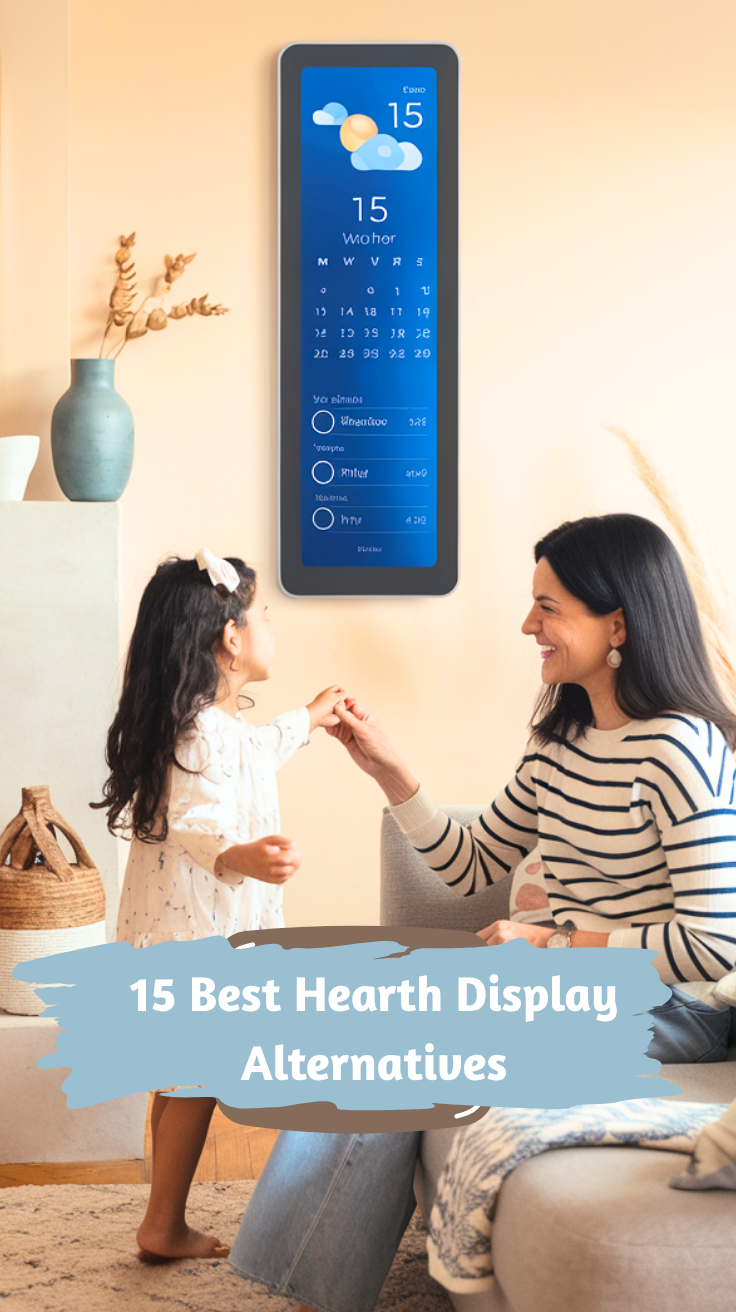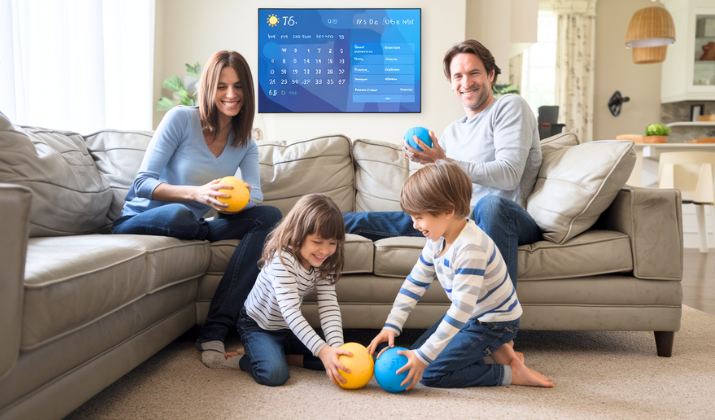
Hearth Display is a dedicated home wall display that allows you to display a calendar, organize tasks and chores for your family members, create to-do lists, and more.
You can create a profile for every child in your family and even import physical calendars they receive in school, while controlling and customizing the display from the Hearth mobile app.
The problem with Hearth Display, though, is that it is quite expensive. You have to purchase the Hearth Display monitor; you can’t install it on any other monitor or operating system.
Not only that, but it’s still a work in progress and not actually available just yet. It will come out next year; for now, you can only place preorders.
If you’ve been searching for alternatives to Hearth Display, you’re in luck! This article will list 15 Hearth Display alternatives you can use for your home to keep track of tasks and family chores.
The list not only includes the hardware tools, but also some great apps that can be used conveniently on your phone, offering all the features that you get with Hearth Display.
The short version: Mango Display, DAKboard, and Skylight Calendar are my top Hearth Display alternatives. Read on to see the others!
Best Hearth Display Alternatives
1. Skylight Calendar

- The Ultimate Smart Wall Planner Calendar: Meet Skylight’s 15.4” touchscreen wall planner – a...
- Easy Setup, Seamless Calendar Syncing: Plug in, connect to Wi-Fi, and sync your calendars in minutes...
- Wall Mount or Stand – Your Choice: A sleek, HD smart display that mounts easily to any wall or sits...

First up, we have the Skylight Calendar. It sells its own hardware, but it comes in two sizes, offering more flexibility, and it is significantly cheaper than Hearth Display.
Skylight Calendar has many awesome features. You can use color coding, assigning each family member a color for better organization.
The software allows you to add custom lists, view the weather, and create chore charts. You can even create meal plans and turn the Skylight Calendar into a photo display with the photo display screensaver.
It integrates with a wide range of digital cloud services, such as Google, Outlook, and Apple, for importing events and pictures.
Not only that, but with the Magic Import feature, you can send PDFs to a special email address to automatically add events and appointments to the calendar.
Download the Skylight app (for customizing the Skylight display) on Android or iOS.
2. Mango Display

Mango Display is another great alternative to Hearth Display. Unlike Hearth Display, you can install it on almost any device.
It comes with support for Android TVs, Fire TVs, and various other smart TVs. It also works on Windows, macOS, Raspberry Pi, iPads, and other devices.
In fact, it works on any device with a web browser. So, if you have a smart TV or tablet of any kind, you can use Mango Display.
Not only can you bring your own hardware, but the software itself is free to use. So, you can actually get started at zero cost.
You can choose from various templates and use an easy drag and drop editor to customize the display. You can switch templates at any time and add widgets like calendars, to-do lists, quotes, and more.
Mango Display also integrates with a variety of cloud services. You can import photos from Google Photos, for example, or sync your Microsoft, Apple, or Google calendars.
Download it for Android or iOS.
Also Read: Mango Display vs DAKboard
3. DAKboard

Another excellent alternative to Hearth Display is DAKboard.
DAKboard gives you the option of either purchasing DAKboard hardware or installing the software on your own device. It comes with support for mobile phones and tablets, as well as desktops and laptops.
Not only that, but even if you decide to purchase DAKboard hardware, you have options. You don’t have to buy the DAKboard display if you already have a monitor – and it doesn’t need to be a smart TV, either.
You can purchase the DAKboard CPU and hook it up to your existing monitor to use it with DAKboard. Or, you can buy the DAKboard operating system on a small Micro SD card, installing it on an existing device such as your Raspberry Pi or Orange Pi.
In addition, it offers a lot of flexibility and customization. You can control the monitor from the DAKboard web dashboard.
It also offers various business solutions. You can use DAKboard not only for personal use at home but also for things like displaying a digital menu in your restaurant or as a digital bulletin for employee chores and company notices.
Also Read: Best Productivity Apps
4. Echo Show 5

The Echo Show 5 is a smart display from Amazon that you can use to display a digital calendar or connect to your smart home system. It’s a lot smaller than Hearth, and it’s not just something you can hang on your wall.
It’s more portable, and you can use it for playing music, video calling with friends, or checking the weather.
As it integrates with Amazon’s Alexa voice assistant, you can use it to set alarms, create event reminders, and command it to play your favorite playlist from streaming services like Spotify.
With a display of just 5.5 inches, the Echo Show 5 is an excellent alternative to Hearth Display if you’re looking for something a bit smaller.
It also doubles as a rotating photo display screensaver when not in use. Made out of recycled materials, Echo Show 5 is great for the environment too.
5. Echo Show 8
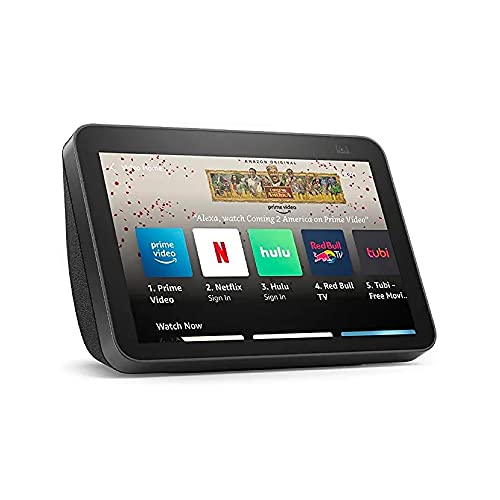
If you’re looking for something that’s smaller than the Hearth Display but bigger than the Echo Show 5, go with Echo Show 8
It has an upgraded 13 MP camera that frames and centers automatically during video calls and an 8 inch display, and this generation of the Echo Show also supports Netflix streaming. It also integrates with Apple Music and Spotify, as well as Prime Video and Amazon Photos.
With Amazon Alexa support, you can command it to play music, stream movies, call friends, or control your thermostat (if you have a smart home system). You can also hook it up to your security or baby monitor cameras and view multiple camera feeds at once on your Echo Show 8 screen.
When using your Echo Show 8 as a digital photo frame, the adaptive display feature will ensure your photos show up in a good resolution no matter the lighting.
6. Echo Show 15
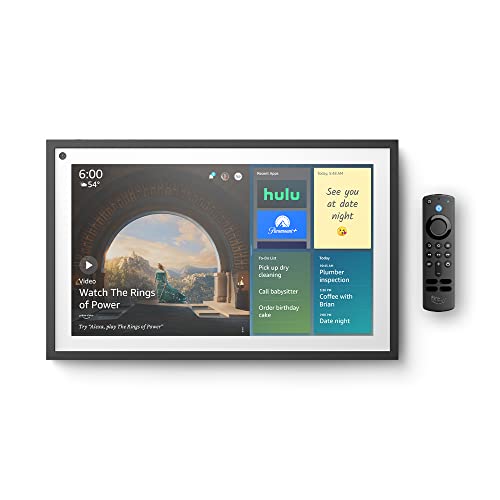
The Echo Show 15 has a 15.6 inch display. It’s my favorite Echo Show version, and if you’re looking for something to hang on your wall, this is a great Hearth Display alternative.
It comes with a remote control, allowing you to easily control it from anywhere at home. However, it does come with Alexa built in as well, so you can control it with voice commands, asking for recipe ideas or food delivery options or asking it to show your security camera feeds.
You can use it to display to-do notes or create little digital post-it notes with sweet messages for your loved ones.
It also integrates with streaming services like Disney, Hulu, Netflix, and Amazon Video, allowing you to stream movies. It comes with Fire TV built in, giving you access to over a million TV episodes and movies.
The Echo Show 15 has a high-quality display and is just a pleasure to have at home.
7. Google Nest Home Hub

Google’s Nest Hub is a small but awesome digital display, perfect for the kitchen, living room, or bedroom.
You can watch YouTube videos, view the weather, control your smart home lights and other appliances, set alarms for the next day, stream music with 50% more bass than the previous version of the Nest Hub (this is the second generation), and a lot more.
The integrated Google Assistant allows you to watch Netflix movies, create reminders and to-do tasks, and more.
One of the really cool things about Google’s Nest Hub is that it supports hand gestures via motion detection. You can use hand gestures to pause a song, stop an alarm or timer, or more!
That makes it a very versatile and portable alternative to the big and clunky Hearth Display.
Even though it’s made by Google, it integrates not only with Google’s services, like YouTube and YouTube Music, but also other movie and music streaming services, including Hulu, SiriusXM, Disney, Spotify, Sling TV, and others.
8. Cozi


Cozi is a powerful family organizer app that you can install on your mobile devices without needing to buy expensive hardware. Just have all your family members download the Cozi app on their phones.
It comes with features like color coding, so everyone can stay on track of the tasks they need to do. You can share grocery lists, to-do lists, and more, creating event reminders so you never miss an appointment.
You can use Cozi on your tablet and hang it on the wall to display a shared calendar for your family.
The Cozi Recipe Box and Meal Planner feature, help you get recipe ideas, generate shopping lists, and create meal plans for your family.
Cozi comes with apps for Android and iOS and also offers web browser support, allowing you to use it on virtually any device.
Also Read: Best Planner Apps
9. FamilyWall

Next up we have FamilyWall, another great alternative to Hearth Display.
It allows you to display an intuitive dashboard that your family members can use to navigate to a shared calendar, view to-do lists, and more.
It has a lot of awesome features. For example, you can set a family budget and keep track of family expenses (like Netflix and other subscriptions) so everyone knows how much they can spend on groceries and other items.
You can discover recipes from the web and import them to create grocery shopping lists, making grocery shopping a streamlined experience for the entire family.
Another feature I really like is the location tracking feature. You can see where your children are in real time with real-time GPS location tracking, all visible from your dashboard.
On your children’s phones, it’s designed to be battery friendly, so they don’t use up the battery quickly. Also, you can set safe zones, so you get notified when they arrive at a safe zone like their grandmother’s home or their school.
Another thing I like? The built-in messaging feature, something that Hearth should really add as well.
This feature allows you to collect all of your most important conversations in a single place. You can view your chats with your kids and other family members from within the app, creating an unlimited number of private group chats that support both text and voice messages.
FamilyWall syncs with Google and Microsoft calendars and also supports both iOS and Android – as well as desktop devices.
Overall, I found FamilyWall a useful and easy to use app, and I highly recommend it if you want to install a software on your phones that can do much of what Hearth can do and perhaps more.
10. BusyKid

Let’s move on to BusyKid, which is quite an interesting tool.
Not only does it help your kids keep track of their chores and get things done, but it also teaches them good financial spending habits!
You’ll start by getting a BusyKid Visa Debit Card for your child, which comes in 10 different designs and is accepted wherever Visa is (which is basically everywhere). This card is linked to your child’s chores list.
You can set a weekly allowance, with different chores adding up to the weekly allowance. For example, if they clean their room, it might amount to $5, while going grocery shopping might be $7.
While chores and allowances are preset by age to make things easier for you, you can always customize them as needed.
At the end of the week, the weekly allowance is deposited into the debit card automatically. However, there’s another catch: A percentage is set aside for saving, which teaches kids healthy saving habits.
Not just saving is supported; investing is as well. This can help them learn more about building wealth over time through investing.
They can also learn the importance of donating to charity. They can give a percentage of their allowance to one of the charities displayed in the app.
Besides the weekly allowance, the app comes with a built-in payment system that allows relatives to scan a QR code and easily add money into a kid’s BusyKid debit card account. This could be a one-time bonus, a reward for something good they did, or a birthday present.
Hearth Display is great for family organization and ensuring your kids are doing their chores. But if you want to add financial education into the mix, BusyKid is the way to go.
Download it for Android or iOS.
11. EverCal Family Organizer
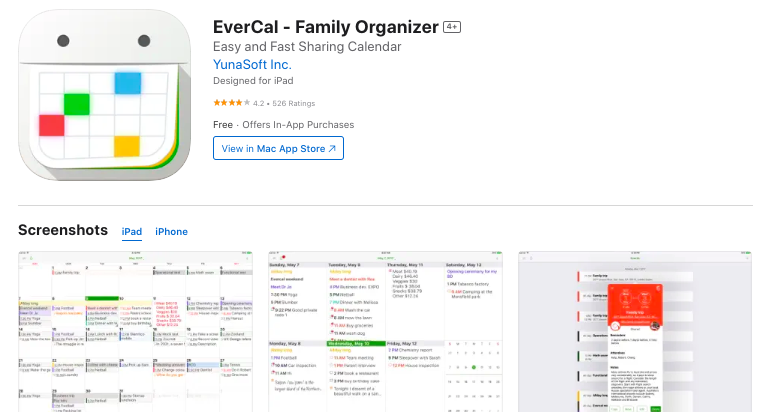
EverCal is a handy family organizer for iOS devices, including iPhones and iPads. If you have an Android, though, it’s not the right choice.
It’s a pretty simple application compared to Hearth Display, but that’s why I like it. You can add notes, journals, and calendars, using color coding to stay organized by assigning each family member a unique color.
EverCal allows you to easily share your schedules and appointments with your family, so everyone knows what they have to do and what others in the family are up to.
One feature that I find very useful is the ability to add a private schedule that others in the family can’t see, which is great for privacy.
For example, you might not want your kids to see everything you are doing.
Also, you can turn off other people’s schedules so you don’t see them if they are confusing you and things are getting overwhelming.
Moreover, to add an event or appointment, you can input a simple text prompt and EverCal will turn it into a scheduled appointment.
Download it for iOS here.
12. TimeTree
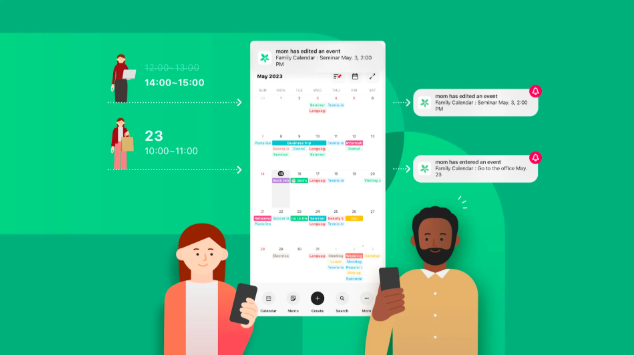
TimeTree is perfect for families, couples, or even roommates who need a simple yet powerful shared calendar.
Its main strength lies in its beautiful color-coded interface, allowing you to see everyone’s schedules at a glance. You can create multiple shared calendars, one for family, one for school, and one for work — without cluttering things up.
Each event allows comments, notes, and attachments, which helps with coordination and eliminates long text chains.
TimeTree also integrates seamlessly across devices, so whether someone’s using an iPhone or Android, everyone stays on the same page.
Notifications and reminders keep everyone punctual, making it great for families with hectic routines. With its friendly design and intuitive sharing tools, TimeTree feels like a digital family planner that just works.
13. Maple
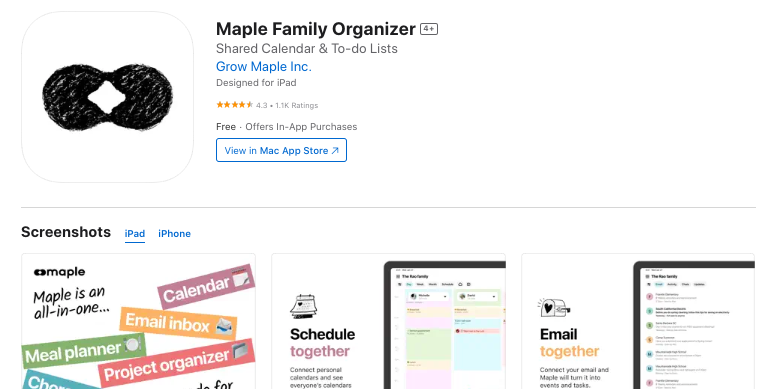
Maple is a newer family organization app that takes a thoughtful and modern approach to managing everyday life.
It combines shared calendars, to-do lists, meal planning, and budgeting tools in one elegant platform.
What sets Maple apart is its focus on emotional balance and family wellness, it encourages users to prioritize quality time and mental health along with daily tasks.
The app allows you to tag activities as “fun,” “routine,” or “important,” helping you see if your week is balanced. It also includes built-in AI suggestions that help streamline grocery planning and scheduling.
The minimalist design feels calm and intuitive, which is perfect for families who dislike cluttered dashboards.
Maple transforms family planning from a chore into a mindful and organized experience that supports both productivity and togetherness.
14. FamCal
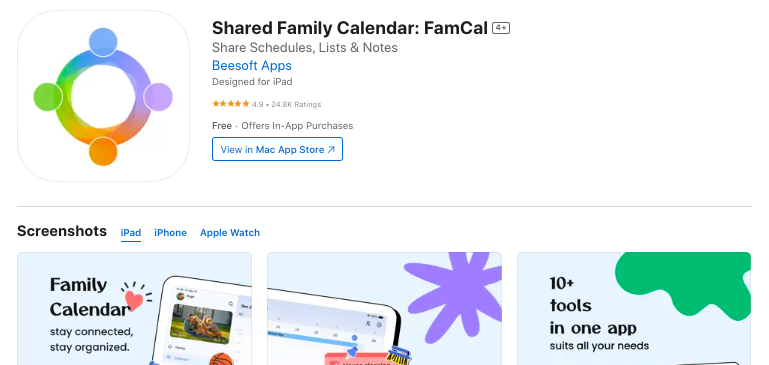
FamCal is a long-time favorite for families who love Cozi but want something simpler and more customizable.
It offers a color-coded shared calendar, reminders, shopping lists, and a built-in notes section — all synced across multiple devices.
Each family member can have their own color, making it super easy to see who’s doing what at a glance.
FamCal also lets you jot down birthdays, anniversaries, and even journals or memos for future reference. It works offline too, so you don’t lose access when you’re on the go.
The layout is straightforward and fuss-free, making it a great pick for both tech-savvy parents and grandparents alike.
With reliable syncing and a clean interface, FamCal makes keeping track of family life a breeze.
15. Calendar – Family Organizer, by Sunflower
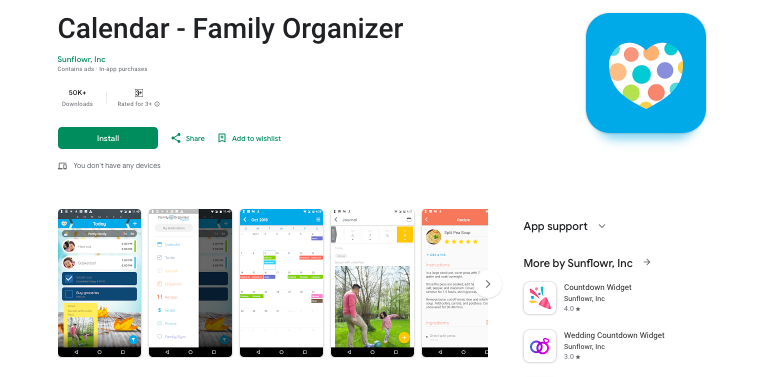
Calendar – Family Organizer, is one of the most well-designed and family-friendly planner apps available today.
It combines the ease of a shared calendar with smart task management, habit tracking, and event reminders — all within a beautifully minimal interface.
You can color-code each family member’s schedule, add grocery lists, to-do lists, and even manage meal plans in one place.
What really stands out is its intuitive daily dashboard, which gives you a quick overview of everything happening across the family.
It also supports syncing with Google Calendar, ensuring that no appointment or soccer game slips through the cracks. The app’s gentle reminders and clean layout make it stress-free to use, even for those who aren’t tech-savvy.
Plus, it offers both free and premium versions, so you can start organizing without spending a dime and upgrade later if you want advanced tools.
Conclusion
There are many Hearth Display alternatives that are available on multiple devices and operating systems, including plenty of free ones.
Whether you want to set up a wall calendar using a monitor or tablet or install a calendar and chore tracking software on your mobile phones, there are plenty of options for you.
I recommend trying out a few of these options until you find one that best suits your needs.
Enjoyed the post?