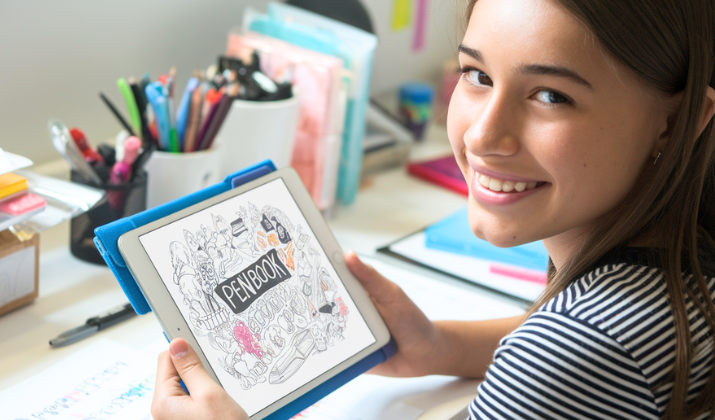
Penbook showed up with a bold promise, to give handwriting addicts a digital notebook that feels as free and comforting as paper.
No rigid toolbars. No forcing typed text into boxes. No “bullet list fatigue.” Just stylus, stationery, and unfiltered note energy.
Fast-forward to this day, and the question isn’t whether Penbook can write well (it absolutely can), it’s whether it can handle you when your notebooks multiply like browser tabs on deadline night.
With 400+ page templates, a handwriting-first philosophy, and a UI that whispers minimalism but screams customization, Penbook has quietly built a cult following of students and creators who genuinely enjoy taking notes again.
But does it still run smoothly today, or has it started to fray around the edges in a world of smarter, faster, and shinier note apps?
Let’s pull it apart and find out.
What is Penbook and what problem does it try to solve?

Penbook is a digital notebook app built to replicate the unrestricted feel of paper notebooks while layering digital perks on top.
Instead of juggling separate notebooks for class notes, planners, sketches, trackers, or grids, the app bundles everything into one flexible space.
It comes stacked with an impressive selection of page templates.
This ranges from blank pages, dot grids, graph sheets, Cornell note layouts, engineering paper, music sheets, perspective pages, storyboards, weekly planners, habit trackers, and even niche formats like chemistry or math template guides.
You can write using a stylus (preferably something like Apple Pencil) or your finger, and the inking engine feels smooth and highly responsive.
It’s genuinely built for handwritten thinkers instead of keyboard warriors.
How flexible and customizable is Penbook really?

Penbook is a champion in personalization.
The app offers 400+ different stationery types, and unlike most note or planner apps, you aren not bound to a single template across one notebook.
Every single page can carry a different layout, meaning page 1 could be Cornell notes, page 2 dot grid, page 3 graph paper, page 4 a habit tracker, and page 5 your chaotic but brilliant mind map diagram.
On top of that, you can customize densities, spacing, margins, line opacity, pen colors, pen nib styles, and even notebook covers to give each notebook a distinct physical-book personality.
The “Live Paper” planners are dynamic templates tied to real dates and calendar logic, daily planners update with real hours, monthly layouts reorganize themselves per year.
The pages feel more like a paper planner hooked into a digital brain.
What are the standout features that make Penbook special?

Penbook hits hard with features that matter to handwriting lovers.
The writing experience is one of its most addictive strengths, smooth ink, minimal lag, and pressure-aware strokes that genuinely feel like a stylus gliding on textured stationery.
It supports PDF import and full annotation, which makes slide labeling, document marking, study paper reviews, and cheat-sheet creation wildly convenient.
Handwriting search is supported, so you can look up words buried deep in your handwritten notes.
It recognizes hand-drawn shapes and snaps them into clean geometry without embarrassing you, making diagram work faster and visually neater.
The variety of layouts, from artistic perspective guides to structured study templates, makes it an all-purpose hybrid notebook/planner/annotation pad/toolkit for analog souls who crossed into digital territory.
Explore: Best Free Drawing Apps For iPhone
Where does Penbook fall short?

Penbook has limitations that come with its personality.
For one, it skips typed-text modes entirely, meaning if you want to generate properly formatted text blocks, long business documents, or structured paragraphing, you’re at the wrong café.
Organization inside the app, while flexible, can get clunky as your notebook stash scales up, especially for users managing tons of notebooks across topics.
Collaboration features are minimal compared to other apps that allow shared editing or real-time teamwork.
With large or complex notebooks, some users have experienced occasional bugs, including selection tool instability, performance hiccups, or page-structure behavior changing after updates.
Feature-rich use requires a premium upgrade (either via yearly subscription or lifetime purchase), so free-plan users may feel capped, especially if exports or unlimited notebooks are central to their workflow.
Also Read: Best Free Drawing Apps For Android
Who is Penbook best for and who should maybe skip it?

Penbook is fantastic for students, doodlers, journalers, planners, sketch-note makers, PDF annotators, and anyone who naturally thinks in handwriting or draws while thinking.
It favors iPad + stylus users because that’s the environment its ink engine thrives in. Creatives love it because of non-restrictive page templates, perspective grids, mixed layouts, and an overall “blank book” aesthetic that encourages building systems from scratch.
It’s not the best fit for people who type most of their notes, teams that need live collaboration or shared documents, or users organizing massive volumes of notes with tagging systems, structured folders, or backlinks.
The app is portable across Apple platforms, but if you’re on Android or Windows or don’t use a stylus, the joy curve visibly drops.
Explore: Charcoal App Review
Can Penbook be trusted for privacy?

Penbook takes user privacy seriously. It doesn’t harvest identifiable personal data such as email, device ID, or IP addresses.
Your notes are stored on your device, and syncing is handled through your personal cloud system (like iCloud), not a centralized developer-controlled server.
That gives users peace of mind when journaling personal entries, annotating sensitive documents, or storing academic or creative work.
Still, heavy users should maintain external backups, because occasional bugs with large notebook files have raised valid concerns around potential data-structure inconsistencies during intense edits.
Explore: Adobe Fresco Review
How has Penbook evolved over time? Does it get regular updates?

Penbook has continued evolving, especially for users who build notebooks as a system instead of a stack of pages.
The recent update redesigned the notebook-creation interface making it simpler to construct custom notebooks with alternating stationery, mixed page layouts, and dynamic calendar templates.
You can also share your created notebook formats with other Penbook users now, which signals a move toward community-style template sharing rather than isolated note pages.
That shows active interest in improving user experience, flexibility, and customization, even if full-scale collaboration tools are still missing.
Also Read: Must-have Digital Art Apps For iPad
So, should you consider using Penbook over other apps?
Penbook remains a valuable tool even today, especially if your prime workflows are handwriting, journaling, note sketching, PDF markup, academic planning, or bullet journaling.
The experience is frictionless, fun, tactile, and packed with creative freedom.
The limitations are clear but acceptable. It’s handwriting-first to the point of excluding typed notes, and heavy organization or collaboration users may want something else in their toolbox too.
Penbook sure deserves a spot on your iPad if you write or plan by hand.
Enjoyed the post?