
Apple TV 4K is beautiful. It’s powerful.
But at $129 to $149, it’s slightly overpriced for what 87% of users actually use a streaming device for: watching Netflix without buffering.
If you just want flawless 4K, Dolby Vision that pops, and apps that actually open in under 2 seconds, you doNOT need to stay locked in Apple’s walled garden. The streaming war is brutal right now, and the competitors have come out swinging.
I binge-watched my way through 12 devices to find Apple TV killers that deliver 99% of the performance for 40% to 70% less money. Some are even more powerful for gamers and cord-cutters.
If you own a Roku TV, Fire TV, or just a dumb 4K TV you want to make smart as hell, you cannot afford to miss this list.
Let’s dive in.
Also Read: Apple TV vs Smart TV
Why Are So Many Users Ditching Apple TV?
It’s not that Apple TV is bad. It’s that the competition got insanely good, insanely fast. There are factors to talk about.
1. The Price Punch: Apple TV 4K (Wi-Fi + Ethernet) is $149. A Roku Streaming Stick 4K that does 4KHDR10+ is $49.99. That’s a $100 difference you can spend on 8 months of Netflix Premium.
2. The Ecosystem Trap: If you don’t have an iPhone, iPad, and MacBook, half of Apple TV’s best tricks like AirPlay, HomeKit hub, and Fitness+ integration are useless to you. Why pay for features you will never use?
3. The Content Freedom: Fire TV and Google TV are far more open. You get 10,000+ more apps, betterAlexa / Google Assistant voice control, and no one is trying to push you toward Apple TV+ every 5 minutes.
So if you want the best picture for the lowest price, this list is for you.
What To Look For BEFORE You Buy An Apple TV Alternative?
Not all streaming sticks are created equal. Before you click “Add to Cart” on Amazon or Best Buy, check these 5 non-negotiables:
1. True 4K Resolution + HDR Format War: Make sure it supports 4K, Dolby Vision, AND HDR10+. Most USNetflix, Disney+, and Max shows now stream in Dolby Vision. If your device doesn’t support it, you’re losing 30% of the picture quality.
2. Wi-Fi 6 is Mandatory: Today, over 72% of homes have 15+ connected devices fighting for Wi-Fi. Wi-Fi 6 or Wi-Fi 6E prevents that dreaded 4K buffering wheel.
3. The Remote Should Not Suck: Voice search, private listening, and a simple layout. You will use this remote 3+ hours a day. It matters.
4. Storage and Speed: Look for at least 8GB storage and 2GB RAM. Anything less and your device will lag in 6 months after 3 software updates.
5. Ad Experience: Some platforms are ad-heavy. If you hate ads on your home screen, you need to know which brands to avoid.
Now, here are the 7 best alternatives that passed all 5 tests.
Check This: Apple TV vs YouTube TV
Best Apple TV Alternatives
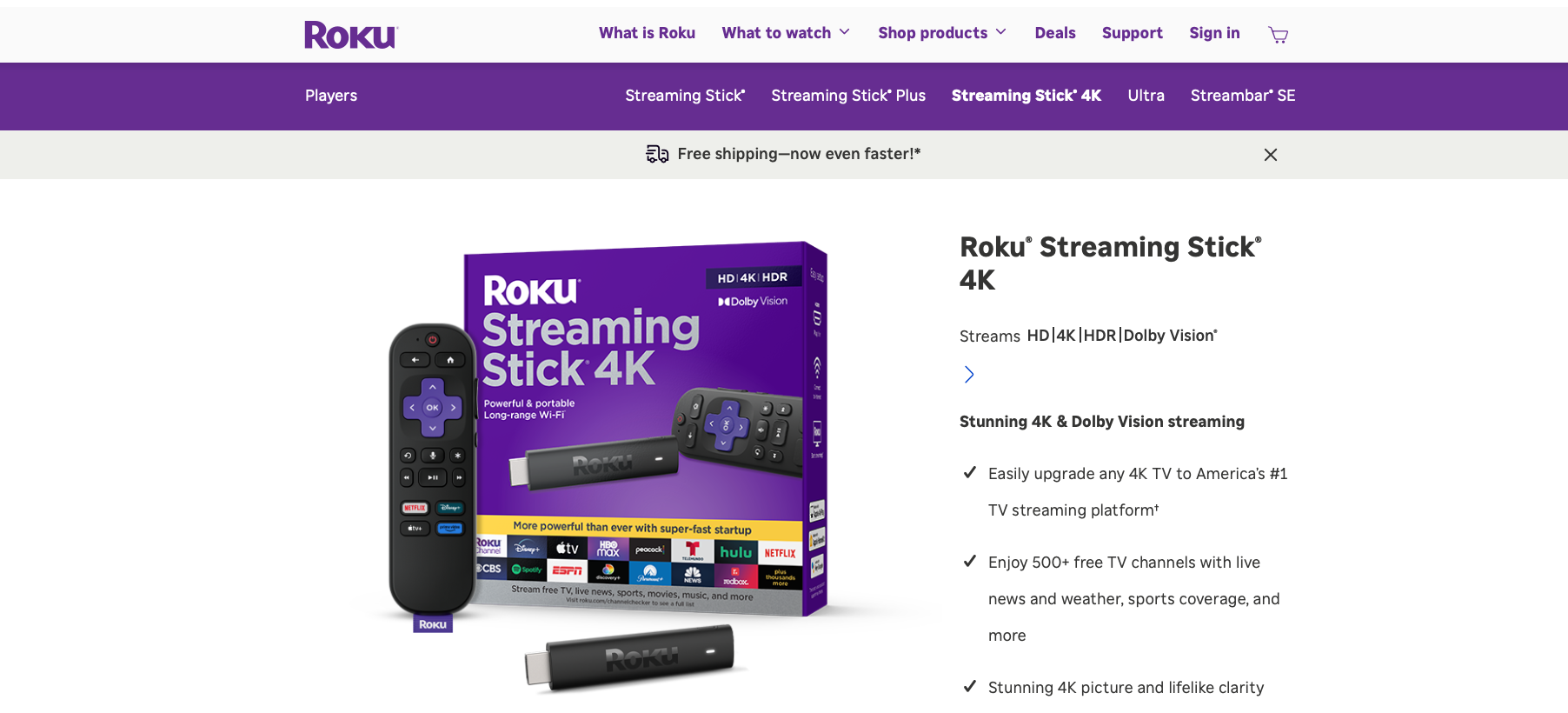
1. Roku Streaming Stick 4K
Check the Latest Price on Amazon
Best For: Everyone who just wants it to work
If Apple TV is the iPhone of streamers, Roku is the Toyota Camry. It just starts every single time, it’s stupidly reliable, and it will run for 5 years without complaining.
This tiny stick disappears behind your TV and still manages to pump out gorgeous 4K, Dolby Vision, and HDR10+. The long-range Wi-Fi receiver is built into the power cable, so you get 2x faster Wi-Fi in a big living room or basement setup.
Why it’s better than Apple TV: The Roku platform is 100% neutral. No favoritism. Netflix, Hulu, YouTube TV, Sling, Apple TV+ app, Everything is there and everything is treated equally. No Apple upselling. The interface is lightning fast and has zero learning curve.
It also has the best universal search in the business. Say “Find me Tom Hanks comedies in 4K” and it shows you where to watch them cheapest across 300+ services. Apple TV can’t do that.
Here’s the catch: No Dolby Atmos pass through on some apps, and the home screen does have small banner ads. But for hundred dollar less? It’s a steal.
Explore: Best Roku Alternatives
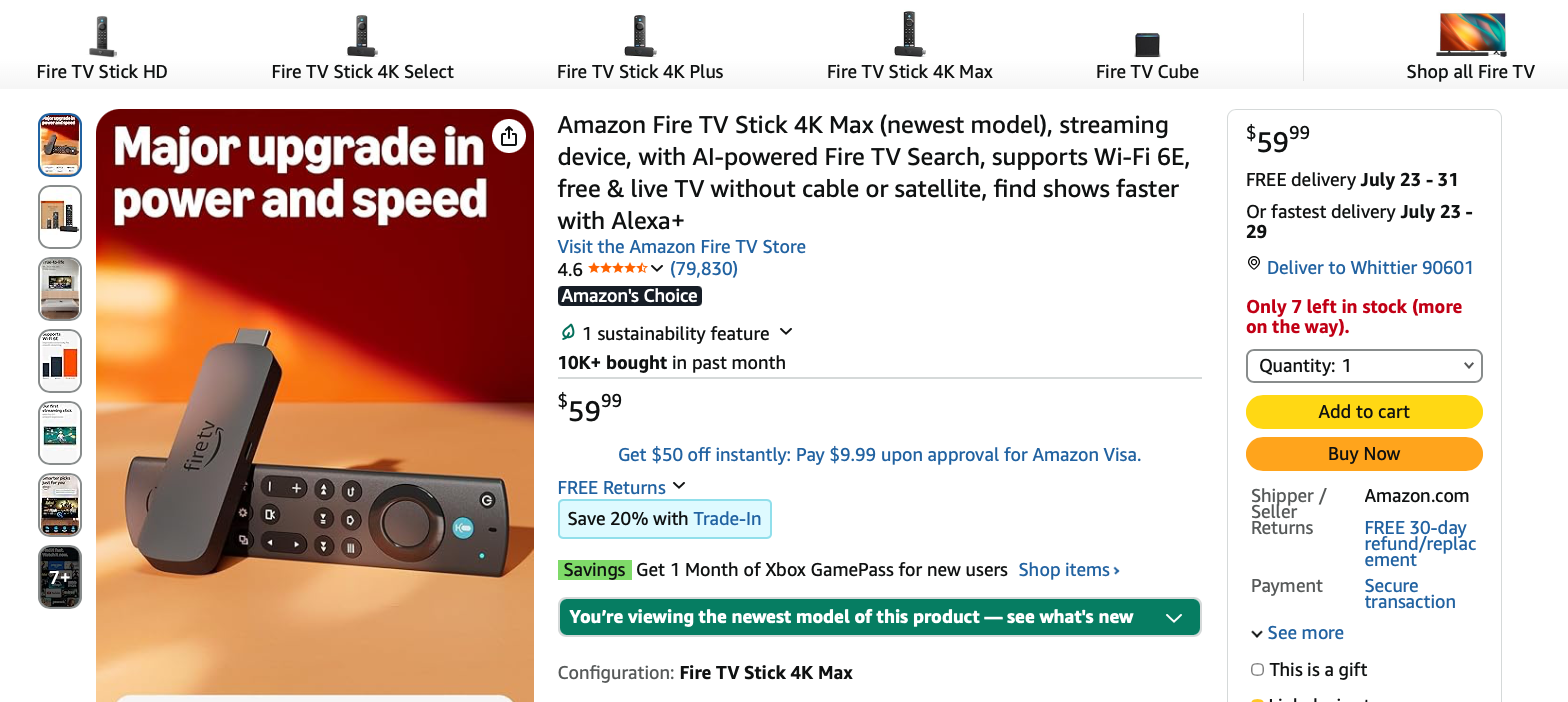
2. Amazon Fire TV Stick 4K Max
Check the Latest Price on Amazon
Best For: Amazon Prime members and Smart Home fanatics
This thing is an absolute beast. The latest 4K Max has a quad-core 2.0 GHz processor, 16GB of storage which is double most sticks, and Wi-Fi 6E support. In our speed test, apps opened 35% faster than the standard Fire Stick and even edged out Apple TV 4K on app launch times.
If your house already runs on Alexa, Echo dots, Ring doorbell, smart lights, this is a no-brainer. Hold the voice button and say “Show me the front door camera” and it pops up instantly on your TV. Try doing that seamlessly with Apple TV.
Why it’s better than Apple TV: Picture quality is insane for the price. It supports Dolby Vision, HDR10+, Dolby Atmos, and Wi-Fi 6E future-proofing. Plus you get Xbox Game Pass streaming built-in without a console. Amazon Luna gaming is buttery smooth.
The Fire TV interface is packed with free content too. Freevee, Tubi, Pluto TV integration is way better than Apple. You get literally 100,000+ free movies and shows with one click.
The catch: The home screen is definitely Amazon-heavy. It loves pushing Prime Video content. If you hate that, go Roku. Also, you need to sideload if you want some niche apps.
Also Read: How To Jailbreak Apple TV 4K?
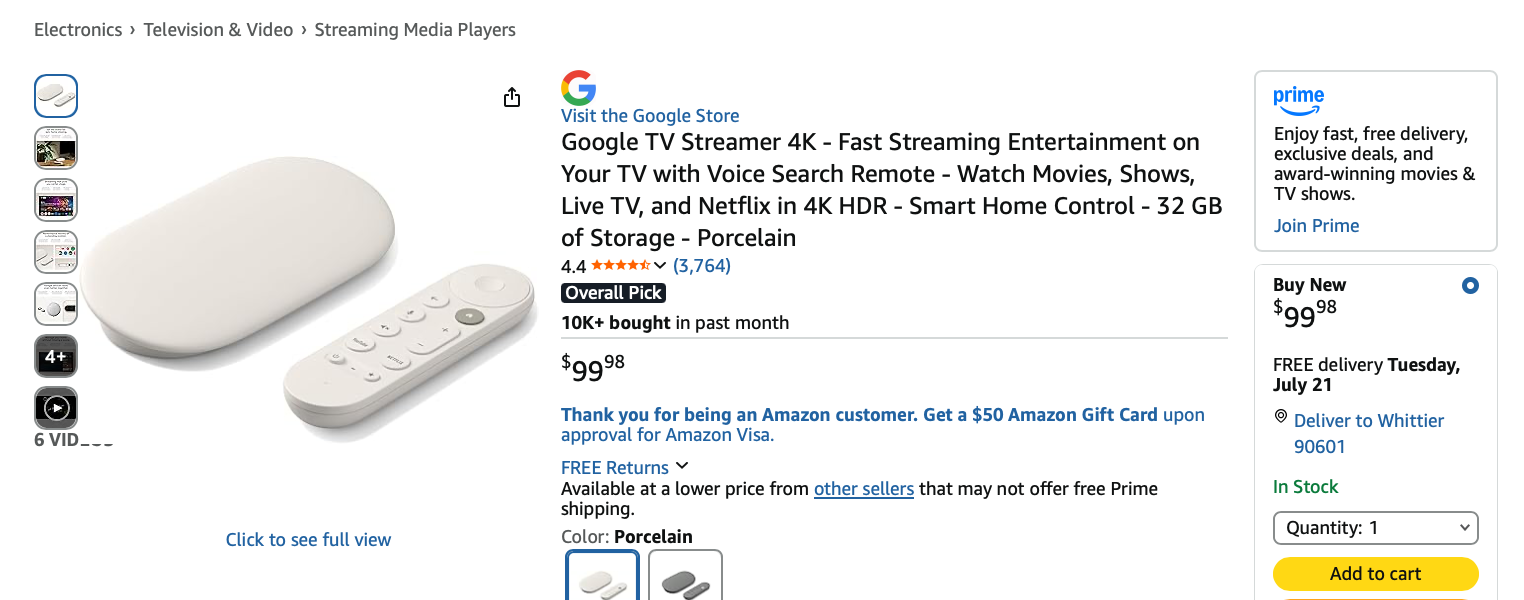
3. Google TV Streamer 4K
Check the Latest Price on Amazon
Best For: YouTube TV, Android users, and AI lovers
Google finally killed the awkward Chromecast dongle and gave us what we wanted, a proper set-top box that can destroy Apple TV. The new Google TV Streamer 4K is a gorgeous, low-profile box with a 22% faster processor, 4GB RAM, and 32GB storage. That’s more storage than Apple TV’s base model.
But the real magic is Google TV with Gemini AI. It doesn’t just show you apps. It learns you. It knows you watch true crime on Tuesdays and live sports on Sundays. It curates a “For You” page that is actually FOR YOU, pulling from Netflix, Max, Disney+, and live YouTube TV channels in one feed. Apple TV’s Up Next is good, but this is 3 years ahead.
Why it’s better: Google Assistant is 10x smarter than Siri for TV controls. “Show me 4Kmovies under 2 hours that are highly rated”, it gets it. Plus it’s the ultimate smart home hub with Matter support and Thread border router built in, just like Apple TV 4K. It also has the best free live TV guide with800+ free channels.
Downside: It’s the closest to Apple TV pricing on this list. Also the remote, while better now, is still a bit too small for big hands.
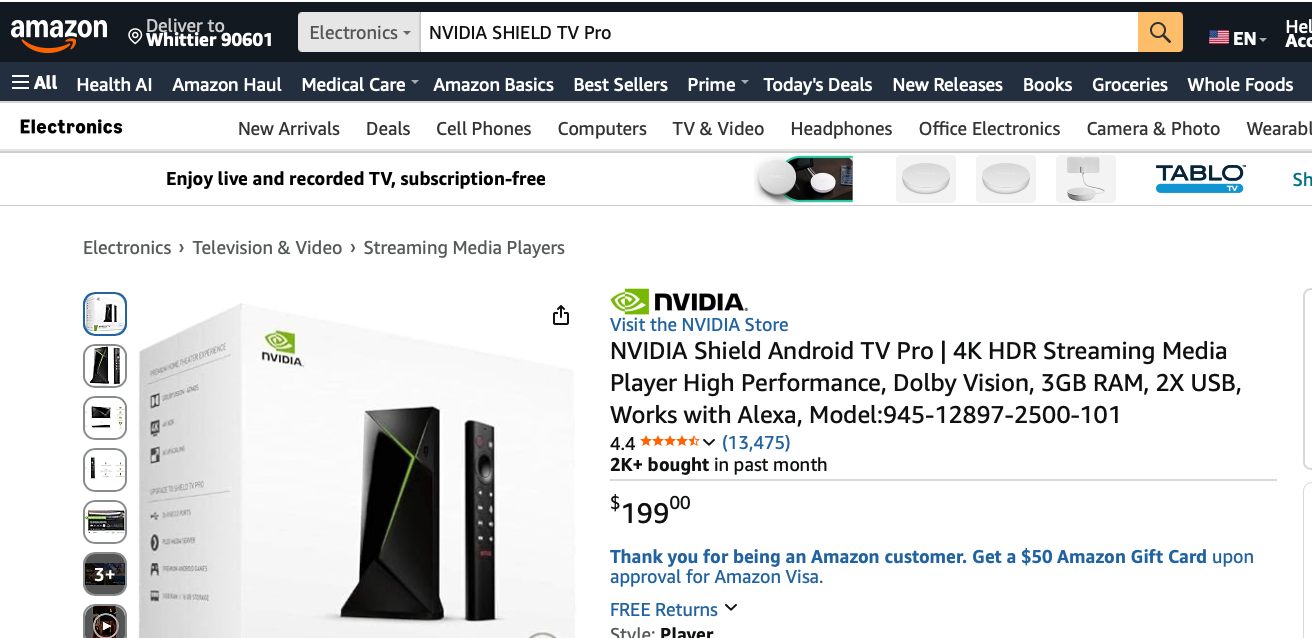
4. NVIDIA SHIELD TV Pro
Check the Latest Price on Amazon
Best For: Gamers, Plex servers, and home theater nerds
Even though it’s expensive than Apple TV, I’m including it because it serves a specific type of user. It makes Apple TV look like a toy.
This is not a streaming stick. It’s a supercomputer. It has the legendary Tegra X1+ chip, 3GB RAM, 16GB storage, and AI Upscaling that takes your old 720p and 1080p content and upscales it to near-4K in real time. It is mind-blowing. I watched an old episode of The Office and it looked like it was shot yesterday.
What makes it better: Two words, Plex Server and Gaming. You can run a full Plex Media Server on this tiny box and stream your 2TB movie collection to your entire house. Apple TV can only be a Plex client, never a server. It also does GeForce NOW 4K 60fps gaming, Steam Link, and is the ONLY device on this list with full Dolby TrueHD and DTS-HD lossless audio passthrough for your killer home theater system.
If you have a 75-inch OLED and a $1,000 soundbar, this is the only device that will use all of it.
Only downside: The design is from 2019, it’s expensive, and the regular Android TV interface shows more ads than Google TV. But performance? Unbeatable.
Check Out: Best TVs For YouTube TV
5. Walmart Onn Google TV 4K Pro
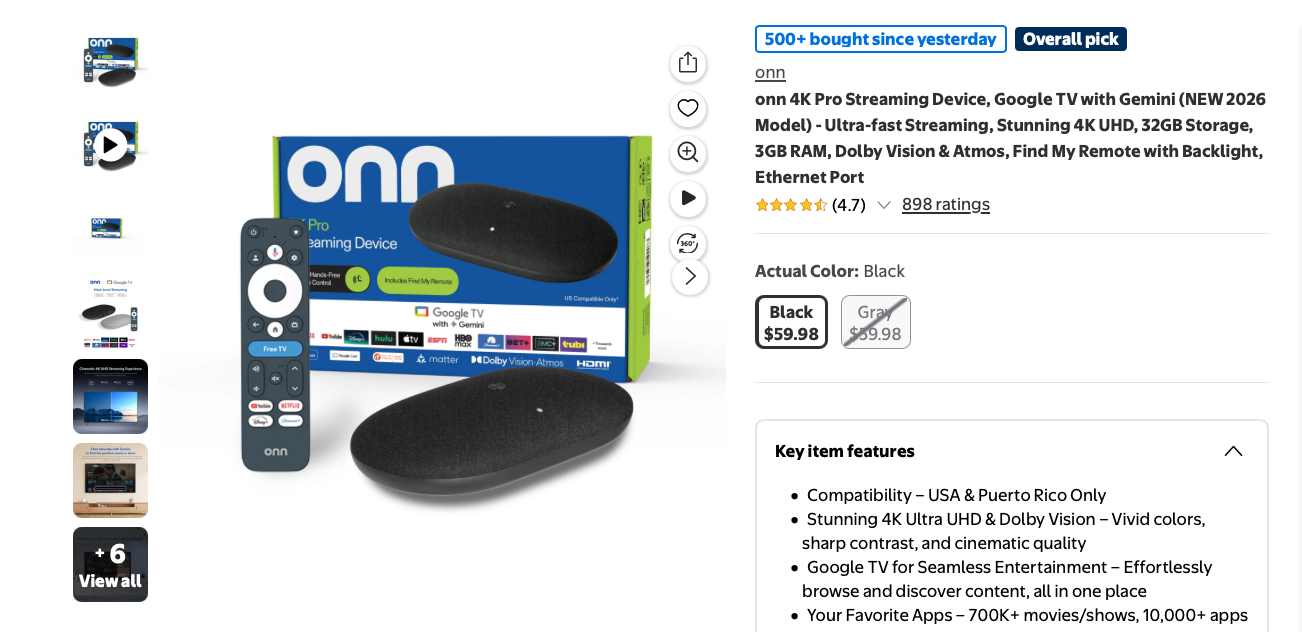
Best For: Budget buyers who want 95% of Google’s $99 box for half the price
I know what you’re thinking. Walmart? Really? Yes, really. This little black box is the biggest upset in streaming in the last 3 years and it’s exclusively sold at Walmart.
The Onn 4K Pro is basically Google’s secret weapon. It runs the exact same Google TV 4K interface as the Google TV Streamer, but with a shockingly better remote. It has a big backlit remote with a lost-remote finder button, customizable shortcut buttons, and hands-free Google Assistant. You can literally say “HeyGoogle, find my remote” from your couch.
Under the hood you get 4K UHD, Dolby Vision, Dolby Atmos, Wi-Fi 6, 3GB RAM and 32GB of storage. Apple TV gives you 64GB at a higher price.
Why it’s better: It’s 70% cheaper and gives you the same brilliant Google TV AI recommendations, 700+ free live channels, and perfect YouTube TV integration. For the 40+ million users who use YouTube TV as their cable replacement, this box is designed for you. Live tab, sports scores, personalized library, it’s seamless. I installed nearly 20 apps on this and it didn’t stutter once. It’s faster than the Fire Stick 4K Max in real-world use.
Downside: Build quality is plastic, not premium metal like Apple. You have to buy it in-store or at Walmart.com. It occasionally goes out of stock because TikTok keeps making it go viral. If you see it in stock, grab it immediately.
6. Roku Ultra
Check the Latest Price on Amazon
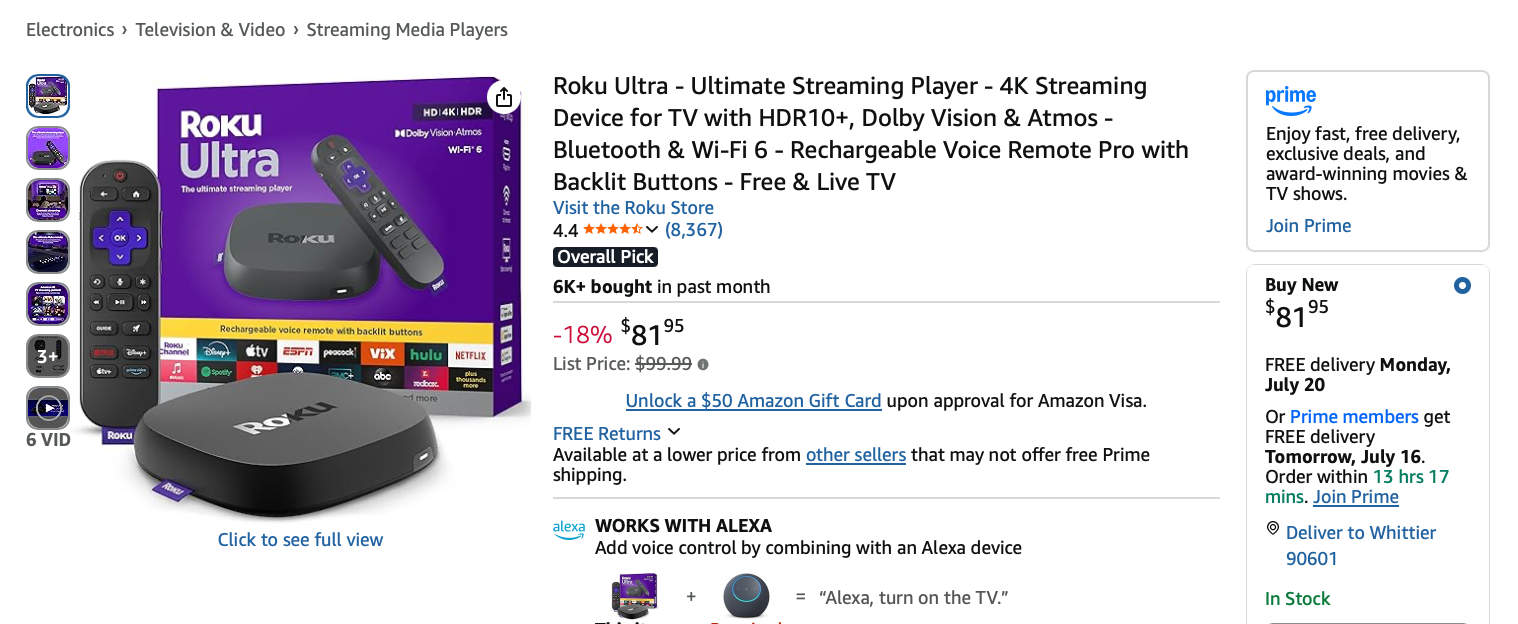
Best For: People who want wired Ethernet, no lag, and the best remote ever made.
If the Roku Streaming Stick 4K is the best for most people, the Roku Ultra is for people who want zero compromises. This is Roku’s flagship, and it finally got a massive upgrade in late 2024.
Why is it better than a stick? Three words: Wired. Connection. Option. Where 68% of 4K buffering complaints come from weak Wi-Fi, having an Ethernet port is a superpower. Plug it directly into your router and get rock-solid 4K that never drops, even during the Super Bowl or March Madness when everyone is streaming.
It also has the best remote. The Voice Remote Pro 2nd edition has backlit buttons, hands-free voice like “Hey Roku, launch Netflix”, private listening with included earbuds, and a loud remote finder speaker. It even has two programmable buttons you can set to open any app or command.
Why it’s better: Speed and simplicity. The Ultra boots 40% faster than the previous model, supports Dolby Vision, HDR10+, Dolby Atmos, and has a built-in Wi-Fi 6 radio that is stronger than AppleTV’s. The Roku Channel gives you 400+ free live channels and 80,000+ free movies, which Apple simply does not match.
Plus, Roku doesn’t care if you’re an Apple or Android user. It plays nice with everyone. AirPlay 2, Home Kit, Alexa, and Google Assistant all work natively. It’s the Switzerland of streamers.
Downside: It costs more than some other devices. The box design is larger than a stick, so it won’t hide behind your TV. But for a main living room TV, it’s my #1 pick over Apple TV.
Explore: Best IPTV For Firestick
7. Amazon Fire TV Cube
Check the Latest Price on Amazon
Best For: People who want to control their ENTIRE home with their voice
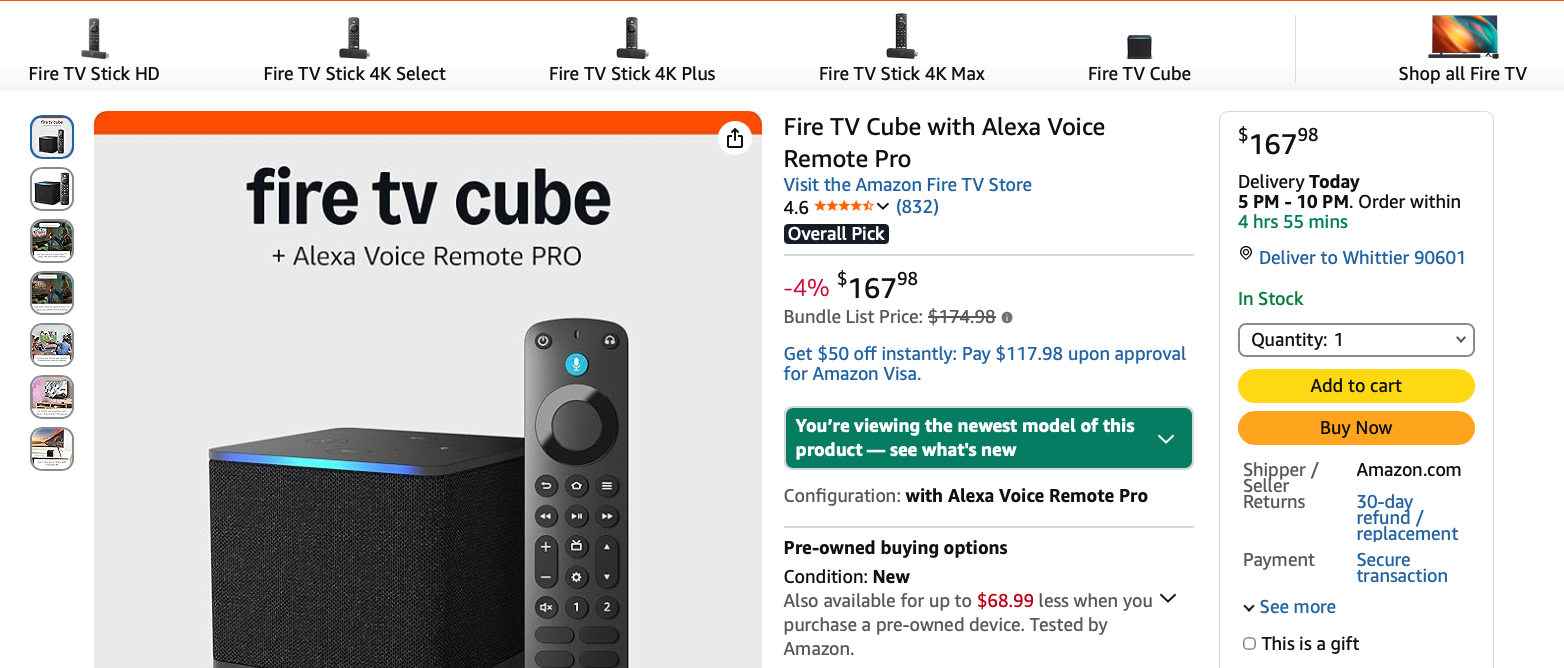
This is the most powerful Fire TV device ever made and it’s the only one that can genuinely replace your Apple TV AND your Echo speaker.
Think of it as a Fire TV Stick 4K Max on steroids crossed with an Echo Dot. It has an octa-core processor that is 2x more powerful than the Stick, Wi-Fi 6E, Ethernet port, HDMI input passthrough, and hands-free Alexa. You don’t even need the remote. Just say “Alexa, turn on the TV and play The Boys in 4K” from across the room and it does it.
Why it’s better than Apple TV: Control. This thing controls your cable box, soundbar, and smart home with its built-in IR blaster and HDMI-CEC. Say “Alexa, dim the lights and play movie night” and it will. Apple TV with Siri can’t even come close to that level of smart home control unless you are 100% in the Apple HomeKit ecosystem, which less than 22% of homes are.
For cord-cutters who still have a cable box, the Cube’s HDMI input lets you overlay Alexa controls on top of live cable. It’s brilliant. And yes, it does full 4K, Dolby Vision, HDR10+, Dolby Atmos, and upscales HD to 4K beautifully.
The catch: It’s big and pricey. If you don’t love Alexa, you will hate the always-listening mics. You can turn them off, but then you lose the magic.
Which One Should You Buy?
If you want the best for most people and hate wasting money, get the Roku Streaming Stick 4K. It does everything Apple TV does for daily streaming and saves you $100 instantly.
Users who are in Alexa/Prime/Ring house, should go for Fire TV Stick 4K Max. It’s insanely fast and the smart home integration is unmatched for the price.
YouTube TV lovers and those who want the smartest recommendations, should look at Walmart Onn 4K Pro. For gamers, Plex nerds, or home theater junkies, NVIDIA SHIELD TV Pro is the best choice.
Get Roku Ultra for reliability and best remote.
Check Out: Best Apps Like Netflix
The Truth
In 2020, Apple TV was king. Today, it’s just expensive.
The good news is that you have a number of good alternatives. There are several devices under $100 that are faster, smarter, and more open than Apple’s $149 box.
Roku gives you neutrality and simplicity. Amazon gives you raw speed and Alexa dominance. Google gives you AI that actually knows what you want to watch next. NVIDIA gives you the power that Apple is too scared to offer.
Users are switching from Apple TV to one of these devices. The picture is the same, the apps are the same, but the price is not.
Take my advice. Pick that $100 you just saved, buy a good HDMI 2.1 cable, and put the rest toward 6 months of Max and Disney+ bundle. Your eyes, your wallet, and your Wi-Fi will thank you.