You check email on your phone constantly. But standard email is open by default. If you want real privacy, you need encrypted email apps for iPhone and Android that lock your messages before they leave your device.
This guide shows you the best secure email apps for mobile. You’ll see which ones use end‑to‑end encrypted email services for smartphones, which feel like Gmail, and which one I recommend if you want set‑it‑and‑forget‑it privacy.
I ran each app on iOS and Android so you can pick fast and set up today.
Quick Comparison: 10 Encrypted Email Apps for iPhone and Android
|
App |
Best For |
Encryption Type |
iOS |
Android |
Free Tier |
|---|---|---|---|---|---|
|
Proton Mail |
All‑around privacy + ease |
End‑to‑end, zero‑access |
Yes |
Yes |
Yes |
|
Tuta |
Subject line + calendar encryption |
Full mailbox encryption |
Yes |
Yes |
Yes |
|
Criptext |
No server storage, unsend mail |
Signal Protocol, P2P |
Yes |
Yes |
Yes |
|
Canary Mail |
Keep Gmail/Outlook + add PGP |
PGP layer on any account |
Yes |
Yes |
Limited |
|
StartMail |
Unlimited aliases |
PGP optional |
Web/IMAP |
Web/IMAP |
Trial |
|
K‑9 Mail |
Android open‑source PGP |
PGP via OpenKeychain |
No |
Yes |
Yes |
|
FairEmail |
Android privacy controls |
PGP + S/MIME |
No |
Yes |
Yes |
|
Thunderbird/K‑9 |
Desktop Thunderbird users |
PGP via client |
No |
Yes |
Yes |
|
Gmail CSE |
Workspace compliance |
Client‑side S/MIME |
Yes |
Yes |
No |
|
Mailfence |
Digital signatures + docs |
OpenPGP |
Via client |
Via client |
Yes |
What Makes an Email App “Encrypted”?
- End‑to‑end encryption: Only you and your recipient can unlock the message. The provider can’t read it even if a court asks.
- Zero‑knowledge architecture: The company never holds your password or keys. If their servers get breached, your data stays unreadable.
Got it? Let’s look at the apps.
1. Proton Mail
Best overall for most people
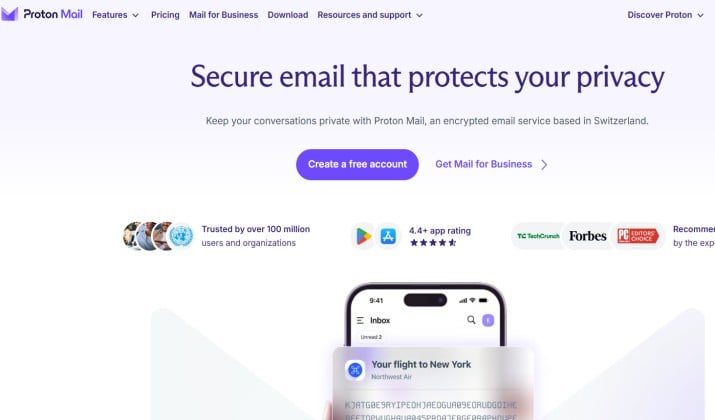
Proton Mail encrypted email app from Switzerland with end‑to‑end and zero‑access encryption is the easiest way to leave Gmail behind. Messages between Proton users encrypt automatically.
If you email someone on Gmail, you can send a password‑protected link that expires. The iPhone and Android apps feel familiar. You get swipe actions, push alerts, and dark mode.
Mobile features you’ll use
- Auto encryption between Proton accounts keeps things simple
- Set message expiration dates so old mail deletes itself
- Built‑in calendar and VPN come with paid plans
- Apps are open‑source and audited
Proton Mail pricing: ProtonMail offers a free tier and several paid plans, starting at $3.99 per month. Costs change based on storage size and billing length. Annual plans offer discounts.
The Free Plan: It includes 1 email address, 1 GB of storage (after completing startup tasks), and limits you to 150 messages per day.
Mail Plus: Costs about $3.99 per month (or $47.88 billed yearly). It gives you 15 GB of storage, 10 email addresses, and support for custom domains.
Proton Unlimited: Costs about $12.99 per month (or $119.88 billed yearly). It gives you 500 GB of storage and unlocks premium features across all Proton apps (Mail, VPN, Drive, and Pass).
Get it here: App Store | Google Play
2. Tuta
Best for encrypting subjects and calendar too
Most secure email app alternatives to Gmail and Outlook only encrypt the body. Tuta goes further.
Tuta encrypted email and calendar app with built‑in encryption locks your entire mailbox. That includes subject lines, contacts, and calendar entries.
Mobile features you’ll use:
- You sign up without a phone number.
- Tuta strips your IP from headers and blocks remote images by default.
- The encrypted calendar is included on every plan, so you can schedule privately from your phone.
Tuta Pricing
Tuta has different tiers for personal and business use. They all use secure, zero-knowledge encryption.
Personal Plans
- Free: €0/month. Includes 1 GB storage, 1 user, 3 labels, and limits searches to messages under a month old.
- Revolutionary: €3/month (about €36/year). Includes 20 GB storage, 15 email aliases, and 3 custom domains.
- Legend: €8/month. Includes 500 GB storage, 30 email aliases, and 10 custom domains.
Business Plans
- Essential: €6/month per user. Adds 50 GB storage, 15 aliases, and 3 custom domains.
- Advanced: €8/month per user. Adds 500 GB storage, 30 aliases, and 10 custom domains.
- Unlimited: €12/month per user. Adds 1 TB storage, custom branding, and unlimited custom domains.
Get it here: App Store | Google Play
Also read: Tuta vs Proton mail
3. Criptext
Best for true peer‑to‑peer encryption with no cloud storage
Criptext is different from most encrypted email apps for iPhone and Android.
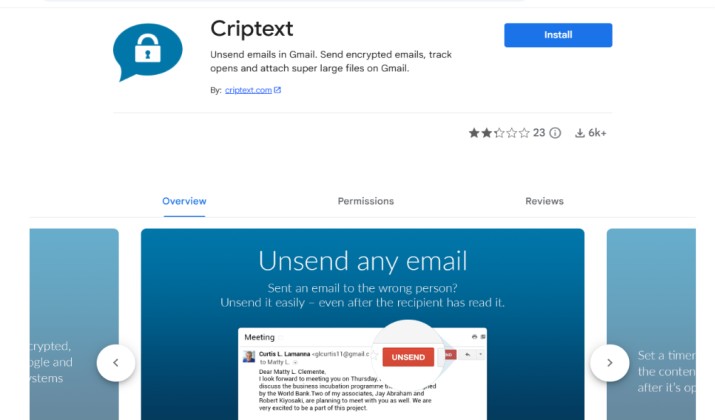
It uses the Signal Protocol for end‑to‑end encryption and doesn’t store your emails on its servers at all. Your phone holds the messages. Delete the app and your inbox is gone. That means zero data to breach.
Mobile features you’ll use:
- Peer‑to‑peer encryption with no email stored on servers
- Unsend messages even after they’re read
- Real‑time email tracking and read receipts
- Open‑source apps for iOS and Android
Pricing: Criptext offers a simple pricing model that is completely free for its standard version, which gives you 500 MB of encrypted email storage. For heavy users, they offer a premium tier called Criptext Pro that costs $10 per month.
4. Canary Mail
Best if you want to keep your Gmail address
Canary Mail secure email client with unified inbox, read receipts, AI, and privacy controls for iPhone works differently. It’s not a new email provider.
It’s a client that sits on top of Gmail, Outlook, iCloud, or Proton. Then it adds automatic PGP encryption, AI writing help, and read receipts.
Mobile features you’ll use:
- You connect your existing accounts and Canary finds keys automatically.
- It encrypts mail with PGP when the other person supports it.
- The AI Copilot writes replies and summarizes long threads. You also get snooze, send later, and a biometric app lock.
Canary Mail pricing: Canary Mail offers a free plan and two main paid tiers. All plans are for single users and let you connect across multiple devices. You can also test premium tools with a 7-day free trial.
Here is the pricing breakdown:
- Free Plan: Free core features for casual use.
- Growth Plan: About $3 per month (billed as $36 yearly). This adds AI features like a smart email writer and thread summarization, plus smart folder tools.
- Pro+ Plan: About $8 per month (billed as $100 yearly). This unlocks full end-to-end encryption, advanced security, and priority support.
Get it here: App Store | Google Play
5. StartMail
Best for unlimited aliases
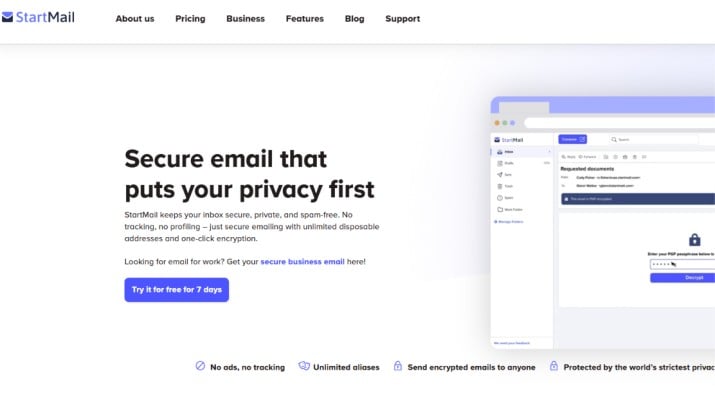
StartMail was created by the team behind Startpage search. You generate a unique email alias for every site you join.
If an alias gets spam, you delete it. No one traces it back to your real inbox. You access StartMail on mobile through the web app or IMAP with a secure client like Canary or K‑9.
Mobile features you’ll use:
- Create and delete aliases instantly
- Built‑in PGP support for end‑to‑end encryption
- Servers in the Netherlands under GDPR
- No ads or profiling
Start Mail pricing: StartMail pricing starts at $4.99 per month (billed annually at $59.88) for personal use. They also offer a business plan for $6.99 per month (billed annually at $83.88). Both plans include 20 GB of storage, no ads, and unlimited email aliases.
Read this too: Proton Mail vs Start Mail
6. K‑9 Mail
Best free Android option for PGP users
K‑9 Mail open‑source Android email client with PGP support is a classic. It’s now maintained by Thunderbird.
Pair it with OpenKeychain and you get full PGP‑enabled email apps and clients power. Add any IMAP account, set encryption rules per contact, and keep your keys on your device.
Mobile features you’ll use:
- You control every setting.
- It supports multiple identities, unified inbox, and custom notifications.
- It’s light on battery and has zero trackers because the code is public.
Pricing: K-9 Mail is completely free and open-source. It costs nothing to download and use. The app does not show ads or sell your data. The developers maintain the project through voluntary user donations rather than charging for licenses.
Get it here:Google Play
7. FairEmail
Best Android app if you want full visibility
FairEmail privacy‑oriented Android email app with strong encryption options gives you a privacy report for every message.
You see what trackers tried to load. You block remote images, hide your IP, and encrypt with PGP or S/MIME in one tap. It uses OAuth2 so you can add Gmail without your password.
Mobile features you’ll use:
- S/MIME and PGP support built in
- Tracker blocking and link confirmation
- Material You design looks modern
- Granular rules for each account
Pricing: FairEmail pricing is a straightforward, affordable one-time purchase. The standard app is free, but you can upgrade to the “Pro” version for a low, one-time fee (typically around $6.49 to $7.00 depending on your region). There are no monthly or yearly subscriptions.
Get it here: Google Play
8. Thunderbird
Best if you already use Thunderbird on desktop
Mozilla officially took over K‑9 Mail and rebranded it as Thunderbird for Android in 2023. So if you use Thunderbird on your laptop, this is now the mobile version.
You get the same open‑source code, unified inbox, and full PGP support when you pair it with OpenKeychain.
Mobile features you’ll use:
- You import your existing PGP keys from desktop Thunderbird and keep the same encryption workflow.
- It works with any IMAP provider, so you can add Proton Mail, Tuta, Gmail, or a self‑hosted server.
- You set per‑contact encryption rules, sign messages, and decrypt right in the app.
- t’s one of the most flexible PGP‑enabled email apps and clients on Android.
Pricing: Thunderbird email is completely free and will remain free forever. It is an open-source project managed by the Mozilla Foundation. There are no paywalls, subscriptions, or hidden costs for the core software.
Get it here: Google Play
9. Gmail
Best for Google Workspace compliance
Gmail client‑side encryption (CSE) for sensitive emails on Android and iPhone lets your company encrypt message bodies before Google sees them. You stay in the Gmail app you already know.
Who gets it? Gmail mobile app with client‑side encryption is only for Workspace Enterprise Plus, Education Plus, or Frontline Plus. Regular Gmail accounts don’t have it.
Gmail client‑side encryption on mobile how secure is it compared to dedicated encrypted email apps? It helps with HIPAA and ITAR compliance. But metadata and subject lines aren’t encrypted, and your admin holds the keys. Proton and Tuta give you stronger default privacy.
Mobile features you’ll use:
- Encrypt inside the Gmail app
- Keep your company domain
- S/MIME based security
Pricing: Gmail Client‑side Encryption (CSE) isn’t a separate product. You need a paid Google Workspace tier like Business Plus or Enterprise Plus to use it. CSE encrypts your email in the browser before it reaches Google, so Google can’t read it.
Workspace pricing starts around $14–$22 per user/month, but Enterprise plans need a custom quote from Google Sales. You also have to manage your own keys through a third‑party partner, which may add extra fees.
Get it here: App Store | Google Play
10. Mailfence
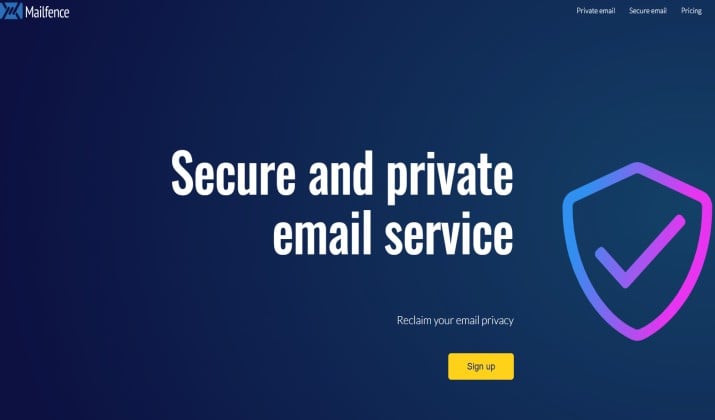
Best for digital signatures plus documents
Mailfence is based in Belgium and runs under strong EU privacy law. It offers end‑to‑end encryption with OpenPGP, digital signatures, and built‑in calendar, contacts, and document storage.
You use it on mobile through the web app or any IMAP client like Canary, K‑9, FairEmail, or Apple Mail with a PGP plugin.
Mobile features you’ll use:
- You can sign emails to prove they came from you.
- Store encrypted files right next to your inbox.
- Two‑factor authentication keeps your account locked down.
- Since it’s IMAP based, it slots into most secure email apps you already like.
Mailfence pricing: Mailfence offers a secure, ad-free email service based in Belgium. Their pricing is tiered:
- Entry Plan: Starts at $2.50 to $3.50/month for 11 GB of storage.
- Pro Plan: Around $7.50 to $9.50/month for up to 78 GB of storage.
- Ultra Plan: Roughly $25 to $29/month for massive storage (up to 225 GB) and priority support.
Get it here: Google Play | App Store
How to Pick the Right App for You
- You want a new private address and a simple app: Go with Proton Mail. It’s the most balanced option among privacy‑friendly mail clients for Android and iOS.
- You must keep your @gmail.com or @outlook.com: Install Canary Mail on iPhone or FairEmail on Android. You add PGP without switching addresses.
- You use Android and love open‑source tools: K‑9 Mail gives you full PGP for free. FairEmail adds more privacy switches if you want them.
- Your company uses Google Workspace: Ask IT about client‑side encryption. It covers compliance, but remember that Google still sees metadata.
- You need aliases for every signup: StartMail or Proton Unlimited let you spin up addresses instantly.
- You need digital signatures and document storage: Mailfence covers both and runs under Belgian law.
The Bottom Line
Standard email was never built for privacy. If you send contracts, medical info, or just want to stop ad trackers from reading your mail, you need secure email apps with end‑to‑end encryption and zero‑knowledge architecture.
For most people, Proton Mail is the clear winner. You get strong encryption, apps that feel modern, and a free plan to start.
If you can’t switch addresses, Canary Mail or FairEmail add PGP to your current account. If you need signatures and docs under EU law, try Mailfence with your favorite client.
Pick one of these encrypted email apps for iPhone and Android today and take control of your inbox.