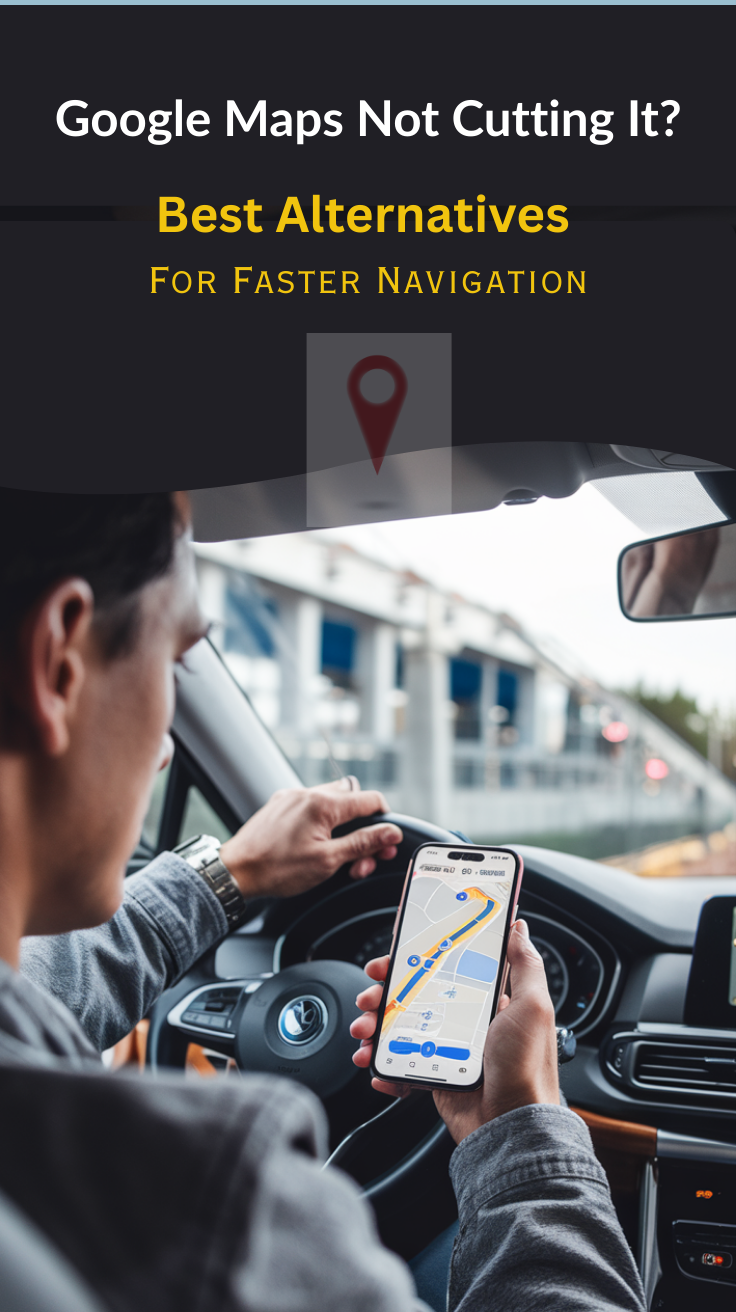
Google Maps has become an indispensable tool for Android and web users, with millions relying on it to find locations, calculate distances, and discover essential landmarks.
Its success can be attributed to its user-friendly interface and robust features.
Although Google Maps is the default application on Android, it may not be the best location-based application for you.
We know what you’re thinking now.
How can Google Maps not be the best navigation app when it has served you perfectly for all these years?
We’ll tell you why.
Google Maps’ offline functions are minimal compared to other alternative apps. While offline, you can only use it to access driving routes.
Optional apps have more features to offer when offline, including driving statistics and map category selection, traffic information and updates, etc.
Most of them access maps and supplement them with details such as hiking maps or real-time navigation.
While Google Maps is top-rated for its Mapping and GPS Navigation capabilities, it can cause compatibility issues with some devices or operating systems.
Some of the information provided by Google Maps may not be complete or accurate. You’ll find occasional flaws and ambiguities in location data, such as the wrong route.
It also doesn’t have instant information on unusual occurrences or road conditions. It cannot tell you if the road ahead has been damaged by weather, is under construction, or is not passable due to a street fair.
If you are looking for a remote location on Google Maps, you may not find it.
Google Maps’ convenience allows criminals to take advantage of the information it provides. The Street View and satellite images help them locate affluent homes or neighborhoods they can break into. They can also identify expensive cars to steal.
Accessibility to Google Maps can be pretty challenging. The application relies on downloading large images, which may take longer to load, especially when you have a poor connection. Browsers can fail to load it properly too.
The pricing factor also plays a significant part in your decision to get an alternative solution to Google Maps.
These constraints can influence you to seek an alternative mapping and navigation app to use.
That’s precisely why we want to help you choose an excellent app that will give you similar or even better services than Google Maps.
Let’s look deeper into the best alternatives for Google Maps below.
Best Google Maps Alternatives (Free and Paid) for a Better Navigation Experience
1. MAPS.ME
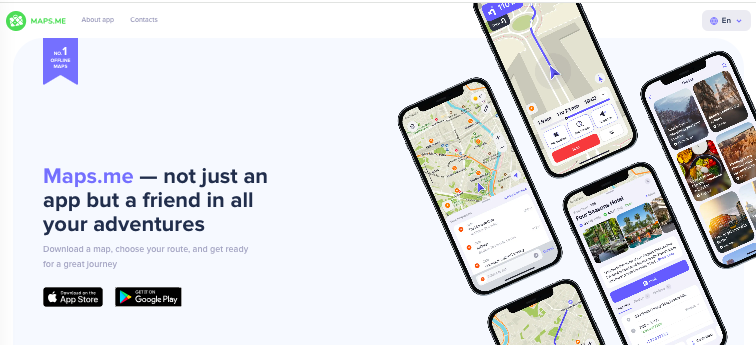
Maps.me is a mobile navigation app that uses crowd-sourced OpenStreetMap data to offer maps and turn-by-turn directions that work offline once downloaded, making it great for travel or areas with no internet access.
Even with fewer features, it’s a solid alternative to Google Maps if your priority is free offline use and basic navigation worldwide.
The app supports walking, driving and cycling routes, plus search and points of interest, though some users find search and address detail less refined.
Maps.me is available on Android as well as iPhone. However, as of early 2025, it has faced regulatory removal from app stores in some regions due to map boundary issues, so availability may vary by country.
2. Bing Maps

Bing Maps is one of the closest competitors of Google Maps.
It comes with a fresh and ad-free user interface that is easy to navigate. All controls for directions, sharing, and traffic are placed along the top of the interface.
All Bing Maps controls for directions, sharing, and traffic are placed along the top of the interface. It has similar features found in Google Maps, and you can add destinations along routes, print the map, and use it during your trip.
At Bing Maps, you’ll find streetside, aerial, and road layers, as well as driving, walking, and transit maps.
Bing Maps provides a more conservative arrival time thus posting slower route times than Google Maps.
The app offers a higher image resolution and a friendlier user interface that is easier to follow compared to Google Maps. The maps are more detailed with more layers than Google Maps.
Do you want to save places to a personal library for later use? Bing Maps lets you do this, while Google Maps doesn’t.
Bing Maps offers a basic key for free use in terms of cost, but you may consider purchasing a license if the usage goes beyond the basic vital requirements.
Even if Bing Maps doesn’t have a mobile app, you can use it on your smartphone (although you’ll need more data). It works similarly with Google Maps, proving to be the best alternative you can get.
3. Navmii

Navmii is another popular mapping and navigation app you can use on your iOS, or Android device. It is one of the apps with more innovative features than Google Maps.
Navmii provides up-to-date reports about accidents and construction sites. It also provides additional integrated information on apps, such as TripAdvisor. Google Maps does not have apps that provide extra information.
If you’re sick of the old interface found on Google Maps, you may like the cartoon aesthetic on Navmii that features cartoon icons on the screen that shows your location and other users’ locations.
Just like Google Maps, Navmii is free. But Navmii gives slower updates compared to Google Maps.
You’ll also get support for offline maps and smart auto-rerouting when road and traffic conditions change.
Navmii is a one-of-a-kind offline navigation app with a sleek, stylish interface loaded with the finest elements. And to think that Navmii can be used by both adults and children, who can compete with this?
Related: Get the Most Out of Your Miles: A Comprehensive Review of the Best Mileage Tracker Apps
4. MapQuest

MapQuest is a web and mobile-based navigational and mapping tool. It works the same way as Google.
MapQuest can recognize your location using your IP address or phone GPS. It provides accurate route directions and other information regarding distance, traffic levels, and estimated fuel costs.
The zoom controls feature traffic/satellite views and share/print buttons that make navigation a breeze.
Both Google Maps and MapQuest have tools that offer elaborate, turn-by-turn instructions to help you navigate from place to place.
Google Maps features the “Get Directions” tool, which you can go to on the map’s left side and activate.
MapQuest also features the “Route Planner” tool that allows you to input waypoints and change a route.
Google Maps and MapQuest feature standard and satellite street map views, and both provide comparable coverage across Canada, the United States, and Europe. But if you’re looking for broader coverage for other parts of the world, Google offers that.
MapQuest is also free to use though. You can download Mapquest here – Android/iOS
5. Sygic Maps

Sygic Maps is another frequently downloaded and installed mapping app you may want to consider.
This app has voice-guided turn-by-turn navigation that comes in different languages. It supports offline maps, pedestrian navigation, 3D orientation, lane guidance, alternative routes, and junction views.
Sygic Maps also has car audio integration and drag and drop route editing. You’ll always get alerts on police traps, fixed speed cameras, and speed limits.
While Google Maps draws data from the application itself, android devices, and other devices with GPS from around the world, Sygic Maps gets data from TomTom Traffic and the data is updated every two minutes.
Sygic supports multiple languages as well as voice command like Google Maps. Do note that Sygic is only for private vehicles and not for commercial vehicles.
Download Sygic here – Android/iOS
6. Waze

Waze is a tool that supplements your mobile experience well. Its live map allows you to quickly search for locations, plan routes, click different locations to add destinations or drop pins, and more.
Its map editor helps you customize the map of any area. Sounds fun, right? Did we tell you that it also offers social integration?
This is where you share hazard warnings, cool places you’ve visited, post camera shots, ask for help, and share police or traffic alerts.
Waze is quite helpful for road information such as police roadblocks, ongoing construction works, accidents, and many other alerts.
Waze is better in providing warnings about crashes and speed traps in real-time and re-routes for you whenever this happens. Google will flag traffic or speed traps, but the difference with Waze is that it won’t re-route for you.
This app will suit you most if you are a music lover because Waze can integrate with your mobile music apps, something Google Maps can’t.
The Waze mobile app is more fun and easy to use than Google Maps because of the social integration with other users (known as Wazers).
Waze is a spectacular app that works similarly or way better than Google maps. It provides a complete set of functionalities and features you need in an app. It may not have many features, but it serves you well.
Download the app here – Android/iOS.
7. HERE WeGo

HERE WeGo may not be insanely popular, but it packs many unique features that may interest you.
It is a mobile app and web-based, with a simple, clean interface. Some of its unique features include multiple route options like taxi, transit, or car-sharing routes.
It specializes in different forms of transport include subway, metro, bus, train, ferry, bike, and trolley. This app is quite reliable; it helps you plan your road trip with detailed information on where to park and much more.
Google Maps allows you to download one particular area at a go, while HERE WeGo allows you to download territories and nations at once.
HERE WeGo has excellent features, including many route options such as taxi, transit, and even ride-sharing routes. Like Google Maps, HERE WeGO also has many layers like traffic, transit, terrain, and satellite.
For minimalists, HERE WeGo is a perfect choice as it lacks distractions from their navigation app. It is simple to use; you just set your destination and go.
HERE WeGO lessens the burden of mapping and navigation by offering you all the relevant information you need to reach your destination. This is something you may not find on Google Maps.
With HERE WeGo, all you need is to install the app, sit tight, and let it work for you.
Download the app here – Android/iOS
8. Citymapper

Citymapper was designed to cater to people who frequent the city using public transportation. It excels in making public transit easy for such people.
Its multi-mode journey planner includes buses, metro, subways, trains, ferries, Uber car-sharing, trams, and more.
The Go assistant feature offers real-time instructions and suggestions while navigating. It also has Uber integration to help you with cab booking and Foursquare.
Citymapper ensures you receive live transit updates from Twitter and Yelp. You’ll know when the next bus is available, the timetables, disruptions, and more.
Citymapper is smarter at categorizing as many routes as it can to a particular place, all on one screen. Google Maps give you only one route to follow to a particular place.
The app is direct and straightforward.
At the pages’ home screen, “get me somewhere” and “get me home > work” buttons let you type in a location before giving you directions and takes you home or to work, respectively, as long as you type your home’s and job’s address in there.
Google Maps does not have such features; it is a bit bloated with information from the jump that might not be useful to most users.
Though both Citymapper and Google Maps have a super reliable and convenient approach to transit information, but in Citymapper, it is a bit cleaner and more straightforward.
For example, while Google Maps lets you filter routes by wheelchair accessibility, Citymapper simply includes that category in the complete list of options by default.
Citymapper charges a subscription service that gives users enhanced features such as the ability to personalize their app and a rain warning.
Download the apps here – Android/iOS
9. OsmAnd

OsmAnd is a highly rated mapping service that works well on Android and iOS devices. It offers regular mapping features and other features for cyclists and people who love skiing.
You can search the app using the coordinates or an address.
Its map viewing experience is the best as it allows you to display overlays such as touring, specialized online tile maps, and more in your language of choice.
The offline maps include hiking, foot, and bike paths. OsmAnd displays the hill shading, contour lines, altitude, and speed.
OsmAnd Maps offers map styles such as OsmAnd, touring view, lightRS, uniRS, nautical, and ‘winder and ski’ styles for different user needs.
But, you’ll have to download map data for specific locations that require a bit more space than Google Maps. You can consider investing in the premium version, as the free one includes only seven free map downloads.
OsmAnd does not use any mobile data and works entirely off the grid.
The maps in OsmAnd are highly detailed in comparison with Google Maps. You will see walking paths, icons for business types, and even the direction of river flow.
10. Rand McNally
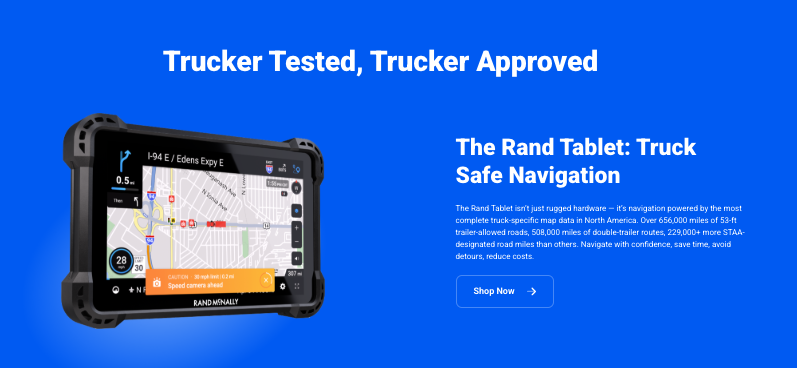
Rand McNally is a veteran name in physical maps and GPS navigation hardware, especially in trucking and road travel.
It is known for products designed to help plan and follow routes reliably.
You can find dedicated devices that cater to drivers who want a standalone system with detailed routing and road data.
The data is mainly optimized for commercial vehicles rather than general smartphone navigation. It also makes other units for different use-cases.
Rand McNally is excellent for trucking or dedicated devices, however, for typical consumer use, Google Maps is better.
11. Apple Maps

Apple Maps represents a remarkable turnaround story in digital navigation technology.
Since its challenging debut in 2012, it has transformed into a sophisticated mapping platform that rivals and sometimes surpasses Google Maps in specific areas.
The service particularly shines in its integration with the Apple ecosystem, offering seamless synchronization across iPhones, iPads, Macs, and Apple Watches.
Its standout features include highly detailed indoor mapping of major airports and shopping centers, providing users with precise locations of shops, gates, and amenities.
The “Look Around” feature offers stunningly detailed 3D city views with photorealistic imagery that helps users orient themselves in unfamiliar environments.
Privacy remains a cornerstone of Apple Maps, with features like random identifier generation for location searches and on-device intelligence for navigation.
The service also excels in its integration with Apple’s CarPlay system, offering clear lane guidance and natural-sounding directions that reference landmarks.
Recent updates have added cycling directions, electric vehicle routing with charging station information, and immersive walking directions using augmented reality.
12. TomTom

TomTom’s evolution from a hardware-focused GPS company to a digital mapping powerhouse showcases its deep understanding of navigation technology.
The company maintains one of the world’s largest mapping databases, updated continuously through a combination of professional surveyors, mobile mapping vans, and user-contributed data.
Their navigation system excels in providing detailed traffic information, drawing from multiple sources including connected cars, mobile devices, and road sensors to deliver highly accurate predictions and alternative routes.
The platform’s lane guidance system is particularly sophisticated, offering detailed 3D representations of complex intersections and highway exchanges.
TomTom’s speed camera warning system is among the most comprehensive available, covering both fixed and mobile speed camera locations in supported regions.
The service also includes advanced features like fuel price comparison, parking availability information, and weather-aware routing that takes into account current and predicted weather conditions.
Their maps are extensively used by automotive manufacturers and enterprise clients, benefiting from regular updates that include new roads, changed speed limits, and modified traffic patterns.
13. Moovit

Moovit has revolutionized public transit navigation by creating a comprehensive platform that combines official transit data with crowdsourced information.
The service covers more than 3,400 cities across 112 countries, making it one of the most extensive public transportation apps available.
What sets Moovit apart is its sophisticated real-time arrival predictions, which incorporate both scheduled times and actual vehicle locations when available.
The app excels at multimodal journey planning, seamlessly combining various transportation options including buses, trains, light rail, subway systems, ferries, ride-sharing services, and micro-mobility options like shared bikes and scooters.
Its community-driven approach allows users to report various aspects of their journey, including vehicle crowding levels, cleanliness, service disruptions, and the accuracy of scheduled arrivals.
The platform also offers unique features like “Way Finder” AR navigation for walking portions of journeys, step-by-step live navigation with get-off alerts, and favorite route monitoring that automatically notifies users of disruptions on their regular commutes.
For tourists and occasional users, Moovit provides offline transit maps, multilingual support, and accessibility information for stations and vehicles.
14. Magic Earth

Magic Earth distinguishes itself in the navigation app landscape through its unwavering commitment to user privacy and open-source principles.
Unlike many competitors, the app operates without collecting any personal data, showing advertisements, or requiring user registration.
It utilizes OpenStreetMap data combined with sophisticated routing algorithms to provide comprehensive navigation services.
The app’s offline capabilities are particularly robust, allowing users to download detailed maps for entire countries or regions, complete with turn-by-turn navigation, voice guidance in multiple languages, and 3D mapping.
Magic Earth’s natural guidance system provides instructions using landmarks and notable buildings rather than just street names, making navigation more intuitive and user-friendly.
The app includes advanced features like speed limit warnings, automatic day/night mode switching, dashcam functionality for recording journeys, and detailed information about points of interest.
For environmentally conscious users, Magic Earth offers specialized routing options for bicycles and pedestrians, along with public transportation information in supported cities.
The app also provides unique visualization options for terrain and elevation data, making it useful for both urban navigation and outdoor activities.
15. Backcountry Navigator

Backcountry Navigator stands as an essential tool for outdoor enthusiasts, offering sophisticated navigation capabilities specifically designed for off-grid adventures.
The app supports an impressive array of map sources, including USGS topographic maps, OpenCycleMaps, satellite imagery, and specialized outdoor recreation maps.
Users can download these maps for offline use, ensuring reliable navigation even in areas without cellular coverage.
The app’s GPS tracking features are particularly advanced, allowing users to record their routes with detailed statistics including elevation profiles, speed, and distance covered.
It supports the creation and management of waypoints with custom icons and descriptions, making it easy to mark important locations like campsites, water sources, or trail junctions.
The app includes tools for measuring distances and areas, planning routes with multiple waypoints, and sharing location information with other users.
Backcountry Navigator also supports importing and exporting of GPX and KML files, making it compatible with other mapping and navigation tools.
For serious outdoor enthusiasts, the app offers advanced features like custom map overlay capabilities, coordinate system selection, and the ability to calibrate maps for improved accuracy.
16. What3Words

What3Words represents a revolutionary approach to location identification and sharing that has gained significant traction globally.
The system divides the entire world into 57 trillion 3×3 meter squares, each assigned a unique combination of three common words from a vocabulary of 40,000 words.
The innovative addressing system solves numerous challenges in location specification, particularly in areas lacking formal addressing systems or in large open spaces where traditional addresses are imprecise.
The system has been integrated into numerous emergency services worldwide, enabling faster response times by allowing people to communicate their exact location using just three words.
The technology has also been adopted by various industries including logistics, tourism, and automotive navigation. The system’s word combinations are permanently fixed and available in multiple languages, making it a reliable tool for international use.
What3Words has proven particularly valuable in humanitarian aid efforts, delivery services in informal settlements, and meeting coordination in crowded venues.
The platform includes built-in error detection to prevent similar-sounding words from being used in nearby locations, reducing the chance of confusion.
The system works offline once the app is downloaded, making it useful in areas with limited connectivity.
Major automotive manufacturers have begun integrating What3Words into their navigation systems, allowing drivers to input destinations using three-word addresses rather than traditional street addresses or coordinates.
Watch: 7 Google Maps Alternatives You NEED to Try (iPhone & Android)
Want a quick summary instead of reading through every detail? This video highlights the top alternatives to Google Maps and what makes them stand out.
To Sum Up
As you can see, each of these apps has its benefits and limitations. Depending on your needs, you can pick one.
For frequent travelers, offline access is a crucial feature to look for. If you plan to use the app in your vehicle, ease of use is a top priority.
On the other hand, if you enjoy exploring cities, an app with detailed maps is a must-have.
While Google Maps is a reliable choice, alternative mapping apps can offer a more personalized experience.
Many have such unique and enticing features you wouldn’t want to miss. Surprise yourself with CityMapper or Sygic Maps, and you’ll never look back.
All in all, choose wisely.
Enjoyed the post?