
Managing your money gets messy fast. One minute you’re signing up for a free trial, and the next, you’re paying for five subscriptions you barely remember. That’s exactly why apps like Rocket Money have become so popular.
But before linking your bank account to any budgeting app, one question matters more than anything else: Is Rocket Money safe?
You’re sharing sensitive financial information, spending habits, recurring bills, and account connections. So it makes sense to feel cautious.
This Rocket Money review covers everything you should know before using the app. I’ve looked at the security details, user complaints, app store ratings, and how Rocket Money stacks up to YNAB, Monarch, and Empower.
What Is Rocket Money, and What Does It Actually Do?
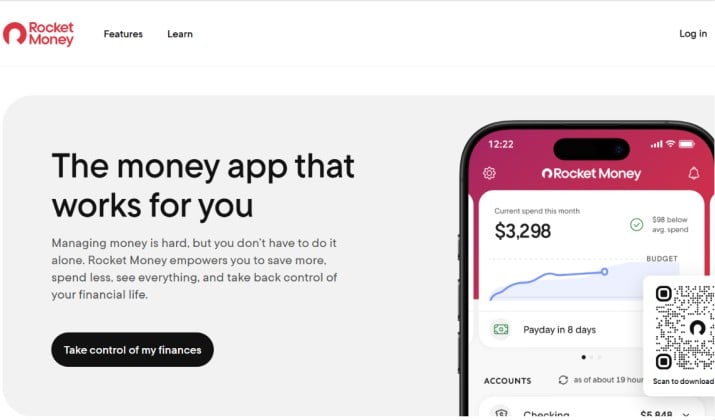
Rocket Money is a personal finance and budgeting app designed to help you track spending, manage subscriptions, lower bills, and build savings habits.
The app originally launched as Truebill before rebranding to Rocket Money after being acquired by Rocket Companies.
Its biggest selling points include:
- Subscription tracking and cancellation
- Budgeting tools
- Automatic expense categorization
- Bill negotiation services
- Smart savings features
- Credit score monitoring
- Net worth tracking
Rocket Money connects to your bank accounts and credit cards through Plaid, which allows the app to import transaction data securely. The app is available on Google Play Store and Apple App Store.
Also read: NerdWallets vs Rocket Money
Is Rocket Money Safe?
Yes. For most users, Rocket Money is safe to use.
The app uses bank level encryption, secure third party integrations, multi factor authentication, and read only access to connected accounts. Rocket Money also states that it does not store your online banking credentials directly.
That said, no financial app is completely risk free. Anytime you connect your financial accounts to a third party service, you take on some level of exposure. The key question is whether the company follows strong enough security practices to minimize that risk.
Rocket Money does many things right in that area. So it is generally safe, especially compared to many smaller finance apps with weaker security infrastructure.
Is Rocket Money Safe to Link to Your Bank Account?

This is the biggest concern for most people.
Connecting your bank account feels personal, and honestly, it should. Your financial information deserves caution.
Rocket Money connects accounts through Plaid, which is one of the most widely used financial connection services in the fintech industry. Apps like Venmo, Chime, and Acorns also use Plaid.
When you link your bank:
- Rocket Money receives transaction data
- The app can view balances and spending activity
- The app cannot move money from your account
- Your credentials stay encrypted through Plaid
That read-only setup matters a lot. It lowers the chances of unauthorized withdrawals directly through the app.
Tips to Stay Safe While Using Rocket Money
Here are some basic security habits to follow:
- Use a strong password
- Enable two factor authentication
- Avoid public WiFi when accessing financial apps
- Regularly review connected devices
- Remove old accounts you no longer use
If you already use online banking, budgeting apps, or digital wallets, Rocket Money’s setup will feel familiar.
Read this too: Best Sites Like Credit Karma
Rocket Money Free vs Premium Features and Pay‑What‑You‑Want Pricing
Here’s what you actually get when you choose from its two pricing plans:
|
Feature |
Free |
Premium |
|---|---|---|
|
Budgeting app with automatic transaction categorization |
Yes, basic |
Yes, advanced |
|
View all subscriptions in one place |
Yes |
Yes |
|
Rocket Money subscription tracking and cancellation features |
You’ve to find them and cancel |
Concierge cancels for you |
|
Rocket Money bill negotiation and how the success fee works |
No |
Yes, 35% to 60% of annual savings |
|
Smart Savings account |
No |
Yes, with automatic transfers |
|
Net worth & credit score tracking |
Limited |
Yes |
|
Price |
$0 |
Pay-what-you-want, $3 to $12/month, billed annually |
Premium is pay-what-you-want, but the app sets a $3 minimum if billed annually. You choose what you feel the premium service is worth.
Please note: Pricing is subject to change. Please refer to the official pricing page for the latest.
How Does Rocket Money Keep My Financial Data Secure?
Rocket Money security and privacy measures are fairly solid compared to most budgeting apps. The company uses several layers of protection to secure user data.
Bank Level Encryption
Rocket Money uses 256 bit encryption, which is the same level many banks and financial institutions use. This helps protect:
- Login sessions
- Account data
- Transaction history
- Personal information
Plaid Integration
Instead of directly handling bank logins itself, Rocket Money relies on Plaid to connect accounts securely.
That’s important because Plaid specializes in financial authentication and account linking.
Read Only Access
Rocket Money states that linked accounts remain read only. That means the app can:
- View balances
- Analyze transactions
- Identify subscriptions
However, it cannot transfer funds, make purchases, or withdraw money.
Multi Factor Authentication
Users can enable additional verification steps for better account protection.
This reduces the risk of unauthorized logins even if someone gets your password.
No Direct Storage of Bank Credentials
Rocket Money says it does not store your banking username and password on its own servers.
That’s another reason many people feel more comfortable after understanding how the app works.
Another interesting read: Best Sites Like NerdWallet
Has Rocket Money Ever Had a Data Breach or Security Incident?

At the time of writing, there has been no major publicly known Rocket Money data breach that exposed widespread customer financial credentials. That’s a positive sign. Still, it’s smart to understand the bigger picture.
Even highly trusted financial companies can experience security incidents. Banks, payment processors, and fintech platforms all face cyber threats constantly.
The better question is whether a company follows modern security standards and responds responsibly to risks.
Rocket Money appears to take security seriously, especially through its reliance on established infrastructure providers like Plaid.
If security history matters heavily to you, you can also monitor:
- Trustpilot reviews
- App store feedback
- Consumer complaints
- Official security updates
Does Rocket Money Sell Your Data or Share It With Third Parties?
Rocket Money relies on Plaid and other service providers, so data does pass through multiple parties. These providers are regulated and audited.
Still, critics argue that transaction data linked to your identity is shared with third parties. Rocket Money’s policy allows data use beyond the app’s core functions. If you want total anonymity, a manual spreadsheet is safer for highly privacy-conscious individuals.
So, is Rocket Money safe for privacy? It’s safe enough for most U.S. consumers who already use Venmo or PayPal. Think twice if you’re uncomfortable with any third party seeing your banking data.
Is It Safe to Connect Rocket Money to My Bank and Credit Cards?
Yes, with caveats. Rocket Money doesn’t store your login and can’t move money without approval. But you should still:
- Use a strong unique password + MFA
- Watch for phishing emails pretending to be Rocket Money or Plaid
- Review connected accounts monthly
If you link 10 accounts, you’ve centralized your financial life. Convenient, but it means one password breach exposes everything. That’s the real risk of using Rocket Money compared to doing it manually.
Is Rocket Money Worth It for Subscription Tracking and Bill Negotiation Fees?

This is where opinions split. Rocket Money works best for hands-off budgeters dealing with subscription creep.
But the bill negotiation fee catches people off guard. Rocket Money charges 35% to 60% of what it saves you for the year, and you pay it upfront. One Reddit user said their bill went back up, but they still owed Rocket Money the fee. Another creator flagged that the 40% fee continues for a year even if you cancel Premium.
You can negotiate bills yourself for free. If you’re comfortable calling Comcast or SiriusXM, you keep 100% of the savings. If you’d rather not deal with it, Rocket Money does the work. You decide if the fee is worth it.
Rocket Money Security vs Other Budgeting Apps With Bank-Level Encryption
If Rocket Money doesn’t feel right, here are secure alternatives:
- YNAB: Best for zero-based budgeting. Manual or Plaid. No bill negotiation
- Monarch: Best visuals and investment tracking
- Empower Personal Dashboard: Free net worth + retirement tools
All four use bank-level encryption and Plaid. The differences are about control and features:
|
App |
Best For |
Security Model |
Key Difference |
|---|---|---|---|
|
Rocket Money |
Hands-off subscription control |
Read-only via Plaid, data on AWS |
Strong at canceling & negotiating bills |
|
YNAB |
Hands-on zero-based budgeting |
Plaid or manual import |
No bill negotiation, more manual control |
|
Monarch |
Visual net worth + investing |
Plaid, read-only |
Better charts, investment tracking |
|
Empower |
Net worth + wealth management |
Plaid, read-only |
Free, but pushes advisory services |
If you want full control and don’t want account linking, YNAB with manual import is safer for highly privacy-conscious individuals. If you want automation and subscription help, Rocket Money leads.
All use Plaid and 256-bit encryption. Your choice comes down to features, not security.
You might like this: Best Apps Like Rocket Money
Rocket Money Subscription Tracking and Cancellation Features
This is where Rocket Money shines.
The app automatically scans your transactions to identify recurring subscriptions. You can quickly see how much you spend every month on streaming services, memberships, apps, and trial subscriptions.
Many users discover forgotten charges within minutes.
The cancellation feature is especially convenient for supported subscriptions. Instead of contacting companies yourself, Rocket Money may handle the cancellation process for you.
That convenience saves time, especially if you’re juggling multiple subscriptions.
Common subscriptions Rocket Money can identify include:
- Streaming services
- Gym memberships
- Cloud storage plans
- Gaming subscriptions
- Delivery memberships
- Mobile app subscriptions
For users overwhelmed by recurring charges, this feature alone can justify trying the app.
Rocket Money Smart Savings and Automatic Transfers
Rocket Money also includes savings tools designed to automate small deposits.
The Smart Savings feature analyzes your spending habits and may suggest safe amounts to transfer into savings automatically.
This can help if:
- You struggle to save consistently
- You overspend without noticing
- You want passive savings support
Some accounts may include FDIC insurance protection through partner banking institutions, depending on the savings product used.
Always review the specific terms for any savings account or cash balance feature before depositing money.
The Verdict: Is Rocket Money Legit or a Scam?
If you want a simple budgeting app with strong subscription tracking, Rocket Money is one of the better options available today.