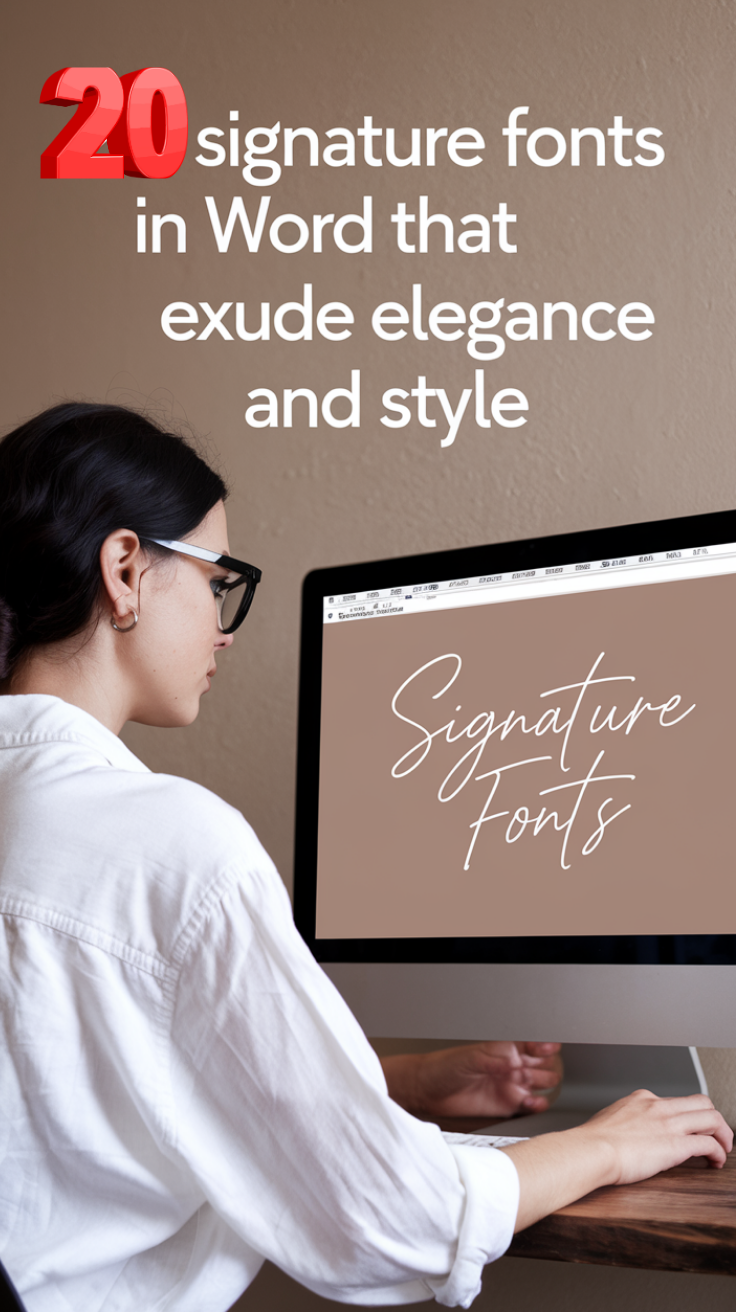
A signature font is a typeface designed to mimic human handwriting, offering a personal, elegant, or stylish touch for branding, certificates, invitations, and digital documents, replacing tedious manual signing with a quick click while maintaining a unique visual identity.
These fonts range from flowing cursive and calligraphy styles to casual, modern handwriting, allowing for customization to match a brand’s personality or a user’s personal style.
Marketers and brands are now incorporating signature fonts in their logos and marketing collateral because they curate emotion-based affinity with their services and products.
We’ve got you covered with plenty of great signature fonts in Word. Below are our top signature fonts to use in your creations.
Keep reading.
Best Signature Fonts In Word
1. Edwardian Script– Best Signature Font in Word For Classic and Elegant Look
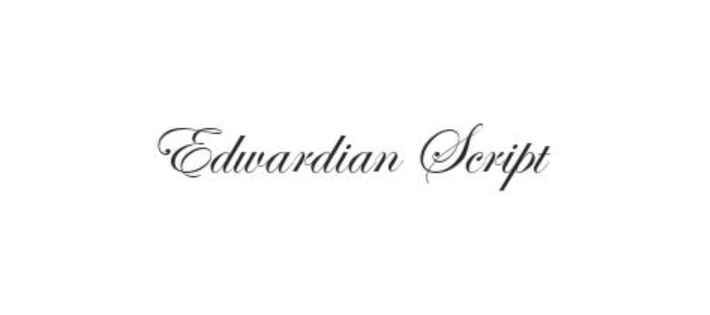
The Edwardian Script is a signature font in Word that adds some royalty to your document. It is an elegant script font influenced by a steel point pen, one of the best. It exudes sophistication, elegance, and timeless finesse.
It follows the cursive flairs and kicking curls that most signature writings capture. It may be difficult to read, but that’s what makes it charming. Though small, it has all the stylish flairs and flicks you want in a signature font.
Whether you’re curating a legal or formal document, this font adds a quality touch to your writing. Its style dates back to the days in the 19th – 20th century. Edwardian Script ITC is popular for its ties to class and royalty.
You can use this signature font when you want the theme of your writing to appear more classic, yet old-fashioned. It appears better in large print.
Also Read: Best Fontello Alternatives
2. Bradley Hand ITC – Handwritten Text Like Signature Font For Natural and Informal Style
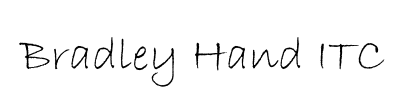
Bradley Hand ITC looks exactly like handwriting. When you feel like using a signature font that looks natural, this font is what you need. It doesn’t have a lot of cursive flourishes and has a sleek and simple design.
The font gives the vibe of a felt tip pen which makes it perfect for the everyday business executive. It may not look extravagant enough, but it adds a personal touch to your printed text, especially when typed in Calibri, Times New Roman, or Sans Serif.
It works better as a handwritten typeface because of its varying sizes and brush boldness. You can follow the pen strokes by just checking where lines get thicker and thinner like when using a real pen.
Each letter in Bradley Hand ITC is slightly offset from the preceding letter, making the font look like it was written by hand. It offers an excellent way of adding a personal touch to your writing.
3. Brush Script MT – Bold and Heavy Weight Signature Font
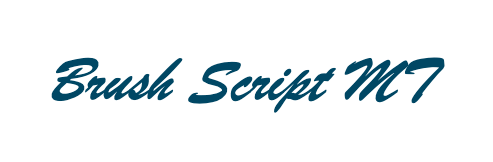
Brush Script MT is a long-time favorite signature font on Word. This is a common font with features that display a bold look considering its heavy weight. It has everything you need to get your signature right.
This font is easy to read, with a solid boldness that gets noticed when you use it with other fonts. It displays subtle textures that give a brush-type finish, with letters conjoining for a signature font look.
Brush Script MT simulates a paintbrush stroke. It is thick and comprehensible enough on the page. It captures the energy of a signature font with subtle strokes to flick off the letters.
The size is perfect, and it looks better when used in uppercase, especially if you’re including initials in your signature. This is one of the easiest Microsoft Word signature fonts to read.
Explore: Best Fonts For Resume
4. Vladimir Script – Classic and Historical Looking Signature Font
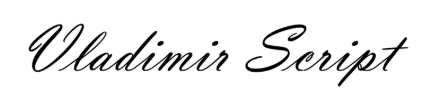
Vladimir Script is an exceptional font if you’re scouting for a classic and historical signature with extravagant curls and steep slants. This exquisite font mimics the hand-painted style font of the 1950s.
Vladimir Script looks informal, like the lettering you see on old hand-painted signs in the 1950s department stores.
But this is very presentable, especially when you need to personalize your store signs, invitations, and business cards. You can also incorporate this font into other projects that need to showcase their characteristics while remaining legible.
It gives loops to terminals on the letter ends, adding contrast throughout the entire font.
5. Mistral – Best Artistic, Flowing and Graceful Signature Font in Word
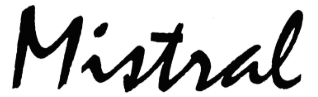
‘Bold and messy’ is what describes the Mistral signature font. It goes way back to the traditional style of signature writing. It looks like a scribble with added curls that look elegant. If you want a more informal but impressive signature typeface, Mistral fits your style.
The font looks modern, with letters that bunch up with one another. Most of its letters can be condensed into a single line, making your writing superb with a lot of information to include. It has a lot of boldness around it, and weight too.
However, Mistral incorporates classic elements of signature. It is formal, with strokes and lines that resemble someone who is in a rush to scribble a letter using quill and ink.
Mistral follows the old-fashioned way of writing. If you look at the letter ‘I’, it appears like a loop. The distinct gap at the center shows it being a part of the looped stroke, an old-fashioned handwriting trend we are all familiar with.
This font may look less polished with a masculine feel, but it remains one of the best signature fonts of all time.
Also Read: Best Google Fonts
6. Lucida Handwriting – Clean and Legible Handwritten Signature Font
Looking for a classic signature font?
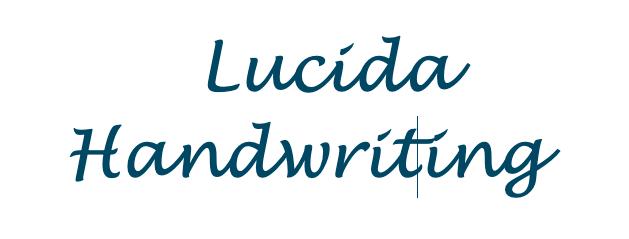
Check out Lucida Handwriting and express yourself in a seamless, elegant way. This font is pretty thick, bold, and easy to read, even when you make the letters small.
Lucida Handwriting’s swirls and flourishes make every document stand out. It avoids formal flicks and curls to give you a natural flow.
It comes as a solid line without variation and looks good on every page.
7. Segoe Script – Modern, Sleek and Clean Signature Font
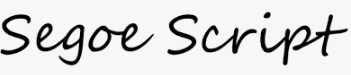
Segoe Script is a part of the larger Segoe family. This signature font models someone’s handwriting. This typeface has a predominant, modern tone with a little sophistication. The font is readable and easy to approach.
This font is large in size, without the excessive flicks around the signature. For most, it works well when you want to highlight a point in your document. On paper, it looks elegant and sleek.
You can use it formally and informally based on your context. When used in writing, the font will always add a touch of class.
Also Read: Web Safe Fonts To Use With CSS
8. Freestyle Script
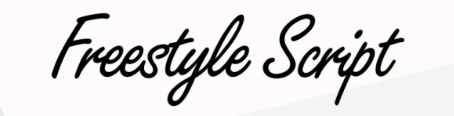
This is another signature font in Word you can read without any difficulty. Freestyle Script doesn’t carry the noise that you see in signatures that are complicated to grasp. It makes the signature look modern with a casual feel.
You won’t find a lot of flairs and flicks in the Freestyle Script font. It presents an excellent way of introducing signature writing into any document without exaggeration.
While casual and informal, this font makes your writing look stylish and elegant. The beautiful lettering and flowing lines add some sophistication to your documents.
It mixes print and signature letters, making them look like real handwriting. It sure makes your work appear luxurious.
Check Out: Best IcoMoon Alternatives
9. Gigi
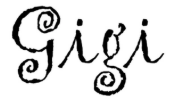
Have you noticed that the name of this font doesn’t have the word script at the end?
Well, it’s because of its versatility. Besides signature writing, Gigi font can be used for other interesting swirls around flicks and tips.
This font has three distinct swirls in the two g letters, giving it an attractive look on any paper you use.
Gigi is built-in into MS Word, so you can use it in different writing contexts.
10. French Script MT
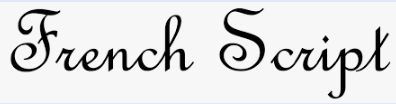
French Script MT is derived from the traditional French signature writing. It provides a balance between old-fashioned and formal signature trends. You use it to stay formal and respectable with your presentations or formal writing.
The curls in this font are quite many and different from other fonts. They may not match your handwriting, but the cursives connect swiftly to give your document a special look with a touch of elegance. The stylish lettering, flowing lines, and connectors make your writing stand out.
If you have a formal presentation, this font will come in handy. However, you may have to tweak the font size since it runs smaller and may be tricky for people to read.
Check Out: Best IconFinder Alternatives
11. Kunstler Script
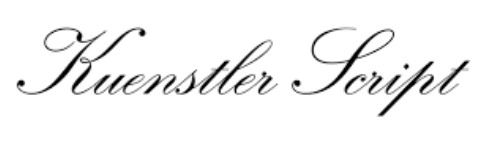
Love italic fonts? Kunstler Script will become your instant favorite. This Word signature font can be challenging to read through. It’s entirely italic, with no gaps in the letters, making for a challenge in reading.
However, Kunstler Script is worth being on our list because it brings a unique setting to your usual signature writing. It is fun and playful and gives your document a special touch while being easy to use.
Its letters almost fuse into a single solid line, like when someone has placed a pen on the page for a long while before writing the next word.
Using Kunstler Script in your documents gives a new look with a formal engraving style that is quite elegant. Surprise your guests and acquaintances with this signature font on all your certificates and invites.
12. Blackadder ITC
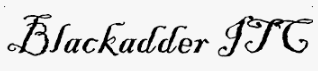
Blackadder ITC is reflective of 16th-century writing. It carries with it a mysterious, eerie, and menacing tone.
The font was modeled soon after the writing of the insurrectionist Guy Fawkes.
This font is good for projects that dwell on works like scrollwork and colonial-era writings.
You can also use it on text that you want to have an elegant font but with a dull aura around it.
13. Palace Script MT

Ever heard of the English copperplate script? Palace Script MT is one of those. It is compact, short, and best expressed in larger fonts.
You can use this font to create flyers and presentations and write letters or scripts. It appears small and runs small too, which can be difficult to read if you don’t increase the font size.
The font has beautiful curls to its letters, giving it a peculiar theme. Its letters look slightly disorganized, which shows that you wrote your piece by hand.
This typeface is used in theming your presentations or documents in a much more elegant way. This is a regal option that you may want anyone who is reading your piece to see and feel.
14. Kristen ITC
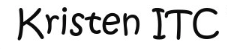
Have informal writing or presentations to create? Kristen ITC will get you busy with bold and big letters that will give off your great personality.
The font replicates a rushed look as if you were late for something when writing your piece.
Not everyone has perfect handwriting. Some writings can be quite messy, just like what Kristen ITC represents.
It shows the reader that you aren’t perfect, and your letters may not fit into the same line as the rest. It’s nothing personal – just being realistic with your writing.
15. Ink Free
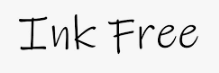
Are you looking for a unique signature font in Word that looks natural, yet is a little bit messy and rushed? Look no further than Ink Free.
This font style gives people the idea that you’ve written your document naturally without following any signature guidelines.
It is informal but shows the reader that you wanted to write normal text with no intention of impressing them with your talent.
It’s great for showcasing your informal handwriting skills and expertise.
16. Tempus Sans ITC
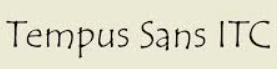
This is not your popular signature font, I know. But Tempus Sans ITC looks so good on paper, especially if you want to recreate the way certain handwriting types look and feel.
The line style of this font is pretty unique, making it stand out from the rest of the fonts on this list. While other fonts express uniform line sizes and styles, Tempus Sans ITC is uneven and erratic, giving the idea that you’re using a pen in your writing.
It can be hard to read this font when it’s small, but it’s an excellent signature because of the clear gaps between its letters.
17. Monotype Corsiva
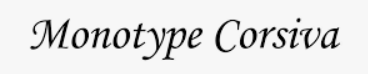
Monotype Corsiva is a fancy font with a fancy name. I love this formal signature font because it looks great on paper.
It is a serif font, that’s why serifs are attached to the edges of its letters.
Monotype Corsiva is a great simulation of the way handwriting will look on paper or in any word processor.
It has all the flairs and licks you’ll see when a writer brushes a pen off the page.
18. Rage Italic
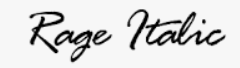
Rage Italic is great if you are a casual writer who curates playful designs. This textured brush signature font has a simplistic style that makes it easy to read.
On paper, it looks as if you were rushed and had to scribble out some writing before leaving.
It doesn’t look finessed like other fonts, but it’s very attractive, with a style that displays your work as casual, but elegant.
19. Pristina
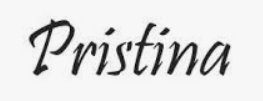
Pristina is a beautiful font for recreating handwriting. It doesn’t follow signature trends like some of the fonts here.
Instead, this font looks as if you’re writing or scribbling using a bold pen. All the letters have different characteristics to demonstrate your writing with the bold pen.
The selling point of the Pristina font is its varying boldness. On paper, it looks as if you are using the pen to apply different pressure to your writing with each stroke.
20. Gabriola
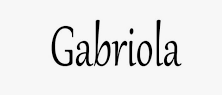
Gabriola deserves a place on this list for its great display and stylish texture. This typeface was designed by John Hudson in 2008.
It is inspired by Jan Van de Velde, a Dutch calligrapher who brought an artistic style to life with this font.
Gabriola exudes elegance and grace when you have subheads, titles, and other decorative style presentations to curate. Its design was inspired by music, which you can play in various modes to reveal very expressive characteristics.
The fonts are small, so you’ll have to increase the size to make your work readable. The typeface has OpenType features that make it come alive.
With eight stylistic sets to work with, each with contextual glyph substitutions, you have enough decorative typography to embellish your writing.
Final Thoughts
If you use MS Word and looking for Signature fonts to use in your projects, this is the list you can refer to.
The best part with these fonts is that your creations don’t look robotic, but human.
Use these fonts over others, and you would never fail to make an impression.
Enjoyed the post?