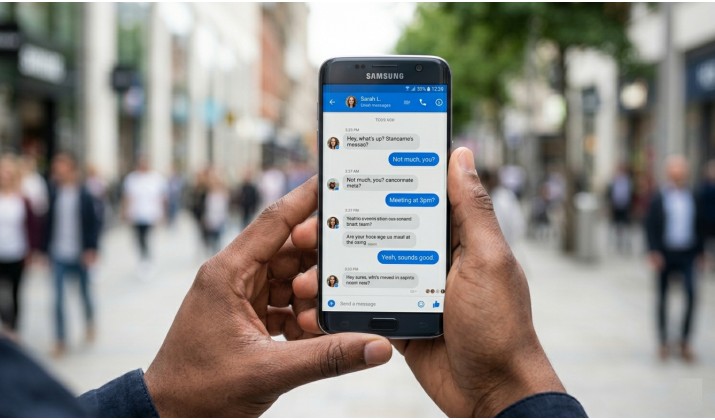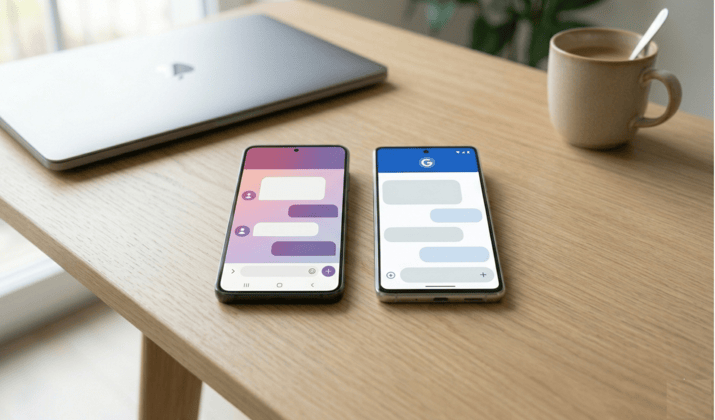
If you’ve picked up a Samsung phone in the last few years, you probably know that texting people involves choosing between two apps: Samsung Messages vs Google Messages.
For years, Samsung Messages felt like home on Galaxy devices. It matched your theme, sorted chats into categories, and worked great one-handed.
So why does this comparison even matter? Because things are changing fast.
Samsung confirmed it will shut down Samsung Messages in July 2026 on Android 12 and newer. After that date, the app stops sending texts, receiving media, and loading group chats. New phones like the Galaxy S26 don’t even ship with Samsung Messages anymore. You cannot download it from the Galaxy Store either.
Meanwhile, Google offers better spam blocking and web sync. It is also adding new RCS features and even AI tools.
So the Samsung Messages vs Google Messages debate isn’t just about features. You need to know what you lose, what you gain, and how to keep your chats safe. That’s exactly what we’ll cover in this guide.
What Changes With Samsung Messages Shutdown
Samsung made the call official. Starting July 2026, Samsung Messages will no longer function as a texting app for most users. News outlets and creators confirmed the July 2026 cutoff across Instagram, Facebook, and tech sites.
If you own a Galaxy S25, Z Fold6, Z Flip6, or S26, you already live this reality. Google Messages comes pre-installed as the default. Samsung Messages is either hidden or gone.
Why did Samsung do this? Two reasons show up everywhere:
- RCS: Samsung Messages relied on your carrier to support RCS. That made high-quality photos, read receipts, and typing indicators unreliable. Google Messages uses Google’s Jibe servers. That gives you universal RCS messaging on Android that works no matter which carrier you use.
- Duplication: Samsung decided to stop maintaining two apps that do the same job. The company now tells Galaxy users to switch to Google Messages.
If your phone still runs Android 11 or older, Samsung Messages keeps working. Everyone else needs to plan the move.
Samsung Messages vs Google Messages: Feature by Feature
1. RCS Messaging on Android: Who Does it Better
If you’ve heard about RCS but never really paid attention, now is the time.
RCS messaging on Android is what turns basic SMS into something closer to modern chat apps. Think of it as an upgrade. You get:
- Read receipts
- Typing indicators
- High quality media sharing
- Group chats that actually work properly
Google Messages leads here. It gives you universal RCS with end-to-end encryption when both people use Google Messages. In 2026, Apple also rolled out encrypted RCS on Android and iPhone with iOS 26.5 Beta 1. That means your chats with iPhone friends finally get full encryption too, not just SMS fallback.
Samsung Messages added RCS, but it depended on carriers. Some Galaxy users had it. Others didn’t. Features looked different by region and network. With Samsung Messages shutdown July 2026, carrier RCS through Samsung’s app ends for most people.
Our verdict: If you want consistent RCS chat features comparison results, Google Messages wins. You turn on “RCS chats” once and it works across T-Mobile, Verizon, AT&T, and international carriers.
2. End-to-End Encryption
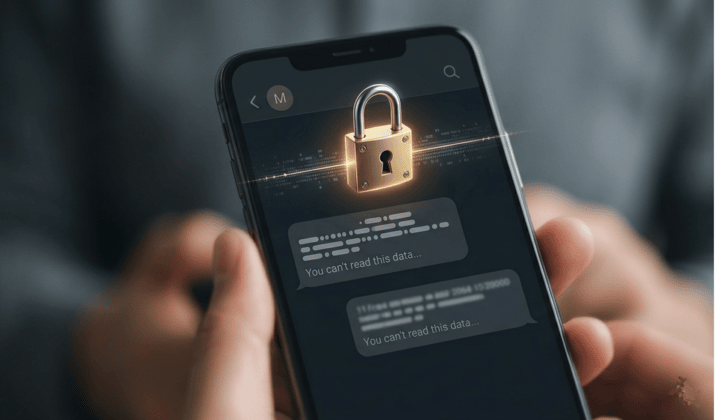
Privacy matters when you text.
Google Messages encrypts your RCS chats end-to-end by default. You see a lock icon on the send button when encryption is active.
However, keep these two facts in mind:
- Encryption in Google Messages works only when both people use Google Messages with RCS on. If you text someone on SMS or an iPhone without RCS, the message sends unencrypted.
- Google still logs metadata like who you contact and when. If you need zero metadata, you would use Signal, but then both contacts need Signal.
Samsung Messages never offered true end-to-end encryption. It sent RCS through carrier servers without that extra lock.
Our verdict: For most Galaxy users who text other Android users, encrypted RCS on Android and iPhone support in 2026 makes Google Messages the safer pick.
Also read: Secret Messaging Apps That Look Like Games
3. AI features
Google Messages has Gemini to write replies for you. While Magic Compose rewrites your text in different tones, Smart Reply suggests quick answers. Google also uses AI for spam and scam detection. The app blocks suspected spam texts before they reach your inbox.
Samsung Messages took the opposite path. It had no AI writing tools. No Gemini. No cloud suggestions. Fans call this a texting app with less AI and bloat. You opened the app and texted. Simple.
Our verdict: You decide what you prefer. Want help drafting a message to your boss? Google Messages helps. Hate the idea of AI reading your chats to suggest replies? You might miss Samsung. Google lets you turn off Magic Compose, but the spam AI stays on.
4. Customization and UI
Samsung Messages followed One UI design rules. So, users got:
- Chat categories: Family, friends, or work. You sorted threads your way.
- Per-contact ringtones and notification colors.
- Custom backgrounds and bubble styles that matched your Galaxy theme.
- A dedicated trash folder for deleted messages.
- True black dark mode that saved battery on AMOLED screens.
- One-handed mode that pulled messages down to your thumb.
Google Messages keeps things minimal. You get one main list with no categories or per-chat wallpaper. Dark mode is dark gray, not pure black. Plus, you cannot theme bubbles to match your phone.
But Google adds features Samsung never had:
- Messages for web: Go to messages.google.com, scan a QR code, and text from your laptop. Samsung needed “Link to Windows” and a PC app.
- Starred messages: Save important texts in one place.
- Reactions: Long-press a message and react with emoji, even in RCS chats with iPhone users now.
>Verified SMS: Google checks if a business text is really from your bank.
Our verdict: Ask yourself: do you want a clean inbox vs smart features in messaging apps? Samsung gave you control. Google gives you convenience.
You might like this: Best Secret Messaging Apps for iPhone
5. Speed, Performance, and Battery
On Galaxy hardware, Samsung Messages loaded threads faster in some benchmarks. The app used One UI code tuned for Samsung phones. When you opened a chat with 10,000 messages, Samsung felt snappier.
Google Messages runs well too, but it carries more features. Spam scanning, web sync, and Gemini tools run in the background.
Our verdict: You probably won’t notice any difference in speed on an S25 or S26. On a budget A-series Galaxy, Samsung’s lighter app had an edge. That edge disappears after July 2026.
Best App for RCS Chats on Samsung in 2026
Let’s answer the main question. After Samsung Messages shutdown July 2026, which app should you use?
For 90% of Galaxy owners, Google Messages is the best app for RCS chats on Samsung now. Here is why:
|
Feature |
Samsung Messages |
Google Messages |
Winner |
|---|---|---|---|
|
Universal RCS |
Carrier dependent |
Works on all carriers via Jibe |
|
|
End-to-end encryption in Google Messages |
Not offered |
Yes for RCS chats |
|
|
Encrypted RCS on Android and iPhone |
No |
Rolling out 2026 |
|
|
Web access |
Needs Link to Windows |
messages.google.com on any browser |
|
|
Spam and scam blocking |
Basic carrier filter |
Google AI blocks most scams |
|
|
Chat categories |
Yes |
No |
Samsung |
|
One UI theme integration |
Full |
Limited |
Samsung |
|
Active development |
Stops July 2026 |
Ongoing updates |
|
|
AI writing with Gemini in Google Messages |
No |
Yes, optional |
|
|
Advanced scheduling |
Location and time triggers |
Basic schedule send only |
Samsung |
Google Messages new RCS features 2026 include iPhone encryption, better reactions, and improved voice transcription. Samsung Messages won’t get new features or security patches after July 2026. Running an app with no updates is risky.
Check this out: Secure Messaging Apps That do not Require a Phone Number
How to Keep Old Texts When Switching Messaging Apps
Your biggest worry is losing conversations. You don’t have to. When you set Google Messages as your default, your SMS, MMS, and RCS history moves over. Follow these steps:
- Update your phone. Go to Settings > Software update.
- Install Google Messages from the Play Store if you don’t have it.
- Open Google Messages. You will see a prompt. Tap “Set default SMS app”.
- Wait. Your old messages appear. This can take a few minutes if you have years of chats.
Want a backup first? Open Samsung Messages before it shuts down. Tap the three dots > Settings > Chat settings > Chat backup. Save to Samsung Cloud. You can also use Smart Switch to back up everything to a PC.
Watch for two issues. Starred messages sometimes don’t transfer. Screenshot them. Also, Galaxy Watch 3 and older lose full conversation history on the watch. You can still reply, but you won’t see the thread.
If you switch before July 2026, you avoid last-minute problems. Don’t wait until Samsung Messages is going away and the app stops loading.
Need More Options? Samsung Messages Alternatives
Maybe you read all this and still think Google Messages feels bloated. Then, here are your Samsung Messages alternatives:
- Textra: Huge for customization. You set bubble colors, app icons, and notification settings. It handles SMS and MMS great. It does not support Google’s RCS or encrypted RCS on Android and iPhone. You fall back to SMS.
- Pulse SMS: Offers web texting like Google. You pay for cloud sync. No RCS.
- Signal: Best privacy. True end-to-end encryption and no metadata. Both people need Signal. No SMS fallback after 2023, so it won’t replace your texting app.
- WhatsApp: Everyone uses it. Not SMS, so it won’t help for texts to people without the app.
The hard truth: RCS chat features comparison shows only Samsung Messages and Google Messages had full RCS on Android. After Samsung exits, Google holds the keys. If you pick Textra, you lose typing indicators, high-res photos, and iPhone RCS. For many, that tradeoff isn’t worth it.
Another interesting read: Best safe Messaging Apps for Kids
How to Make Google Messages Feel More Like Samsung
You cannot bring categories back. But you can tweak Google Messages to feel closer to home. Try these settings:
- Turn on dark theme: Settings > Choose theme > Dark. It’s gray, not AMOLED black, but easier at night.
- Use bubbles: Settings > Bubbles > All conversations can bubble. That mimics Samsung’s pop-up view.
- Pin conversations: Long-press a chat and tap the pin. Pinned chats stay at the top like a manual category.
- Schedule messages: Hold the send button to pick a date and time. Samsung’s location triggers are gone, but time scheduling works.
- Check RCS: Settings > RCS chats > Turn on. Make sure “Enable RCS chats” and “Send read receipts” are active.
You won’t get full One UI integration. But you will get a texting app that keeps improving.
So, Which One Should You Choose?
By now, the Samsung Messages vs Google Messages comparison probably feels clearer. Still, your choice depends on how you use your phone.
Choose Samsung Messages if:
- You prefer a simple interface
- You want minimal distractions
- You rarely use RCS features
Choose Google Messages if:
- You want the best Android texting app experience
- You rely on RCS chats
- You care about encryption and future updates
- You’re curious about AI features in messaging
Samsung Messages still works. Additionally, it still feels clean and familiar. But, it’s no longer the focus. For most people today, Google Messages is the safer choice. It keeps growing and adding features that bring texting closer to modern chat apps.
If you’re thinking long term, your Galaxy will text better if you move to Google Messages before the July 2026 deadline.