Despite being an outdated operating system, Windows 7 still has its loyal users.
One of the main drawbacks of using Windows 7 is that it lacks the features and security updates found in newer versions.
Microsoft officially ended its support for Windows 7 in 2020, which means users are no longer receiving crucial security patches and updates.
If you’re still using Windows 7 on an older laptop, you may have noticed that modern browsers like Chrome don’t run as efficiently as they do.
Some notable browsers that work smoothly with Windows 7 include K-Meleon, Opera, and Brave. However, Firefox stands out as one of the best browsers for Windows 7, offering a seamless performance and a range of features that enhance the overall user experience.
In this post, we’ll explore the best browsers for Windows 7 and provide tips on how to get the most out of this operating system, despite its limitations.
Let’s get started.
Best Browsers For Windows 7 For Seamless Experience
1. K-Meleon

K-Meleon is a fast and customizable web browser suitable for Windows 7. Based on the Gecko layout engine, it’s compatible with most popular Internet standards, including JavaScript and HTML5.
The software’s open-source code also allows developers to review the code to find ways to make it run better on various devices.
K-Meleon was created by the same developers who make Mozilla Firefox, so users of Firefox may feel right at home with this one.
Tabbed browsing lets you open multiple websites at once without cluttering up your desktop. You can also save a group of tabs as a bookmark folder, which is handy if you have a set of sites that you like to check every day.
A pop-up blocker automatically closes out any browser windows not directly related to what you’re doing online. For example, if you’re shopping online and an ad opens up in another window, K-Meleon will close it immediately.
This feature is helpful when browsing on slow connections or with older computers because it cuts down on how much information has to load for each page.
Also Read: Best Browsers For Zoom Meetings
2. Firefox

Mozilla Firefox has long been the steady lighthouse for users navigating older operating systems, and Windows 7 is no exception.
Firefox officially supported Windows 7 well beyond many competitors, and even today, Firefox ESR versions continue to run reliably on the platform.
This makes it one of the safest modern browsers for Windows 7 users who still want regular security patches and standards compliance.
Performance on Windows 7 is notably balanced, handling multiple tabs without turning older hardware into a space heater.
Firefox’s independent Gecko engine also means it is not tied to Chromium’s shifting support timelines, which adds a layer of long-term stability.
Add-ons remain plentiful, privacy controls are built directly into the browser, and tracking protection works out of the box.
While newer mainstream releases are gradually moving on, Firefox ESR keeps Windows 7 relevant for everyday browsing, offering a rare mix of security, flexibility, and quiet resilience on a legacy OS.
3. Falkon

Originally known as QupZilla, Falkon is a web browser for KDE. It’s a lightweight browser for all major platforms. The project was initially intended for education. Falkon’s feature-rich browser has grown since its inception.
Falkon is an open-source web browser using the QtWebEngine rendering engine. It aims to be a lightweight and fast web browser with a simple user interface.
Falkon has all the standard functions you expect from a web browser. It includes bookmarks, history (also in the sidebar), and tabs.
By clicking on a tab, a thumbnail preview will show up. They have implemented their adblocker, which they call “AdBlock.”
The best feature of Falkon is that you can add extensions to it, just like in Firefox or Chrome. One of the most useful ones is called “Night Mode,” which lets you browse the internet at night without hurting your eyes!
If you are looking for a good browser to use on Windows 7, consider Falkon.
Also Read: Best Browsers For Roku
4. Opera

Opera is a free browser available on many platforms. It has undergone extensive changes and improvements over the years.
Opera offers an integrated search and navigation function, a common sight among its other, well-known rivals.
It also includes a download manager and a private browsing mode to navigate without leaving a trace. You can also customize keyboard shortcuts, mouse gestures, and more.
Opera has security features like built-in phishing and malware protection. It also contains an automatic update feature that ensures that you have the latest security patches installed as soon as Opera Software releases them.
It also has Opera Turbo mode for when you want to browse the Internet even faster on Windows 7. This feature compresses images and other data from websites so that the pages load faster.
It has a built-in VPN for when you want to browse privately and anonymously without worrying about your IP address being tracked by third parties like your ISP or advertisers.
Opera also has a sidebar with all of your favorite websites and social media accounts in one place to access them quickly at any time while you’re browsing the web.
5. Brave
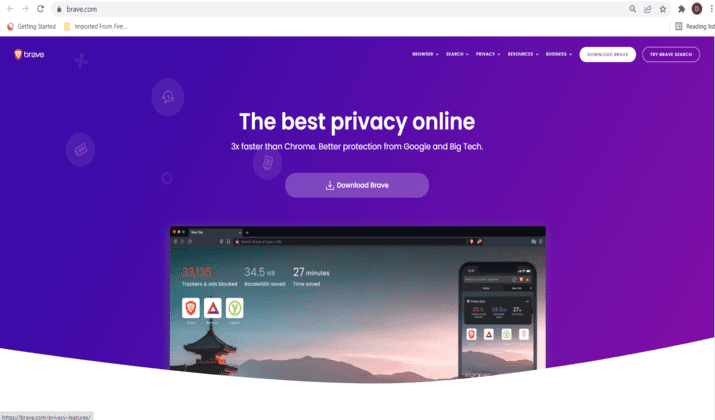
Brave is a new open-source web browser that makes the web faster and safer for Windows 7. It blocks ads and trackers, speeds up content delivery, and is based on Chromium, which shares the same code as Chrome.
Brave is a privacy and security-focused web browser with built-in script blocking, cookie blocking, and fingerprinting protection.
It also allows you to turn on HTTPS Everywhere in the Security Settings panel under Shields. Use Tor right in a tab with the integrated Tor feature.
Brave also offers a feature called “Rewards” that allows users to opt into seeing privacy-respecting ads in its native browser. This program is currently in beta.
When you opt into Brave Rewards, you can earn Basic Attention Tokens (BAT) for viewing these ad replacements, then use those tokens to tip creators on the web or fund your favorite sites.
While Brave does not offer any new technologies for anonymity or security, it does make it easier to use existing technologies that are often hard to configure correctly. With Brave, all you do is click one button and surf anonymously.
6. UR Browser

UR Browser is a fast, secure, and private web browser that lets you surf the web without leaving traces. It’s a Windows-only browser that blocks ads, trackers, and malware to keep you from being followed around the web.
UR Browser’s built-in VPN lets you browse the web anonymously by routing your traffic through secure servers in different countries worldwide.
You can choose which country you want to “appear” as if you’re browsing from, which makes it great if you’re trying to access content that’s blocked in your country (like Netflix).
UR Browser has a built-in quick search feature that makes it easier to search for popular sites like Twitter, YouTube, Facebook, and Google Maps.
Additionally, it has a built-in video downloader that lets you save videos from YouTube or other video streaming sites directly into your computer without using any external software.
This makes downloading fast, especially on Windows 7.
Explore the best alternatives to UC Browser here.
7. Pale Moon

Pale Moon is a free and open-source web browser developed by M.C. Straver, a Dutch programmer.
The browser is developed as an independent project based on the Firefox code, with the primary goal of optimizing the browser for Windows operating systems.
Pale Moon uses a slightly different internal structure than Firefox, so it runs in its process. Although it is compatible with most Firefox extensions and add-ons, not all of them work with Pale Moon.
It is available for Windows 7 or greater, Linux, and Android devices.
Pale Moon offers you a highly customizable interface through which you can manage your web browsing experience without any hassle.
You can choose from various themes and use its integrated tools to personalize your browser according to your needs.
It has built-in security protection that helps you browse safely from threats such as spyware, viruses, trojans and online scams, etc.
It also provides you with tools such as password manager and form-filler to securely protect your private data over the Internet.
Also Read: Best Gaming Browsers
8. SeaMonkey

SeaMonkey is another free web browser compatible with Windows 7 that has been around for more than 10 years.
As the successor to the former Mozilla Application Suite, which was based on the Netscape 6 and Netscape 7 source code, it continues the legacy of the Mozilla Application Suite.
SeaMonkey was created after the Mozilla Foundation decided to focus on projects such as Firefox and Thunderbird.
The development of SeaMonkey is community-driven, in contrast to the Mozilla Application Suite, which the Mozilla Foundation governed until its last released version (1.7.13).
The interface of SeaMonkey is more like Netscape Communicator and Mozilla Suite than that of Firefox.
Many Firefox and Thunderbird add-ons can be converted if they are not already SeaMonkey compatible.
Since many Mozilla developers use daily builds of SeaMonkey to test their work, bugs reported in SeaMonkey are generally fixed before either application suite release.
The current version of SeaMonkey includes a web browser, email and newsgroup client, IRC chat client, Composer, and a WYSIWYG-based HTML editor similar to Mozilla’s old HTML editor Nvu. SeaMonkey is an all-in-one Internet application suite.
It has a tabbed web browser with pop-up blocking, tabbed browsing, integrated search system (powered by Google Intelligent Mart location bar (also known as “Awesome Bar”), spell checker for web forms, download manager, and anti-phishing protection.
It has an HTML/text email client with support for multiple accounts, multiple identities, mailing lists, message filtering, message grouping, and labels similar to Mozilla Thunderbird.
An IRC chat client called ChatZilla shares its general look and features with the rest of the suite.
Explore: Is Opera GX Browser Safe? Tips To Use
9. Lunascape

Lunascape is the world’s only triple engine browser. It has been downloaded over 15 million times, and it’s available in 18 languages.
Lunascape is a customizable browser. It has a lot of features and add-ons. You can customize the toolbars and create your search engines. Adblock Plus can block ads in all three rendering engines.
And you can use a lot of other add-ons to enhance your browsing experience. When you download Lunascape, it automatically installs all the add-ons for you.
Lunascape comes with three rendering engines (Trident, Gecko, WebKit). You can switch between them on the fly and see which works best for each site on a Windows 7 device.
Lunascape works on Windows and Mac computers. The company behind Lunascape also offers a mobile version of the browser called iLunascape, which works on Android tablets and phones.
Layers allow you to visualize where each page element is coming from (i.e., which engine it uses) to tell if a component is rendered correctly or not quickly.
The intelligent address bar suggests sites based on keywords, browsing history, and bookmarks.
Check Out: Where Is Browser On A Computer?
10. Maxthon

Maxthon is a free web browser that offers a unique, innovative browsing experience. Maxthon’s cloud-powered web browser has one of the best-integrated download managers.
The best part about Maxthon is its new Cloud Push service that allows you to seamlessly push and receive content between your mobile devices and desktop computer.
With this feature, you can easily send videos from your phone or tablet directly to your Windows 7 PC with just one click.
Maxthon also has various features that make it a real competitor to other popular browsers like Chrome and Firefox. These features include mouse gestures, ad-blocker, offline browsing, and cloud sync, among many others.
You can also customize the browser by installing extensions or skins that change the look of your browser completely.
Check Out: How To Set Chrome As Default Browser?
11. SlimBrowser

SlimBrowser is a free web browser with a built-in popup killer, download manager, accessible, easy account login. It is free to download, use, and distribute. SlimBrowser is based on the same engine as Internet Explorer.
It uses Internet Explorer as the rendering engine while providing many convenient features and interface enhancements to make your surfing more pleasant on Windows 7.
SlimBrowser offers various functions and options to go where you want and get whatever you want from the Internet with as few clicks as possible.
The popup blocker in SlimBrowser can be configured to block popups for all websites for a predefined list of websites only. You can also specify what types of popups should be blocked.
Popup windows are blocked by default, but you can easily allow them for any website or domain name you wish to have popups.
The popup blocker also has an option to block floating ads that may appear over a webpage when it is first loaded into the browser window.
Also Read: How To Stop Auto-refresh In Chrome Browser?
12. Comodo IceDragon

Based on Firefox, Comodo IceDragon adds security measures along with performance enhancements.
With IceDragon, you get all the freedom and functionality of Firefox with Comodo’s unparalleled security.
Comodo IceDragon’s built-in website scanner allows you to scan any website for malware right from the browser. If there are any issues with the site you’re accessing, IceDragon will alert you with a warning.
You can also quickly activate a full scan of your Windows 7 PC to ensure that your system is safe from infection.
IceDragon lets you browse the Internet using its private browsing mode so that no data about your browsing session is stored locally.
The browser also lets you delete all private data with a single click, including cache, download history, cookies, web form information (complete auto data), passwords, and index files.
The Comodo Secure DNS service included in IceDragon is an advanced Domain Name System (DNS) that can help your computer locate websites faster while keeping your browsing sessions secure from malicious elements hidden in DNS traffic.
13. NetSurf

NetSurf is a free and open-source web browser developed by the UK-based NetSurf Software Foundation. Since the browser was released, it has undergone numerous upgrades.
NetSurf is written in C language and features tabbed browsing, cookie management, CSS support, and many standard features to modern browsers.
It does not implement JavaScript but instead uses its language called ECMAScript.
The browser can run on various operating systems such as Linux, AmigaOS 4, MorphOS, Mac OS X, RISC OS, Windows 7, and newer versions of Windows.
14. Yandex Browser
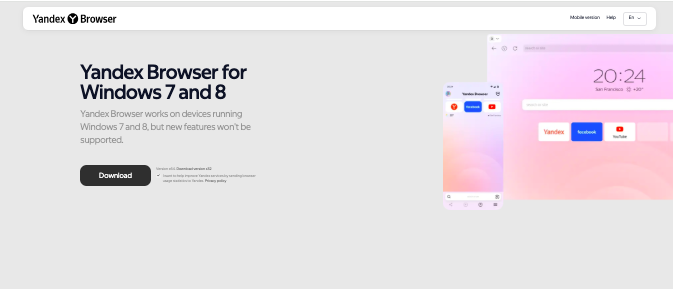
Yandex Browser brings a more polished, feature-rich personality to Windows 7, blending Chromium’s core with its own visual flair and security extras.
It officially supported Windows 7 for a long time, and older stable versions continue to run reliably on the OS even today.
On Windows 7 machines, Yandex Browser feels surprisingly smooth, thanks to optimizations aimed at low-resource systems.
Its built-in Protect security suite adds DNS spoofing protection, file scanning, and HTTPS enforcement, which is especially valuable on an unsupported operating system like Windows 7.
The browser also includes Turbo mode for faster loading on slow connections, a small but meaningful bonus for older PCs.
While the newest releases are slowly drifting away from Windows 7 compatibility, many users still rely on slightly older builds without major issues.
15. SRWare Iron
SRWare Iron is a Chromium-based browser that feels like Google Chrome after a privacy detox.
Built by the German company SRWare, it strips out usage tracking, RLZ identifiers, and background communication that Chrome quietly keeps running.
On Windows 7, SRWare Iron remains usable thanks to its reliance on older Chromium builds that still support the OS.
While the latest versions no longer officially target Windows 7, many recent Iron releases continue to install and run smoothly, making it a practical choice for users who want a modern browsing experience on aging hardware.
Performance on Windows 7 is generally light and responsive, even on systems with modest RAM. Extensions from the Chrome Web Store work without fuss, which keeps Iron feeling current despite the legacy platform.
Security updates arrive less frequently than mainstream Chromium browsers, but for Windows 7 users prioritizing speed, familiarity, and reduced data sharing, SRWare Iron still holds its ground with quiet confidence.
Takeaway
Firefox is the best browser choice for Windows 7 if you want the most out of your search experience, as it has the most options for search engines.
And if you’re going to sync your preferences across different devices, Firefox has built-in features.
Firefox has a lot going for it, and for anyone already a Firefox user, there is just no reason to switch.
Firefox has long been the best browser available for Windows users, and the margin only increases with each new feature added.
Enjoyed the post?