JibJab is a platform that lets you create amazing eCards, gifs, and music videos for any celebration.
It features different categories of eCards including holidays like Christmas, New Year, Halloween, Thanksgiving, and also celebrations like Birthdays, Anniversaries, Graduations, Weddings, etc.
There are several alternatives to JibJab that offer similar creativity, namely Smilebox eCard, Adobe Express, Greetings Island etc. However, the best JibJab alternative is Canva.
Not only eCards and greetings, Canva is a complete graphic designing platform that helps in creating presentations, posters, videos, logos, flyers, brochures and more.
While you can use JibJab for free but the eCards you’ll have access to are limited. A free JibJab account only allows you to create and share GIFs. Hence, you need a premium JibJab account to share eCards and music videos.
If you don’t want to make premium commitments, you can use some of the free alternatives as listed in this article. Let’s find out more.
Best Free JibJab Alternatives
1. Canva eCard Maker

Canva is a full-fledged designing and content-creating platform. One of the things you can do with Canva is create eCards and GIFs and to do that, you don’t have to pay.
You can create your own eCards with Canva out of the many professionally crafted eCard templates available. Not to mention, you are provided with free stock images.
Using Canva doesn’t require graphic design experience as the platform is easy to use. Plus, you can access it via a web browser on your PC. Like JibJab, you’ll find Canva mobile apps for Android and iOS devices.
Once you launch the website or app, simply search the library for eCards. You’ll find both free and premium templates but there are a lot more free templates than on JibJab.
Click on any template you’re interested in and you can customize it using the platforms’ photos, images, icons, stickers, illustrations, and other graphics.
Canva lets you personalize your eCards by uploading your own images. It’s a lot easier to customize with a computer as the Canva interface is drag and drop. Once you’re done, you can save your eCard as an image in either PNG or JPG file format.
You can also share them on Instagram or Facebook with just a few clicks. The platform automatically saves your design even if you exit. That way, you can edit the eCards at any time you want.
Presentations, posters, logos, brochures, infographics, social media stories & more, Canva lets you design any and everything. What's more, it's free, easy and quick.

Check out other interesting posts on Canva:
2. Smilebox eCard

With Smilebox, you can create simple and fast eCards, just like with JibJab. Apart from the huge selection of free eCard templates, Smilebox features tons of design options.
The library is constantly updated so there’s always a new template to try. Smilebox features templates of different categories and events just like JibJab. While personalizing the templates, you can add your own photos.
An advantage of using Smilebox is that you can upload pictures from social media accounts. In other words, you can add photos from Facebook, Instagram, etc. You can add special effects, texts with different fonts, interesting backgrounds, and songs.
Smilebox features a library of royalty-free music that you can use and you can also upload music from your device. Before saving or sharing your card, you can preview it to see exactly how it’ll look. You get to enjoy unlimited storage. All your creations are stored on the cloud for you to access at any time.
If you’re a business user, Smilebox is a JibJab alternative you should check out. You can easily brand every eCard you create with your business logo and related info.
Unfortunately, Smilebox doesn’t feature mobile apps for Android and iOS like JibJab does. The best way to access Smilebox is via a browser with a computer. There are also installer apps for Windows and Mac computers.
You can also download the Chrome extension for Smilebox.
3. Adobe Express
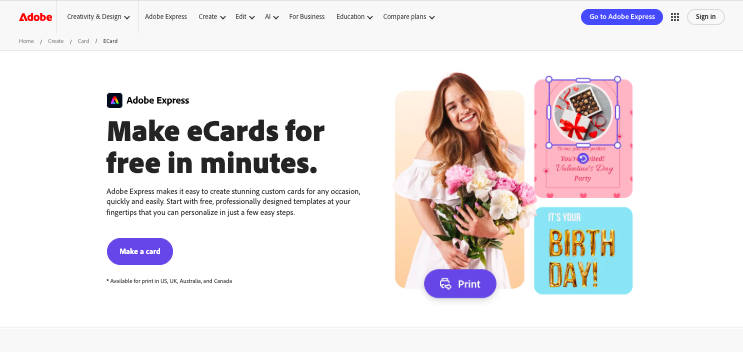
Adobe Express is one of the best free JibJab alternatives with a web-based interface as well as Android and iOS apps.
You can create unique eCards with Adobe Express for free in minutes and you don’t need any design skills.
No matter what type of eCard you want to create, you’ll find a template to match in the Adobe Express library.
The library is loaded with thousands of professionally designed eCard templates. You can search for an ideal template by color, mood, or aesthetic amongst others. If you want, you can select a black canvas and create an eCard from scratch.
eCards can be personalized using your own images, changing the fonts, and more. Just like with the templates, there are thousands of free images on the Adobe Express library that you can choose from.
The platform also features themes. Applying a theme will affect your colors, fonts, and backgrounds.
To create the perfect eCard, Adobe Express features an image resizer so you can customize your creation to match any social media platform or print format.
If you’d like to save your brand colors and logo to auto-apply on all your eCards, you need a premium account.
Conversely, you can download the eCards that you created to your device. Alternatively, you can directly share them on social media platforms and other virtual destinations.
In addition, you can print directly from Adobe Express.
Also Read: Best Free Collage Makers
4. Greetings Island

Greetings Island is an online card maker. It features a premium account but its free account is worth using.
This free JibJab alternative enables you to create personalized eCards for several occasions like baby showers, birthdays, graduations, weddings, etc. Notably, their website is also available in Spanish.
There are thousands of eCard templates available so all you need to do is to select and customize. These templates were designed by real professionals so they’re very intuitive.
The Greetings Island card maker is DIY and will walk you through the entire process of customizing the designs.
To start with, you have to select what category you want and then pick a template. You have the options to add text, your own photos, and stickers. Using Greetings Island to customize eCards is convenient.
You can do it from a browser or install the mobile app which is available for Android and Mobile devices.
Greetings Island is ideal for creating invitation eCards. This is because you can add extras like maps, calendars, and gift registries.
Once you finish creating your eCards, you can share them on platforms like Facebook, Instagram, and WhatsApp or share them by email.
You can also download the file to your device or print them directly from the Greetings Island website. Greetings Island is free to use, there is no hidden cost but you’ll have to deal with ads.
Interesting Post: Bad Graphic Design Examples
5. GraphicSprings

GraphicSprings is another free JibJab alternative for designing beautiful eCards. The eCard maker is relatively easy to use as the editing interface is clean and intuitive. You’ll finish designing in a few minutes even if you have zero graphic designing experience.
There are existing eCard templates, you can choose any of them to customize or start creating your own eCard from scratch. The Graphic Springs library has templates from dozens of different categories.
For customizing, you can add and edit text, colors, effects, and images. After creating your eCard, you can save them to your device.
Plus, you can share eCards by either using social media or email. Notably, GraphicSprings supports exporting different image file formats including SVG, JPG, and PNG.
For businesses, there are lots of business card templates in the GraphicSprings library. GraphicSprings is primarily a logo maker, so the platform is suitable for small business owners.
You can use their logo maker tool to create a suitable logo for your business and then add it to your eCards.
Unlike the eCard maker, the logo maker isn’t free. You pay for the logo just before downloading it.
GraphicSprings doesn’t feature mobile apps for Android and iOS like JibJab. You can only use the platform via a browser but it’ll work on both desktop and mobile browsers.
Check Out: Best Drawing Apps For iPad
6. Renderforest
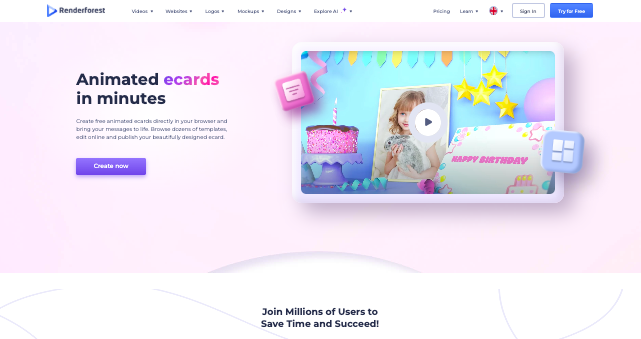
Renderforest’s eCard maker is a browser-based tool that lets you create animated greeting cards for birthdays, holidays, thank-you notes, and more using ready-made templates and simple drag-and-edit controls.
You can make eCards for free on Renderforest, which makes it appealing for quick personal greetings or casual sharing.
On the free plan, you’re able to customize text, colors, and basic visuals and generate an animated card without paying anything.
If you upgrade to a paid plan, you unlock watermark-free exports, higher quality downloads, more design elements, and broader usage rights.
In short, Renderforest is great for free, simple eCards, while paid plans are better if you want a more polished, professional finish.
7. FlexClip

FlexClip is a relatively popular video maker. It still is a great eCard maker and is one of the best free JibJab alternatives.
With FlexClip, you can create elegant and dynamic eCards. You can create photo and video eCards and both are super easy to do.
Simply select any of the eCard templates available and continue to customize. FlexClip lets you pick the best background to suit your card. There are lots of free eCard backgrounds in the stock library that you can utilize.
You can search for any background using keywords. Also, you can upload your preferred background videos and images.
While customizing, you can also add text and music. For text, FlexClip features several animations to add style to your eCard.
Likewise, you can upload your preferred background music from your device or browse the FlexClip stock media library for royalty-free music.
Other customization options include muting video clips, changing the aspect ratio, and doing duets.
You have the option to preview the eCard before saving and you can either download it to your device or share it online to social media platforms.
Like some other JibJab alternatives mentioned in this article, FlexClip doesn’t feature mobile apps. It is ideal to access FlexClip via a web browser on your desktop computer or use their desktop application for Mac or Windows.
8. PsPrint

PsPrint features multiple free greeting eCard templates that are customizable. In total, there are about 550 eCard templates in the PsPrint library.
Each of the 550 eCard templates can be fully customized. You can edit the front, back, and inside of the card.
The web editor allows you to customize the eCard size, colors, and orientation. You can perform general customization by adding a theme to your design.
For personalization, you can upload new photos from your computer and add or delete any of the design elements.
PsPrint is an online printing service. Therefore, this JibJab alternative is recommended if you’ll also be printing the cards physically.
After you finish designing, you can select Get Price to know how much it’ll cost to print the card and ship it to your destination. The cost depends entirely on the eCard quantity that you intend to print.
If you don’t want to print, you can save your eCard as an image or as a PDF file. Conversely, you can share your eCards with anyone via URL.
Unlike other free JibJab alternatives, the PsPrint eCard maker will only work via a browser. Although the platform features a mobile app, the app is for tracking print orders and not designing.
9. Somecards

Someecards is a popular free eCard platform known for its bold, sarcastic, and often relatable humor.
Instead of animations or heavy customization, it relies on clever one-liners paired with simple images, making the cards feel more like shareable memes.
The platform covers a wide range of categories such as birthdays, relationships, work life, holidays, and everyday struggles.
Most cards can be viewed and shared without creating an account, which keeps the experience quick and casual.
Someecards works best for people who want to send a laugh or make a statement rather than a sentimental greeting.
10. Got-free-ecards

Got-free-ecards is a free online eCard website that focuses on animated and traditional greeting cards for occasions like birthdays, anniversaries, holidays, thank-you notes, and celebrations.
Users can choose from a large collection of colorful, often animated designs and add their own message before sending the card via email or shareable link.
The service does not require registration, making it easy for anyone to use instantly. While the design style is more classic and sometimes a bit dated, it offers more personalization than text-only card sites.
Overall, Got-free-ecards is a good choice if you want simple, animated greetings without paying for a subscription.
Final Note
JibJab records more than five million installations on Google Play alone, which shows how popular the platform is.
However, if it doesn’t meet your expectation for one or the other reason, try one of the tools listed above. They offer great features and simple to use.
For me though, it’s Canva anyday. It’s not just a card maker but a creative suite of all things graphic.
Enjoyed the post?