
You have thousands of photos, and you need a better home for them. Google Photos ended free unlimited storage, so now you hit limits, privacy trade-offs, and higher bills.
This guide covers the best Google Photos alternatives so you can decide fast. You get cloud-first and AI-first photo app alternatives that feel familiar and just work in the background.
You also get a self-hosted Google Photos replacement for privacy-conscious users and open-source photo backup apps without ads or intrusive AI if you want full control.
If you’re looking for permanent photo storage solutions you actually own or you want the best free cloud storage for photos to start without paying, read the post till the end. You’ll have everything sorted.
Users who need photo backup services with easy migration from Google Photos with one click import, will find it useful too.
How I Picked These?
I evaluated the services on the following parameters and came up with the list below.
- Real backup that runs on iPhone and Android without manual work
- Clear pricing and a way out if you want to leave later
- Search, albums, and sharing that you will actually use
- At least one strong option for privacy and self-hosting
Let’s find out more.
1. iCloud Photos
Best for: iPhone and Mac owners who want set-and-forget backup
If you live in the Apple world, iCloud Photos feels like the obvious switch. You turn it on once and your iPhone, iPad, and Mac stay in sync. Take a photo on your phone, and you see it on your Mac minutes later. You also get Memories, People albums, and location views that feel close to Google Photos.
It gives you tight integration with iOS editing and sharing. You can share an album with family and everyone can add to it.
As one of the most polished cloud photo storage services for Android and iPhone, it works best on Apple devices, but you can still view and download from icloud.com on Android or Windows.
You trade a bit of flexibility for simplicity, and for many people that trade is worth it.
Key features:
- Your library syncs across Apple devices with original quality
- Shared albums and iCloud Shared Photo Library for family
- On-device search for people, pets, and places without heavy tracking
- Web access from any browser when you need a file quickly
Get it here: Official Site | App Store
Pricing: iCloud gives you 5GB free. Paid plans start around $0.99 per month for 50GB and go up to 12TB for families and pros.
2. Amazon Photos
Best for: Prime members who want free unlimited photo backup.
If you already pay for Prime, Amazon Photos might be the best deal you overlook. You get full-resolution photo backup with no compression and unlimited photo storage for Prime members. Videos count against your Drive quota, but photos do not, which helps if you shoot a lot.
You install the app, turn on auto-save, and your camera roll backs up. You can create albums, share links, and order prints. Search recognizes people and objects, and you can set up family sharing with up to six people. For Prime households, this is unlimited or generous cloud photo storage that costs you nothing extra, and that is hard to beat. Here’s what you get:
- Full-resolution backup without shrinking your images
- Family Vault to share storage with up to five other people
- Apps for iOS, Android, desktop, and Fire TV slideshow
Get it here: Official Site | App Store | Play Store
Pricing: Amazon Photos pricing is free with 5 GB for non-Prime users, unlimited full-resolution photo storage for Amazon Prime members, and optional tiered monthly upgrades for extra space.
Also read: Apps That Make Your Photos Look Like Real Film
Best for: Windows users and Microsoft 365 families
OneDrive works well if you already use Windows or Microsoft 365. You turn on camera backup and your photos flow into OneDrive automatically. Then, you can view them on your phone, PC, or web, with strong search and album creation.
You get built-in editing, sharing controls, and integration with Word, Excel, and Teams if you need that for work. For personal use, OneDrive gives you true cross-platform photo sync for Android, iPhone, Windows, and macOS, so your library follows you even if you switch phones.
You also get Personal Vault for extra protection on sensitive images, and you can recover files if you delete something by mistake. Other notable features include:
- Automatic camera roll backup with original quality option
- Photo timeline, album suggestions, and face grouping on web
- 1TB included with Microsoft 365 Personal and Family plans
Check Out: Best Alternatives For OneDrive
4. Dropbox
Best for: People who want simple file-style backup and fast sharing
Dropbox feels simple, and sometimes simple wins. You get a folder that syncs everywhere. Drop photos in, you see them on your other devices, and you can share a link in seconds.
You get camera uploads on mobile, automatic organization by date, and smart search that finds screenshots, receipts, and faces. Plus, it also offers file requests and shared folders that work well when you collect photos for an event.
You get features like:
- Camera uploads with background sync on iOS and Android
- Powerful link sharing with view and download permissions
- Rewind and version history if you overwrite or delete
Dropbox does not offer unlimited photo plans, but its sync reliability and clean apps make it a steady pick for people who value control over their files.
Get it here: Official Site | App Store | Play Store
Pricing: Dropbox pricing starts with a free Basic tier, with paid individual plans like Plus at $9.99/month, and team options like Standard starting around $15/user/month.
Read this too: Secret Apps to Hide Photos
5. Flickr
Best for: Hobbyists and pros who want storage plus exposure
Flickr takes a different path. It mixes storage with community. You get space to back up photos, plus groups, comments, and discovery that help you grow as a photographer. If you like showing work, not just storing it, Flickr feels refreshing.
You can organize with albums, tags, and collections, and you control what stays private or public. Best features include:
- Organize by albums, tags, and smart filters for easy browsing
- Privacy controls for private, friends, family, or public
- Community groups and Explore feed for feedback and inspiration
Many photographers rate it among the best photo storage apps like Google Photos for portfolios because you keep full resolution and you can license your images.
Free accounts have limits now, but Pro unlocks unlimited uploads and stats that show how people find your photos.
Get it here: Official Site | App Store | Play Store
Pricing: Flickr pricing centers on a free tier capped at 1,000 photos and a paid Flickr Pro subscription available monthly, yearly, or bi-yearly.
- Monthly Plan: $11.00 per month.
- Annual Plan: $82.00 billed once a year (breaks down to about $6.83 a month).
- 2-Year Plan: $148.00 billed every two years (breaks down to about $6.17 a month).
6. Ente
Best for: Privacy-focused users who want encryption by default
Ente is what you pick when privacy matters most. It offers true end-to-end encrypted photo backup, so only you can see your photos.
The team publishes its code, so you can verify how encryption works. You still get a modern app that feels close to Google Photos, with timeline, search, and albums.
Install Ente on your phone, turn on backup, and your library encrypts on device before it leaves. You can share albums with family, and they also stay encrypted.
Other features include:
- Open-source clients with audited end-to-end encryption
- On-device ML for face and object search without sending data to servers
- Shared albums, family plans, and easy Google Takeout import
- Apps for mobile, desktop, and web with fast sync
If you search for the best Google Photos alternatives that respect privacy without making you self-host, Ente hits that sweet spot. It runs on iOS, Android, web, and desktop, and you can import your Takeout directly.
Get it here: Official Site | App Store | Play Store
Pricing: Ente Photos pricing starts with a 5 GB free tier, with paid plans beginning at $2.49 per month for 50 GB of storage. Paid storage can be billed monthly or annually, and you can share your storage plan with up to five additional family members at no extra cost.
7. PhotoPrism
Best for: DIY users who want to own their photo stack
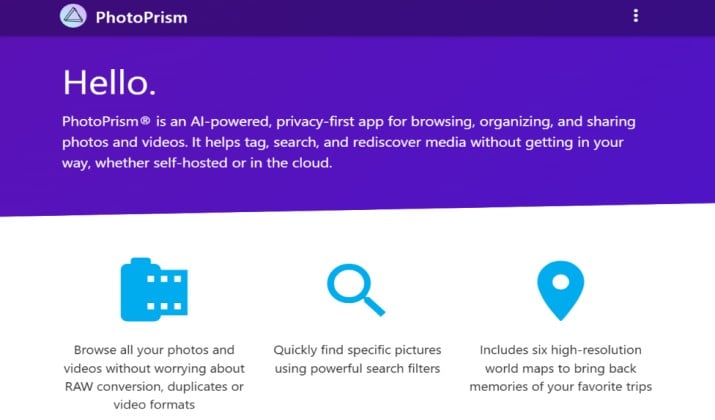
PhotoPrism gives you a home for photos that you control completely. You host it on your own server or NAS, and you own every file. It indexes your library, detects faces, and lets you browse by place, date, or color.
As a self-hosted photo backup alternative to Google Photos, it suits people who want independence from big cloud providers.
You point PhotoPrism at your folders and it builds a searchable archive. It handles RAW, live photos, and videos, and it runs well on modest hardware. It’s easy to manage users, sharing, and backups yourself, so you avoid subscription lock-in. Other interesting features include:
- AI-based classification for faces, objects, and places
- Support for RAW, HEIF, and video with transcoding
- Maps, calendars, and advanced filters for large libraries
If you like to tinker a bit, PhotoPrism rewards you with speed and privacy.
Get it here: Official Site
Pricing: PhotoPrism pricing is structured into a free community tier, affordable personal memberships starting around €2.00 to €6.00 per month, and managed third-party cloud hosting starting around $6.50 per month.
Another interesting read: Best Calculator Apps to Hide Photos
8. Photoview
Best for: Photographers with big RAW libraries who self-host
Photoview focuses on speed and RAW handling. If you shoot with a DSLR or mirrorless camera, you know RAW files can be slow to browse. Photoview generates previews quickly and lets you scroll through large libraries without waiting.
You host it yourself, connect it to your photo folders, and share with your household. It offers face recognition, timeline view, and map view, plus user accounts so each person gets their own space. It offers features such as:
- Fast thumbnail generation and smooth scrolling for huge folders
- Face detection and grouping that runs locally
- Multiple users and shareable albums with link control
For photographers who need RAW photo support and fast browsing, Photoview keeps things light, quick, and private.
Get it here: Official Site
Pricing: Free and open-source. You pay only for your own server or hosting.
9. Immich
Best for: Anyone who wants Google Photos UX without Google
Immich looks and feels like Google Photos, but you run it yourself. You get automatic backup from your phone, a clean timeline, and search that finds people, pets, and things.
If you wanted the best Google Photos alternatives with a familiar app experience, Immich often tops self-hosted lists for a reason.
You install the server on a home machine or VPS, then use the mobile apps to back up. It gives photo storage with search, albums, and device sync across iOS and Android, plus map view, face recognition, and partner sharing. You also get features like:
- Automatic mobile backup with background sync and selective albums
- Smart search, face grouping, and map timeline that feel native
- Partner sharing and public links with granular permissions
- Active development and Docker-based self-hosting
Updates ship fast and the community is active, so you get new features often without giving up ownership.
Get it here: Official Site | App Store | Play Store
Pricing: Free and open-source for self-hosting. You cover your own hardware and electricity. Paid cloud version is in development with early pricing to be announced.
10. PhotoVault
Best for: Families who want private sharing without social feeds
PhotoVault aims at families who want one calm place for everything. You back up phones and computers, organize by year and event, and share with grandparents without extra steps. It feels built for real family life, not just tech demos.
You get family sharing photo storage with roles, so kids can view but not delete. Albums stay private by default, and you can create shared links that expire. It also comes with features such as:
- Automatic backup from phones and desktops with folder sync
- Private shared albums with expiration and password options
- Duplicate finder and face grouping to clean up old libraries
Search helps you find birthdays, trips, and documents, and automatic duplicate detection keeps your library tidy. If you want a simple cloud vault that everyone in the house understands, this style of service fits well.
Get it here: Play Store | App Store
Pricing: PhotoVault pricing involves optional in-app purchases spanning monthly subscriptions, annual plans, and a one-time upgrade option.
- Monthly Premium: Ranging from $6.99 to $12.99 per month depending on the specific promotional tier or plan chosen.
- Annual Premium: Ranging from $35.99 to $39.99 per year.
- One-Time Upgrade: Priced at a flat $39.99 for lifetime access to upgraded features without recurring fees
11. Tonfotos
Best for: People with messy hard drives and huge local archives
Tonfotos is different because it starts on your computer. If your photos live scattered across hard drives, old folders, and phone backups,
Tonfotos helps you bring order without uploading everything first. You point it at your drives and it builds a single view. It offers face detection, location grouping, and timeline browsing that works offline. You can then decide what to keep local and what to sync elsewhere.
Here is what you get:
- Offline indexing that finds duplicates and organizes by date
- Face, place, and event views without needing cloud upload
- Export to NAS or cloud when you are ready to back up
In a market full of free and paid Google Photos replacements that push you to the cloud immediately, Tonfotos respects the idea that your master library can live at home first.
Get it here: Official Site
Pricing: Tonfotos pricing uses a lifetime perpetual model featuring a free tier, a personal license, and a family license with no recurring subscription fees.
12. pCloud Photos
Best for: People who hate monthly fees and want unlimited or generous cloud photo storage they pay for once
If you want to pay once and stop thinking about subscriptions, pCloud gives you that option.
You get cloud photo backup with automatic sync from your phone, plus apps for Android, iPhone, Windows, and macOS so your library stays in sync everywhere. It feels a lot like Google Photos with timeline, albums, and sharing.
It also gives you client side encryption as an add on, generous storage up to 2TB, and even a lifetime plan. That makes it one of the few permanent photo storage solutions that does not charge you every month. Other features include:
- Automatic camera upload and cross-platform photo sync for Android, iPhone, Windows, and macOS
- Built in photo storage with search, albums, and device sync
- Optional pCloud Encryption for private folders
- Easy migration and large file support for videos
You can also extend it with family sharing photo storage for up to 5 members.
Get it here: Official Site | Play Store | App Store
Pricing: pCloud pricing offers 10 GB of free storage, with paid tiers available via monthly, annual, and one-time lifetime options.
- Premium 500 GB Plan: $4.99 per month, or about $49.99 to $59.88 billed annually.
- Premium Plus 2 TB Plan: $9.99 per month, or about $119.88 billed annually.
- Ultra 10 TB Plan: $29.99 per month, or about $359.88 billed annually.
So, Which One Should You Pick?
You do not need to overthink. Pick based on what you value most.
If you want privacy without the hassle, pick Ente. You get end-to-end encrypted photo backup that looks and feels like Google Photos, with open source apps and zero ads. It is the simplest upgrade for most people.
To enjoy full ownership, pick Immich. It is the best self-hosted photo backup alternative to Google Photos. Fast backup, great search, familiar timeline, and you control everything.
If you want the best value right now, pick Amazon Photos. If you already pay for Prime, you get unlimited full-resolution photo storage included. Turn on auto backup and you save money today.
Start with one. Turn on cloud photo backup with automatic sync, import your Google Takeout, and you are safe. You can organize later.