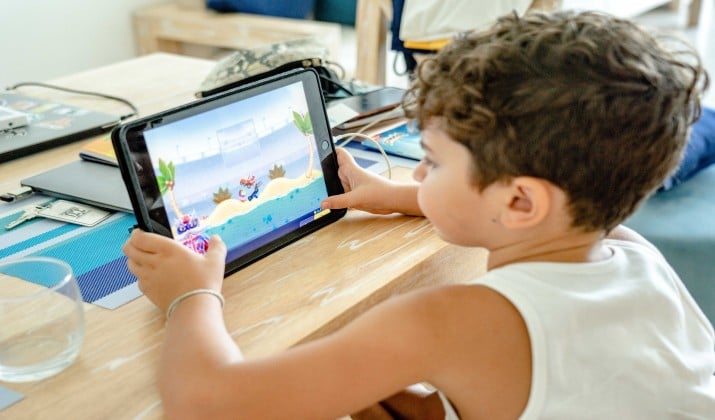
If you have not heard of it yet, Gimkit is the quiz game that started as a high school student’s side project and turned into one of the most talked-about edtech tools in classrooms today.
It takes the basic idea of a Kahoot-style quiz and cranks the engagement to 11 with in-game cash, power-ups, strategy, and game modes that feel more like Fortnite than a worksheet.
In this post, we will explore whether it is just a hype, or does it actually help kids learn? And is it worth the Pro price tag when you are already juggling a dozen other subscriptions?
Let us break it all down.
Quick Summary For Skimmers
Gimkit is a classroom game platform where students answer questions to earn in-game cash and buy power-ups across dozens of video-game style modes.
The free plan gives you unlimited students and 3 rotating modes, while Pro unlocks all modes, homework Assignments, and media questions. It has a learning curve, but teachers love it for sustained engagement and real-time data.
If you want review games your students actually beg to play, Gimkit indeed delivers.
Also Read: Gimkit’s Money Based Scoring System – Learning Made Fun
How Does Gimkit Work in a Classroom?
Here is a fun fact before we dig into its functioning.
Gimkit was created by a high school student as a project. That student-to-teacher pipeline shows. The platform feels like it was designed by someone who actually sat through boring review sessions and thought, “What would make this fun for me?”
How to begin?
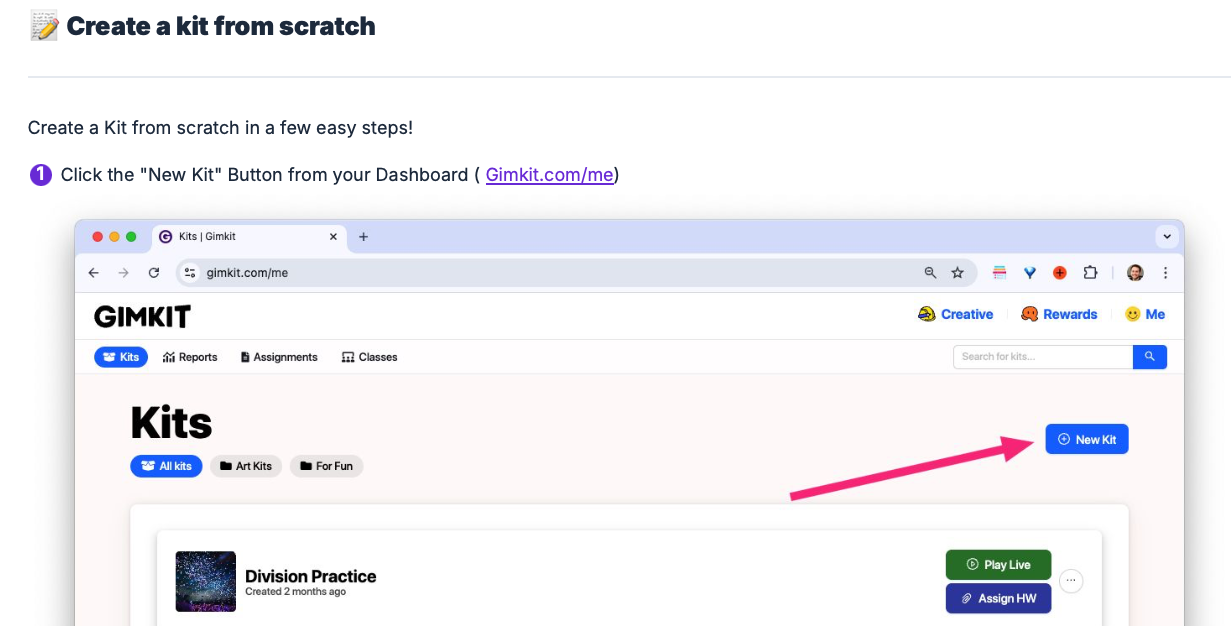
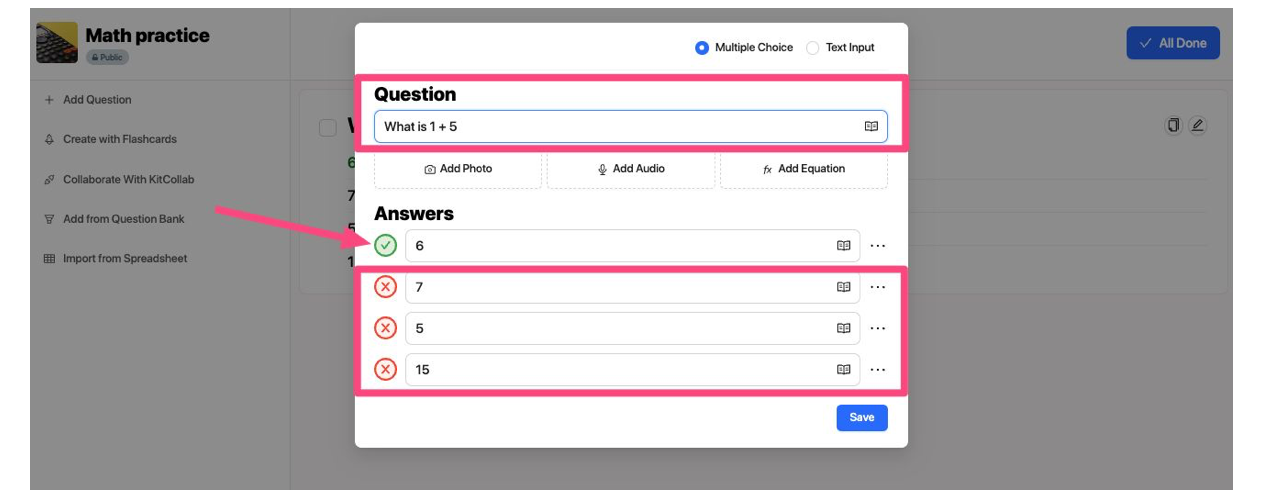
- You create a “Kit”: That is Gimkit’s word for a question set. You can type your own, import from Quizlet, use KitCollab to let students submit questions, or copy other users’ Kits if you have Pro.
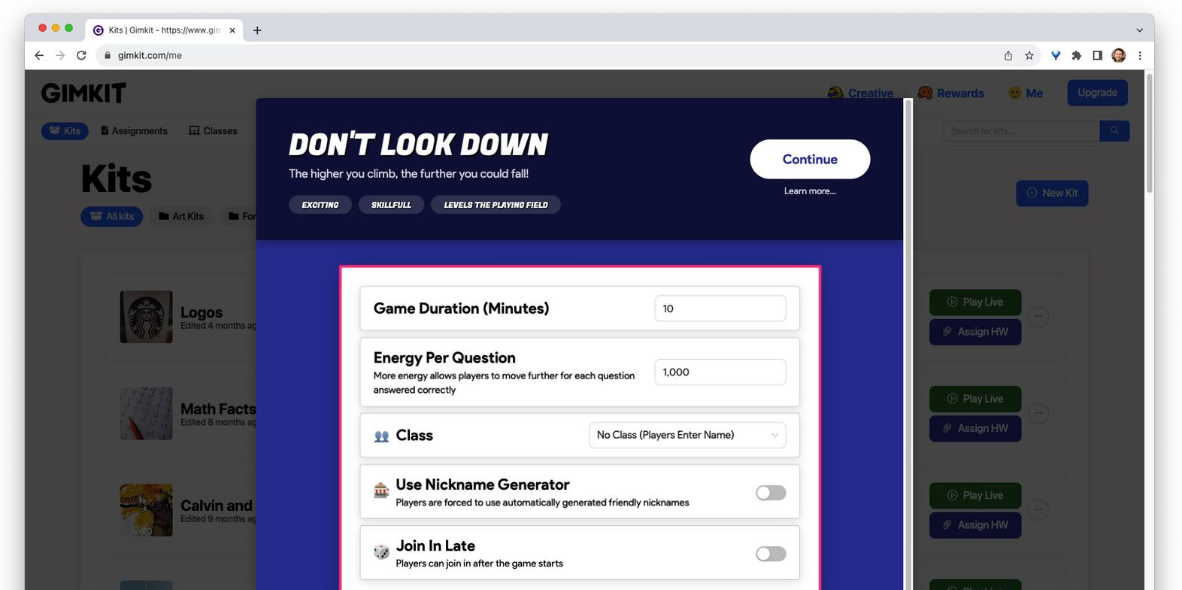
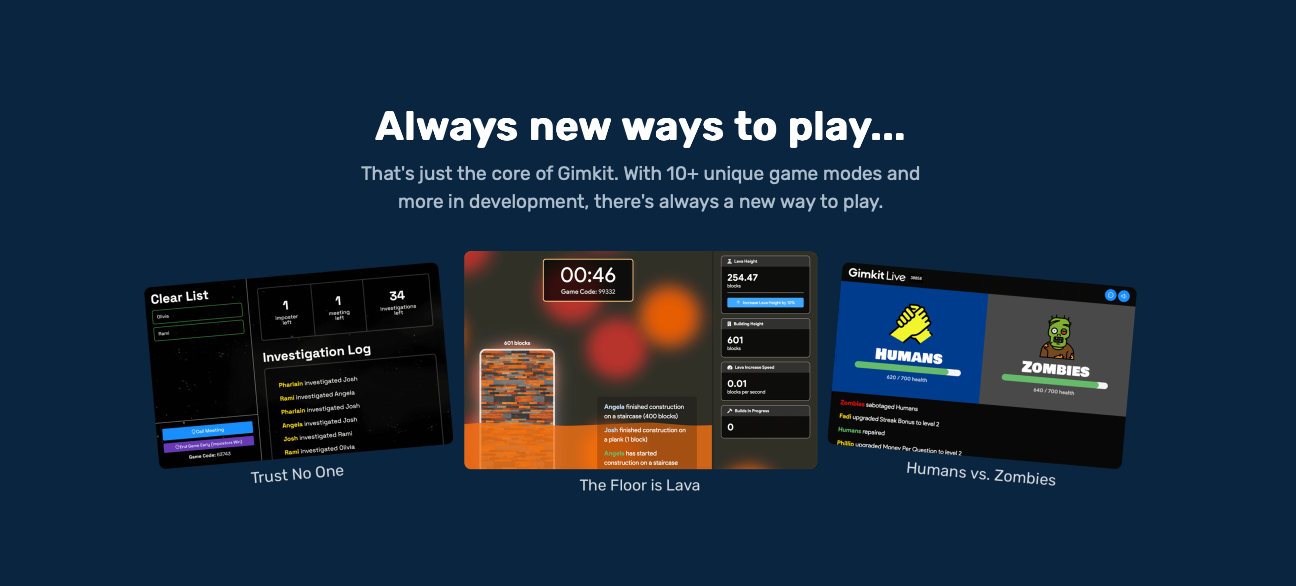
- Choose a game mode: This is where Gimkit separates itself. Instead of one standard quiz format, you get modes like “Classic,” “Trust No One,” “Farmkit,” “Blastball,” “Snowbrawl,” “Don’t Look Down,” and more.
- Students join with a code: No student accounts required. They enter a code and nickname, and you are off.
- They answer to earn: Every correct answer earns in-game cash. Wrong answers can cost them. Then they use that cash to buy power-ups, sabotage others, or invest.
- You get data: While they play, you see real-time analytics on student performance so you can adjust instruction on the fly.
The result is a review game that feels like a video game. Students are not just recalling facts. They are managing resources, making choices, and talking strategy with teammates. That is the secret sauce.
What Game Modes Make Gimkit Different?
If Kahoot is a quiz show, Gimkit is an arcade. The variety of modes is huge, and teachers can match the mode to their goal. Here are a few standouts:
Competition and Sports Modes
- Blastball: Two teams play soccer-style, but you “blast” the ball by answering questions. Teamwork actually matters.
- Snowbrawl: Free-for-all snowball fight. Knockouts are the goal.
Survival and Platformer Modes
- Don’t Look Down: A platformer mode that adds urgency and is great for high-energy review.
- Snowy Survival: One player starts “cursed” and tags others. Last person standing wins.
Collaborative Modes
- One Way Out: Students have to work together to escape. Perfect for building teamwork.
- Trust No One: Gimkit’s take on Among Us. Strategy + social deduction = total engagement.
Classic and Strategy Modes
- Classic: Closest to traditional quiz games, but with the money/power-up system.
- Farmkit: Students invest and grow their earnings over time. It rewards long-term thinking.
Because each mode changes the vibe, you can use Gimkit for a quick 5-minute warm-up or a full-period review without it feeling repetitive.
Is Gimkit Easy to Set Up, or Is There a Learning Curve?
Here is the honest truth. Gimkit is not as plug-and-play as Kahoot. Because the game modes are more complex and strategic, you and your students need a round or two to understand the mechanics.
Teachers report that setup takes more effort upfront. You have to explain power-ups, investing, and mode-specific rules. Younger students especially can get overwhelmed.
But once they get it? The engagement payoff is real. Students stay focused longer because there is gameplay beyond just “click the right answer”. And the real-time analytics help you spot who is struggling without grading a stack of papers.
What About Cosmetics, XP, and Season Tickets?
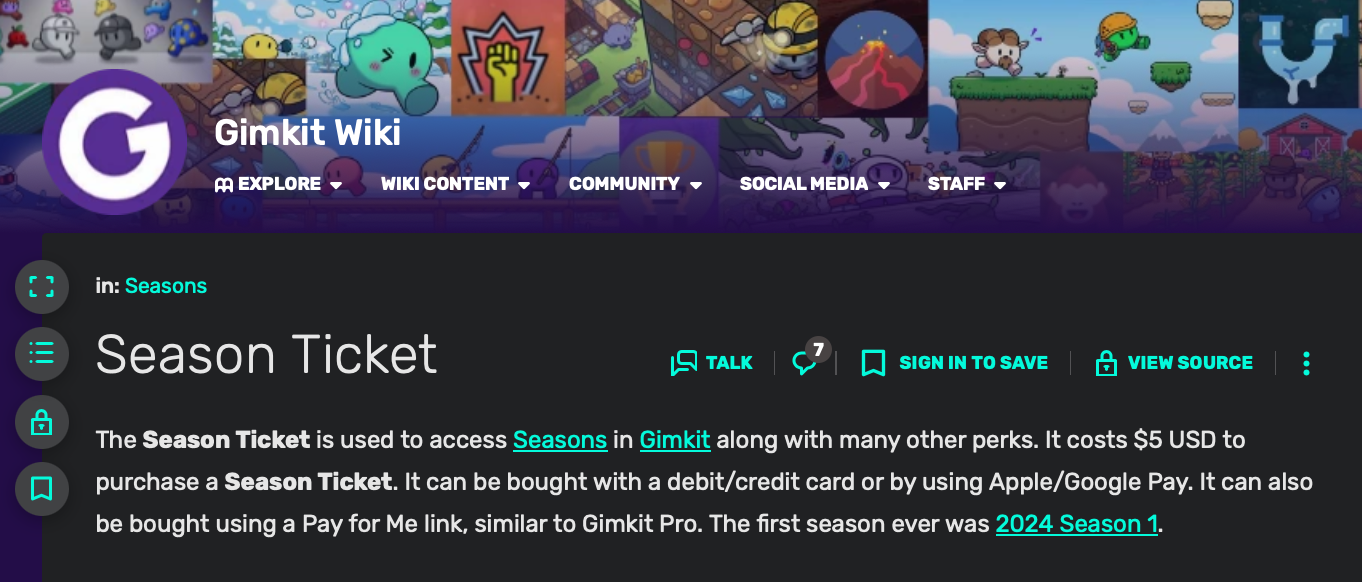
Yes, Gimkit has cosmetics. Students earn XP and GimBucks by playing, which they use to buy Gims, Stickers, and Trails for their avatar. There are rarity tiers from Uncommon to Mythic, and a $5 Season Ticket raises the weekly XP cap from 15,000 to 20,000.
Do cosmetics impact learning?
Not directly. But teachers say it is a huge motivator. Kids will play extra review games at home just to earn GimBucks for a Legendary skin. XP caps reset every Wednesday, so it is designed to prevent grinding all night.
What Are the Best Ways to Use Gimkit for Learning?
Alright, Part One covered the “what” of Gimkit. Now let’s talk strategy. Because a tool is only as good as how you use it, right?
Gimkit shines when you go beyond just “Friday fun day.” Here are the classroom-tested ways teachers make it meaningful:
1. Pre-Assessment Without the Pressure
Run a Classic or Farmkit mode before a unit. Students are just playing a game, but you are quietly collecting data on what they already know. The reports show you which questions got missed most so you can adjust your lessons before you even start teaching.
2. Targeted Review With Assignments
This is a Pro feature, but it is a game changer. Send a Kit as homework after a lesson. Gimkit’s “smart repetition” system shows incorrectly answered questions more often, so kids get extra practice on what they struggled with. It is like differentiated homework that grades itself.
3. Team-Building With Collaborative Modes
Use “One Way Out” or “Trust No One” when you want to work on communication skills. Students have to discuss strategy and share info to win. It turns review into a soft-skills lesson without them realizing it.
4. High-Energy Exam Prep
Got a big test coming up? “Don’t Look Down” or “Blastball” adds urgency. The adrenaline actually helps some kids recall facts faster. Plus, you can run the same Kit multiple times in different modes so it never feels stale.
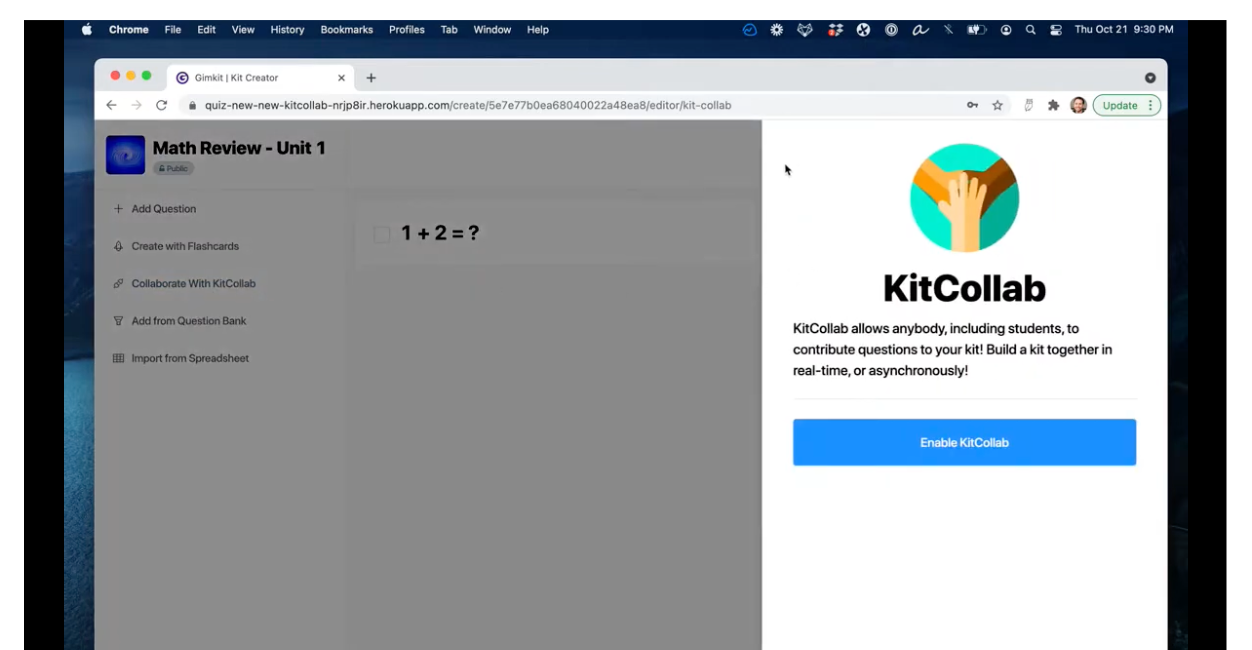
5. Student-Created Content With KitCollab
Let your students submit questions for the next Kit. They take ownership, and you get insight into what they think is important. Pro tip: have them write distractors too. Creating wrong answers requires deep understanding.
The key is variety. If you only use Classic mode every week, kids will get bored. Rotate modes to match your lesson goal and keep the novelty alive.
What Do You Get With Gimkit Basic for Free?
Gimkit Basic is totally free for all educators. And honestly, it is generous compared to some freemium tools.
With Gimkit Basic, you get:
- Unlimited students per game: No cap of 5 or 10 like some platforms.
- Class rostering and setup: You can save classes and track performance.
- Performance reports: See how students did after each game.
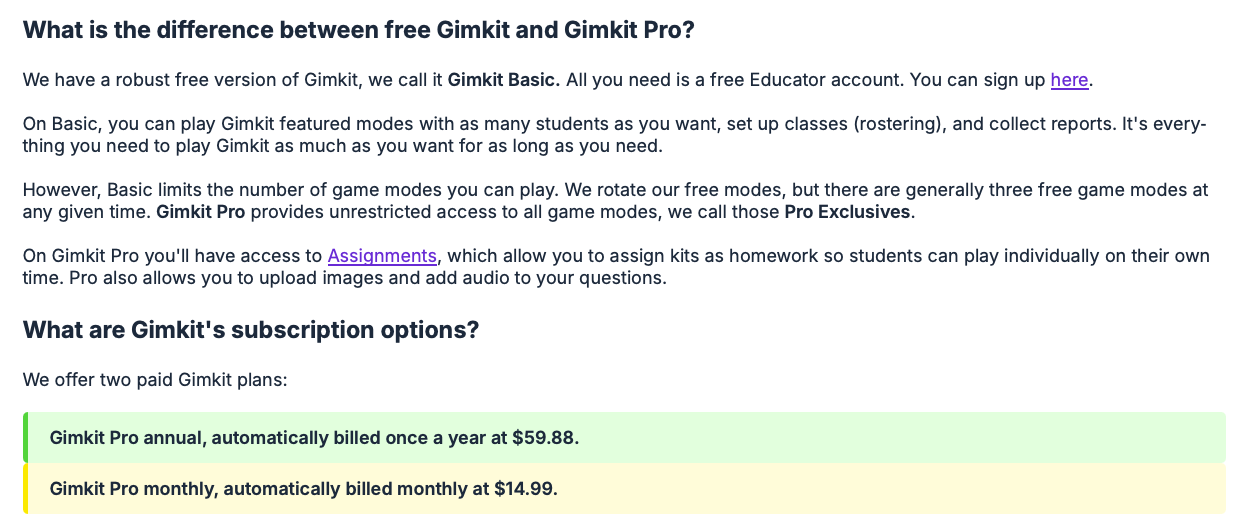
- 3 rotating game modes: Here is the catch. Free users only get about 3 game modes at a time, and Gimkit rotates which ones are free. The mode you loved last month might be locked this month.
So can you run Gimkit for free all year?
Absolutely. If you are flexible on modes and just need a solid review tool, Basic works. Some teachers even project one device for the whole class to get around the old 5-student limit, though that limit is gone now.
What Does Gimkit Pro Unlock, and How Much Does It Cost?
Gimkit Pro is the paid upgrade, and it removes the biggest limitations of Basic.
Pro gives you:
- All game modes, all the time: No rotating list. Every mode, including Pro Exclusives like Don’t Look Down and Snowbrawl, is unlocked.
- Assignments: Send Kits as homework so students play asynchronously on their own schedule. Huge for flipped classrooms.
- Image and audio uploads: Add pictures or sound clips to questions. Critical for language, music, or science classes.
- Copy other users’ Kits: Save prep time by duplicating and tweaking public Kits.
- No student limit: Still unlimited, just like Basic.
Pro Pricing on this day:
|
Plan |
Billing |
Total Cost |
Per Month |
|
|---|---|---|---|---|
|
Pro Monthly |
Each month |
$14.99 / month |
$14.99 |
|
|
Pro Annual |
Once per year |
$59.88 / year |
$4.99 |
|
The annual plan breaks even at 4 months. If you use Gimkit for a full school year, annual saves you about $120 vs. paying monthly.
There are also school and department licenses: $650/year for 20 teachers, or $1,000/year for a whole school.
Check the pricing page for latest on pricing. It is subject to change.
How Does Gimkit Stack Up to Blooket, Kahoot, and Quizizz?
Every teacher asks this. You only have so much time and budget, so which one wins?
Gimkit vs. Kahoot
Kahoot is the king of simplicity. It is fast, familiar, and takes 30 seconds to launch. But it is mostly speed-based and the gameplay never changes. Gimkit takes longer to learn but has way more depth.
Strategy, investing, and dozens of modes mean students stay engaged for 20+ minutes instead of zoning out after question 5. If you want quick and easy, pick Kahoot. If you want sustained engagement and data, Gimkit wins.
Check Out: Gimkit vs Kahoot
Gimkit vs. Blooket
Blooket is Gimkit’s closest rival. Both have multiple game modes, in-game currency, and cosmetics. Blooket is free-er: more modes are available without paying. But teachers say Gimkit’s modes feel more polished and the strategy layer is deeper. Blooket can feel more random or luck-based.
Gimkit’s power-ups and upgrades reward good answers consistently. Also, Gimkit’s reports and Assignments feature are stronger for actual instruction.
Gimkit vs. Quizizz
Quizizz is great for self-paced homework and has memes. Gimkit’s Assignments do the same thing but with better game feel.
Quizizz feels like a quiz with jokes. Gimkit feels like a game with quiz questions built in. If you care about homework completion rates, Gimkit’s cosmetics and XP system give kids a reason to play again at home.
What People Love the Most About Gimkit?
Let’s get specific. Here is what teachers and students consistently love:
- Engagement that lasts: Because of the strategy element, students do not mentally check out after 5 questions. They are in it until the end.
- Excellent data: Real-time and post-game reports show exactly which students and which standards need help. No grading required.
- Student agency: Choosing upgrades and managing money gives kids control. They are not just passive answer-clickers.
- Asynchronous options: Assignments mean you can extend learning outside class time without making another worksheet.
- Constant updates: New modes like Snowbrawl and Don’t Look Down drop regularly, so it does not get stale.
- No student cap: Even on the free plan, your whole class can play at once.
Where Does Gimkit Need Work?
No tool is perfect. Here is where Gimkit struggles:
- Learning curve: The first time you run it, expect confusion. Students need to learn the economy, power-ups, and mode rules. Plan for a practice round.
- Prep time: Creating great Kits with images and audio takes longer than typing questions into Kahoot. KitCollab helps, but it is still work.
- Pro price: $59.88/year is not huge, but it adds up if your school will not cover it. The rotating free modes on Basic can be annoying if your favorite gets locked.
- Can get chaotic: Modes like Snowbrawl are loud and competitive. If you have classroom management issues, the energy can tip into chaos.
- Device heavy: Every student needs a device for most modes. One-to-one classrooms are fine. Shared carts? Tougher.
- Distraction potential: Cosmetics and Gims are fun, but some kids spend more time shopping than reviewing. You can turn off cosmetic rewards if needed.
So is it plug-and-play? No. But most teachers say the first-week investment pays off all year.
Is Gimkit Pro Worth It, or Should You Stick With Free?
Let’s do the math.
Pro Annual is $59.88. That is $4.99 per month. If you use Gimkit twice a month, you are paying about $2.50 per use.
You should go Pro if:
- You teach multiple preps and want to reuse Kits as homework.
- Your students love specific Pro modes like Don’t Look Down or Trust No One.
- You need audio/image questions for language, music, or science.
- You want to copy and edit other teachers’ Kits to save time.
Consider Basic if:
- You only do review games occasionally.
- You are fine with the 3 rotating free modes.
- Your budget is $0 and your school will not help.
Break-even is 4 months. If you will use it from September to May, annual Pro saves you about $120 vs. monthly. For departments, the $650/year license for 20 teachers is only $32.50 per teacher. That is a steal.
What Do Students and Teachers Really Think?
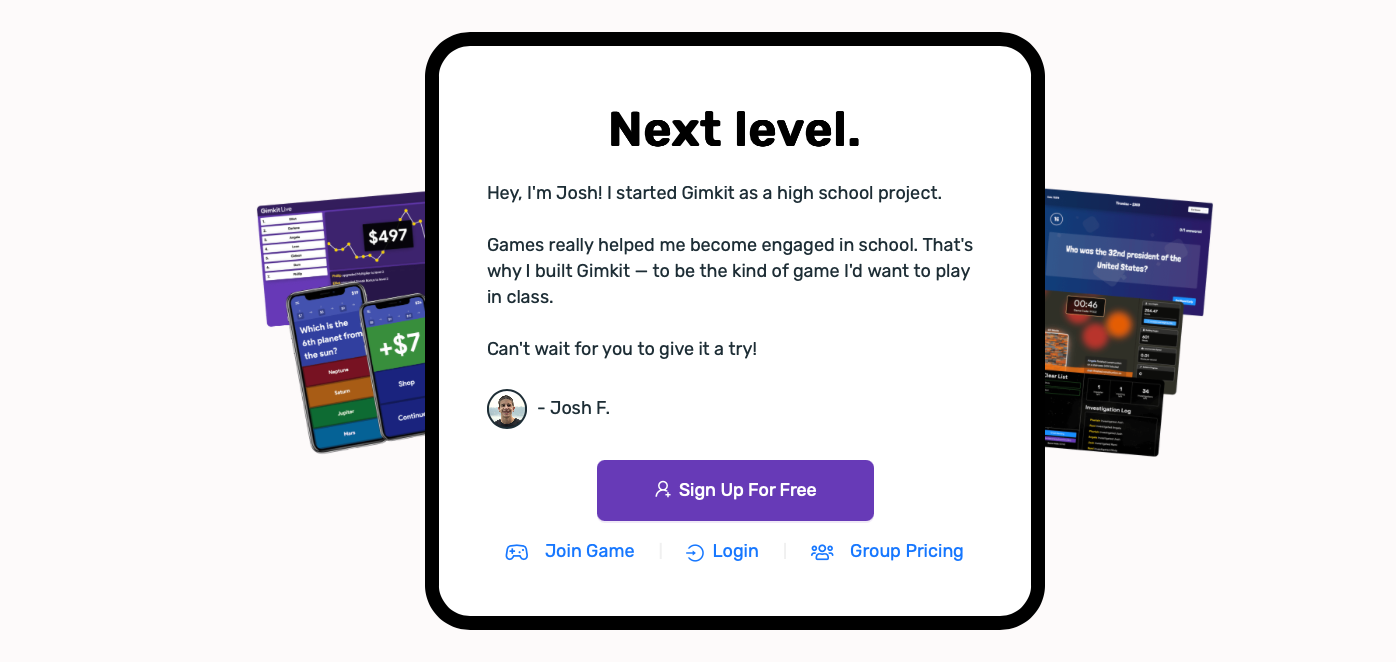
The vibe from classrooms is clear: kids love it. The XP, GimBucks, and cosmetic system taps into the same psychology as games they play at home. Teachers report higher completion rates on Assignments vs. traditional homework.
The biggest praise is for longevity. Kahoot is exciting for 8 questions. Gimkit can run 20 minutes and students still want “one more round.” The strategy layer means struggling students can still win by playing smart, not just by being fastest.
Complaints are usually about the learning curve and cost. Younger elementary students can get overwhelmed by the money system. And yes, some teachers wish more modes were free permanently.
So, Is Gimkit Any Good? The Final Verdict
Yes. Gimkit is absolutely worth it if engagement and data-driven review are priorities in your classroom.
If you only play review games 3 times per year, or if your students do not have 1:1 devices, the setup might not be worth it. And if you hate any chaos or noise, the high-energy modes will stress you out.
But for most teachers from 3rd grade to high school, Gimkit hits the sweet spot between fun and function. It turns review from something kids tolerate into something they request.
My score is 9/10. Take off one point for the learning curve and Pro paywall on favorite modes. Otherwise, it is the best classroom game platform for sustained engagement.
If you have been on the fence, try Gimkit Basic for a month. Run Classic mode twice. If your kids are not asking “Can we play again tomorrow?” I will be shocked. And if they are, that Pro upgrade will be the easiest budget request you make all year.