At a time when hybrid learning is rampant, “Zoom fatigue” is real. Teachers are competing with TikTok, Discord, and a thousand other tabs for attention. The old “unmute and answer” routine isn’t cutting it.
That’s where game-based learning comes in, and Brightful has quietly become the secret weapon for educators, trainers, and even corporate teams who need energy on demand.
But the question remains – is Brightful worthy of investing in for virtual classroom games, especially with so many promising tools around?
Let’s break it down. No fluff, nojargon. Just the real deal on what it does, who it’s for, and whether it deserves a spot in your lesson plan.
Let’s dive in.
Also Read: Best Kahoot Alternatives
Quick Snapshot of What We found Out
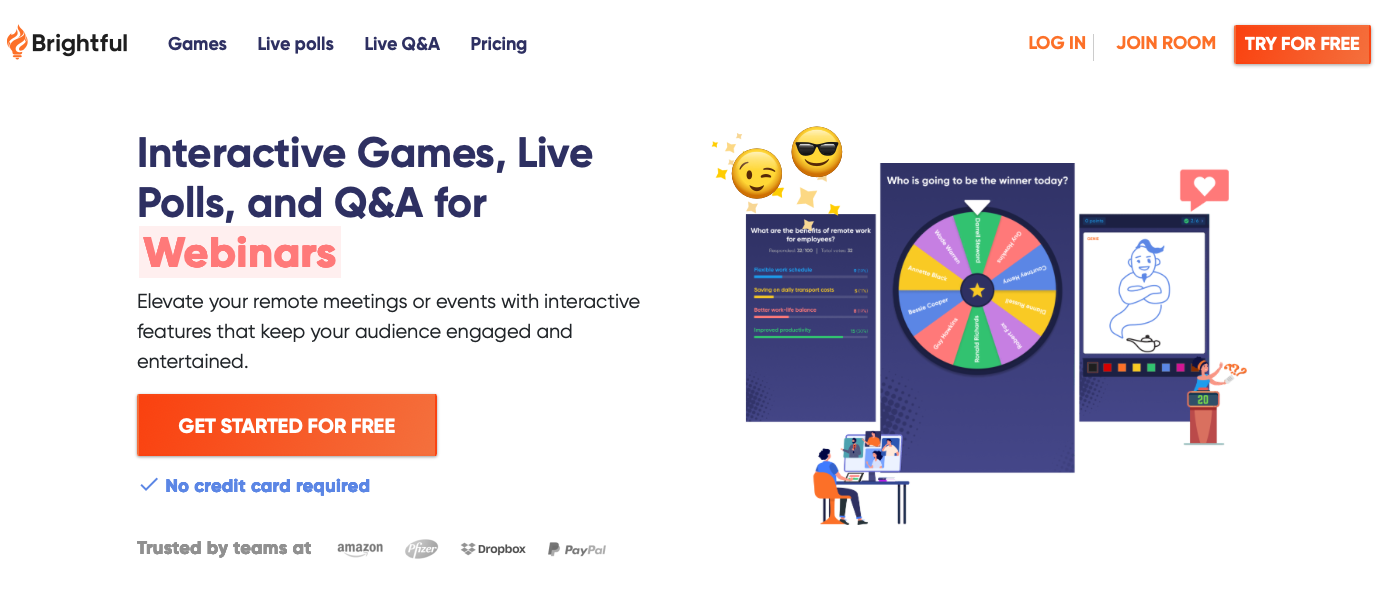
Brightful scores high as an engagement engine for virtual classrooms.
It’s a zero-friction, browser-based platform with 18+ PG-rated games that work on any device, making it ridiculously easy to launch icebreakers, drawing games, and customizable trivia in under 30 seconds.
Teachers love it for “priming” students and creating energy before lessons, and the built-in customization lets you turn any game into a review tool with your own questions. It’s especially strong for grades 5–11, small to large groups, and situations where you need quick community-building without tech headaches.
Its biggest wins are simplicity, variety, and the way it gets every student participating, not just the usual hand-raisers.
Why Everyone Is Talking About Brightful?
Brightful is built specifically for sparking social interaction through quick, easy-to-run games. Think of it as your digital recess toolkit. It wasn’t originally made just for classrooms, companies use it for team bonding, but educators have claimed it as their own, and for good reason.
The platform hosts 18+ games designed to promote conversation, collaboration, and laughter. You run italongside your virtual meeting room like Zoom, Google Meet, or Microsoft Teams.
Share a link, students joinon any device, tablets, mobiles, or computers, and you’re playing in under 30 seconds. No downloads, nostudent accounts, no “wait, I can’t see my screen” chaos.
Brightful’s whole philosophy? “Play sparks curiosity and creativity”. The games are designed to get everyparticipant sharing and interacting, while still giving you moderator controls.
Start a lesson with a 5-minutegame and you’ve “primed everyone for an energetic lesson”.
Check Out: Ways To Turn Google Forms In a Gamified Learning Powerhouse
How Does Brightful Work in a Real Classroom?
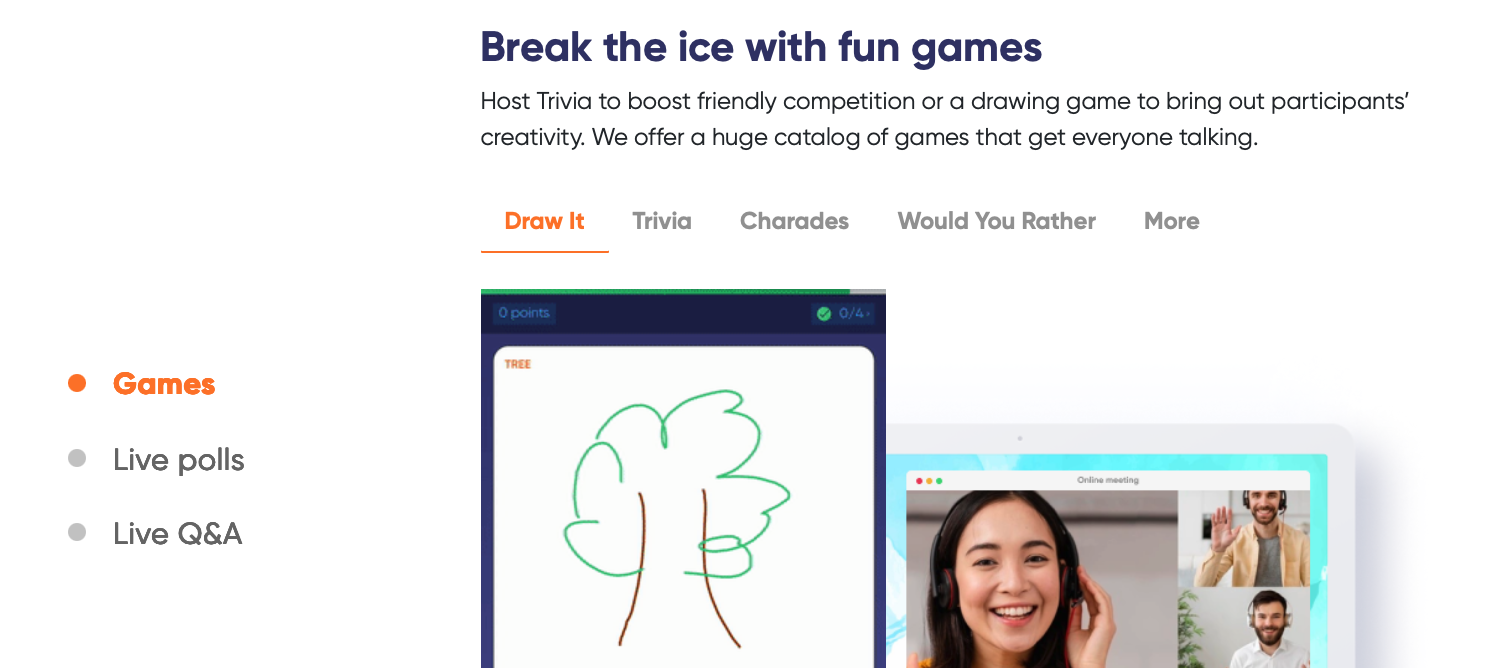
Brightful is simpler than you think:
- Pick a game: Head to Brightful.me and choose from categories like icebreakers, trivia, drawing, or wordgames.
- Host & share: Create a room with one click. You get an invite link or QR code to drop in your Zoom chator Google Classroom.
- Play together: Students join on their own devices. You control the pace, skip players, or kick off rounds.Everything is PG-rated and built for educational purposes.
- Use it your way: Run a “Question of the Day” as a warm-up, reward good behavior with a game, orcustomize Trivia with your own quiz questions.
The magic is that it’s low-friction. You don’t need to teach students a new platform. If they can click a link, they can play. Recommended player counts range from 5-50 depending on the game, so it works for small breakout groups or your entire class.
What Kinds of Games does Brightful Offer for Teachers?
Brightful isn’t a one-trick pony. It’s more like a Swiss Army knife for classroom energy. The platform is “tailormade content for every situation in the classroom”.
Here are the categories teachers love most:
1. Icebreakers & Conversation Starters
- Would You Rather: Gets students talking and debating choices. Perfect for Monday mornings or as abrain break.
- Q of the Day: A single prompt that involves all students and motivates learning. Try “What superpower would help you with homework?”
- Know Your Friends: Students guess who wrote a fun fact. Builds community fast.
2. Fast-Paced & Creative Games
- Draw It!: Like Pictionary. Students draw on their device, others guess. Zero prep, maximum laughs.
- Describe It: Explain a word without saying it. You can load in vocab lists to review teaching material.
3. Customizable Review Games
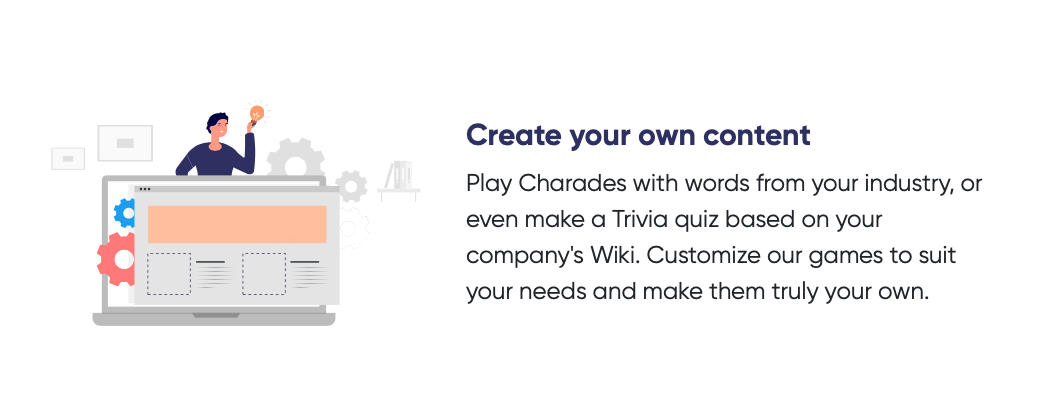
This is where Brightful gets sneaky-smart for learning. Using “Customized Games, you can transform anyexisting Brightful game into your own”.
Host a quiz by adding multiple choice questions with Trivia. Or playDescribe It with a list of specific words from your science unit.
Teachers call it a way to “introduce new teaching units” or “understand prior knowledge” while studentsthink they’re just playing. That’s the gamification sweet spot. Students are “motivated on Day 140 as they were on Day 1” when points and leaderboards are involved.
Also Read: Quizizz Review
Can Brightful Really Change Your Classroom Environment?
Short answer: yes, if you use it with intent. Brightful’s own pitch is to “create a vibrant environment forlearning”, and teachers back that up.
The games act as a social lubricant. Quiet students type answers. Competitive kids chase the leaderboard. ESL students practice language in low-stakes ways.
It also solves a huge teacher pain point: time. “We are always adding fun games and new content, all in one place. This means you can focus your energy on your class and not on endlessly searching for new things todo”.
And it’s not just fun for fun’s sake. Research shows game-based learning has “strong positive effect sizes, particularly in STEM and language learning”.
Who is Brightful Built for? Is it Only for Elementary Kids?
Not at all. The platform is recommended for Grades 5-11, but teachers adapt it up and down. Middle schoolers love the competition. High schoolers get into Would You Rather debates. Elementary teachers use it with simpler prompts.
It’s also big in counseling groups “as a method for students to become familiar with each other”, and in foreign language classes for immersion. Even corporate trainers and college professors borrow it for icebreakers.
The common thread? Any group that meets online and needs human connection, fast. Brightful calls it a“community of educators working together to make online learning fun”. You can even share content made by teachers from across the world.
Also Read: Quizalize Review
How Much does Brightful Cost, and Is There a Free Option?
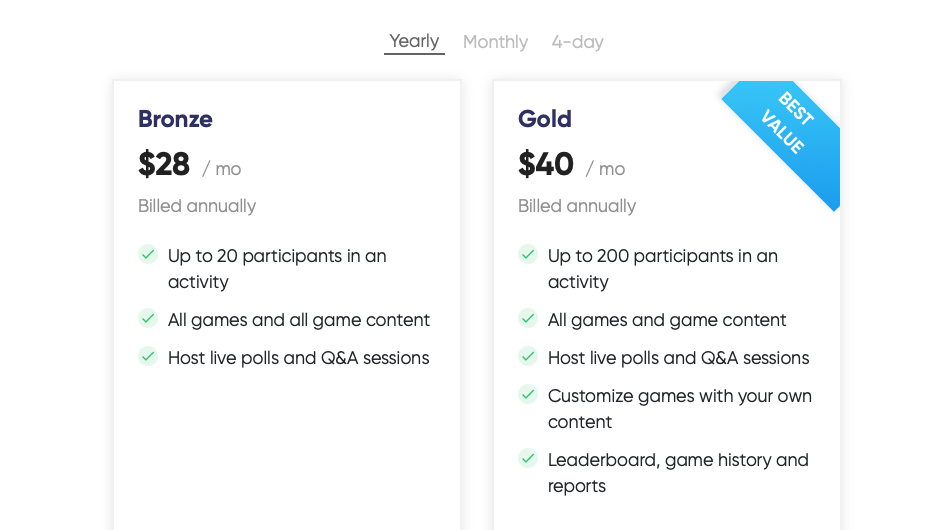
There are three plans on offer at this time.
1. Bronze Plan
- Billed annually
- Up to 20 participants in an activity
- All games and all game content
- Host live polls and Q&A sessions
- $28/month, billed annually
2. Gold Plan – “Best Value”
- Billed annually
- Up to 200 participants in an activity
- All games and game content
- Host live polls and Q&A sessions
- Customize games with your own content
- Leaderboard, game history and reports
- $40/month, billed annually
3. Event Pass
- $80 for 4-day access to Brightful games and activities for your event
- Up to 200 participants
- Includes all games, polls/Q&A, customization, leaderboard and game history
But, is Brightful really free?
Brightful offers a 14-day free trial without requiring your credit card details.
Not long ago, Brightful users could host and access games for free (though with limitations), however Brightful is now promoting its free trial for any and all users who want to taste it before ordering.
Quick takeaway for teachers:
- Just testing it or running quick brain breaks with a small group? consider free trial.
- Regular classroom use with 25+ students? You’ll want Bronze for up to 20, or Gold for up to 200 +custom content and reports.
- One-off school event or PD day? The $80 Event Pass gives you full access for 4 days with 200 seats.
What are the Biggest Pros Teachers Keep Mentioning?
After digging through educator forums and testing it ourselves, here’s what keeps coming up:
1. Ridiculously low friction
No student logins. No app downloads. If a kid can join your Google Meet, they can play Brightful. That alone removes 90% of virtual classroom tech headaches.
2. It’s built for connection, not just content
Unlike quiz-only tools, Brightful’s games are “designed to encourage all participants to share and interact with each other”. Would You Rather and Q of the Day get quiet students typing. Draw It! gets everyone laughing together. It primes the room for learning.
Also Read: Mentimeter Review
3. Customization without the work
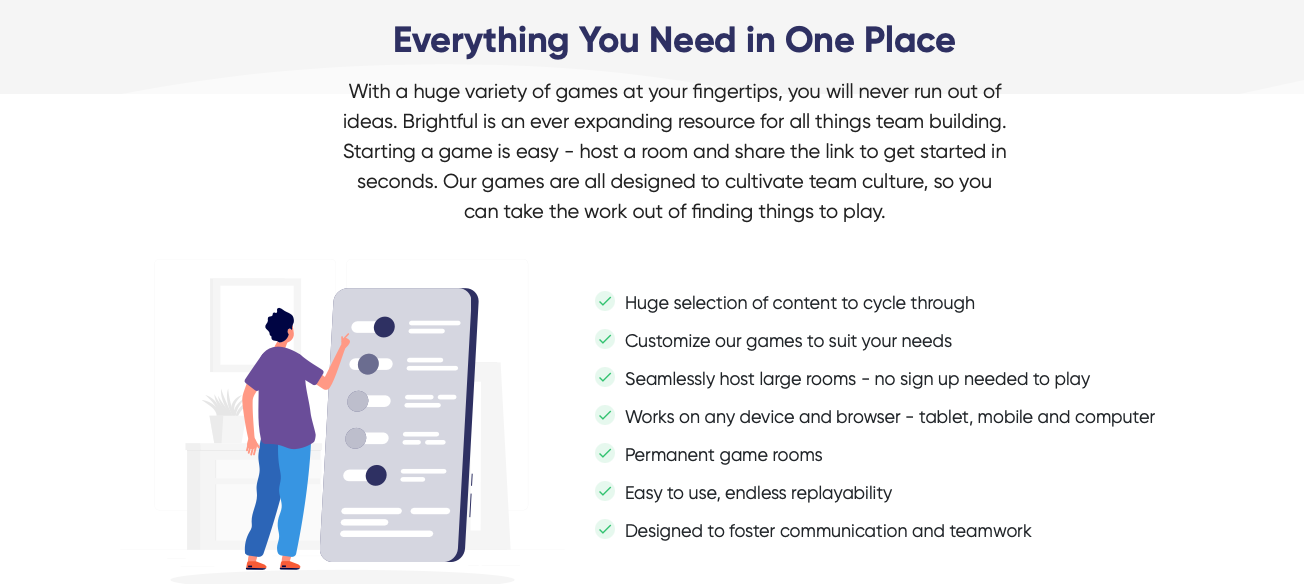
Using “Customized Games, you can transform any existing Brightful game into your own”. Drop your vocab list into Describe It or build a unit review with Trivia. You’re not hunting for new tools every week, you adapt one platform.
4. Classroom control stays with you
You moderate. You skip, pause, or remove players. All content is PG-rated for educational purposes. No random internet weirdness.
5. It works for almost any scenario
Icebreaker on Monday? Check. Reward for good behavior? Check. Review before a test? Check. Brightful calls it “a game for every scenario”, and teachers agree.
What are the Downsides? Where does Brightful Fall Short?
No tool is perfect. Here’s where you might hit friction:
1. It’s not a full curriculum tool
Brightful won’t track standards, grade essays, or build lesson plans. If you need deep analytics like Quizizz or Nearpod, Brightful is lighter. It’s an engagement layer, not a LMS.
2. Player limits
Free rooms cap out. If you teach 35 kids and want them all in one game, you’ll need Premium. For small groups or stations, free is fine.
3. Game depth vs. quiz depth
Tools like Gimkit and Blooket gamify content mastery with power-ups and strategy. Brightful’s strength is social interaction. If your goal is hardcore test prep, pair Brightful with a quiz tool.
4. Internet required
Obvious, but worth saying. All players need devices and decent Wi-Fi. For asynchronous work, Quizizz self-paced mode might beat Brightful.
So, How does Brightful compare to Kahoot!, Blooket, and Quizizz?
This is the question every teacher asks. Here’s the no-nonsense breakdown:
|
Tool |
Best For |
Brightful’s Edge |
Where Others Win |
|---|---|---|---|
|
Kahoot! |
Live competitive quizzes |
Faster setup, no student accounts, more social games beyond quizzes |
Deeper quiz analytics, music + hype factor |
|
Blooket |
Variety + game modes |
Easier moderation, PG guarantee, better for pure icebreakers |
More game-mode variety, “gold” economy kids love |
|
Quizizz |
Homework, self-paced |
Live social energy, drawing/creativity games |
Assign for homework, detailed reports |
|
Gimkit |
Strategy + engagement |
Simpler to start, works better for quick 5-min breaks |
Gamified economy, long-form engagement |
If you want a quiz machine, use Kahoot! or Quizizz. If you want to humanize your virtual classroom in 2 minutes flat, Brightful wins. Many teachers actually stack them: Brightful for warm-up, Quizizz for exit ticket.
Check Out: Baamboozle Review
What’s the Verdict? Is Brightful Worth Its Popularity?
Brightful is a solid icebreaker and community-builder for virtual classrooms.
Here’s why:
It solves the #1 virtual class problem: dead air. If your students join Zoom silent and disengaged, Brightful flips the switch in 30 seconds. No other tool makes social warm-ups this frictionless.
Brightful respects your time. No lesson planning, no new accounts, no searching for “fun activities” at 11 PM. Everything’s in one place so “you can focus your energy on your class”.
It’s pedagogy-safe. PG-rated, teacher-controlled, and easy to customize with your actual content. You’re not babysitting a chaos app.
But it’s not the “best” at everything. If you need deep quiz data, graded assignments, or self-paced homework, pair it with Kahoot! or Quizizz. Think of Brightful as your opener and closer, not your whole curriculum.
Who should use Brightful immediately?
Teachers grades 5-12, ESL instructors, counselors, college profs, and corporate trainers who run live online sessions and are tired of talking to black screens.
If “how do I get them to turn cameras on?” is your daily battle, Brightful is your answer.