Want to keep your personal number private and still enjoy Telegram? You can. Telegram gives you ways to stay in touch without handing over your main number, and you can set it up in minutes.
If you have wondered how to use Telegram without a phone number, this is for you. Many people want a second account, a travel account, or just more privacy.
The good news is you have official and unofficial options that work right now. This guide shows you privacy-focused Telegram signup methods that actually work, including Telegram without SIM or mobile device.
Here is how to use Telegram without a phone number the smart way, with 3 practical methods.
Method 1: Fragment Numbers
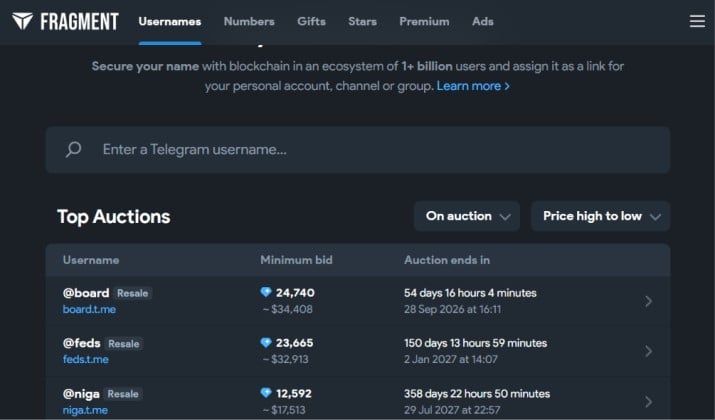
Best for: You want the best Telegram method for privacy and anonymity and you do not mind paying once for full anonymity.
This is the official way. Telegram created its own marketplace called Fragment where you can buy a Telegram anonymous number from Fragment. These numbers start with +888 and live on the TON blockchain. They only work for Telegram, which is exactly why they are great for privacy.
Think of it as a Telegram anonymous number registration that does not link to any carrier.
How it works for you:
- Create a TON wallet. Tonkeeper is the most common one.
- Go to Fragment.com and connect your wallet and your Telegram account.
- Search for anonymous numbers. You can buy a random number for a fixed price or bid on a vanity number in an auction.
- Once you own it, open Telegram and enter your +888 number. Telegram sends the code to your Fragment account, not to a SIM. You confirm and you are in. This gives you Telegram login without SIM card.
This is the only official Telegram Fragment numbers method. Your real number stays completely hidden. You own the number as an NFT and can resell it later. No SIM or carrier.
However, it is not free. Random numbers usually start around 9 TON, which has historically been around $16 to $20, but auction prices change with TON price. Vanity numbers can cost hundreds.
Pricing: Fragment numbers are paid in TON. Random numbers start at 9 TON. Auction numbers depend on bidding. Fragment also takes a 5% fee on sales.
Also read: Best Alternatives to Telegram App
Method 2: Virtual Numbers
If Fragment feels expensive, a virtual number is the flexible alternative.
This covers Telegram virtual number verification using apps that give you a second number. You can use that number to sign up for Telegram without a phone number and receive the OTP.
Here are the most reliable options that still work for Telegram disposable number for signup:
1. Google Voice for Telegram Verification
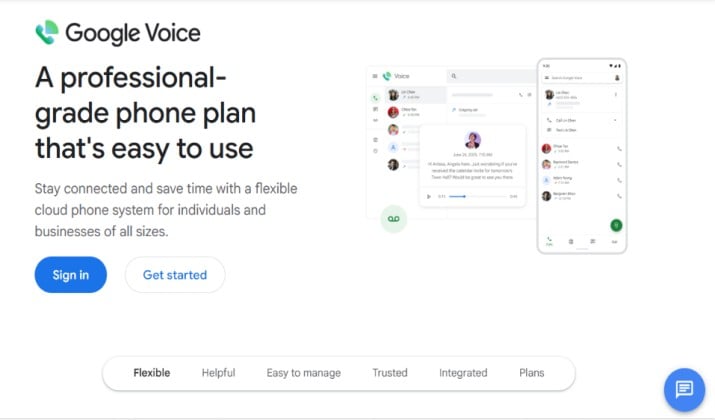
Google Voice gives you a free US number that works on web, Android, and iOS. You get calls, texts, and voicemail forwarding. Many people use it for Telegram VoIP number setup because it is stable and rarely expires.
How to set it up:
- Go to voice.google.com and sign in with your Google account. Pick a US number.
- Install the Google Voice app to receive SMS.
- In Telegram, enter your Google Voice number as your Telegram virtual number verification.
- Copy the login code from the Google Voice app and paste it into Telegram.
Download: Play Store | App Store
Pricing: Personal use is free with a Google account. Business plans start at $10 per user per month and require Google Workspace. This plan includes recording and support.
2. TextNow for Telegram Verification
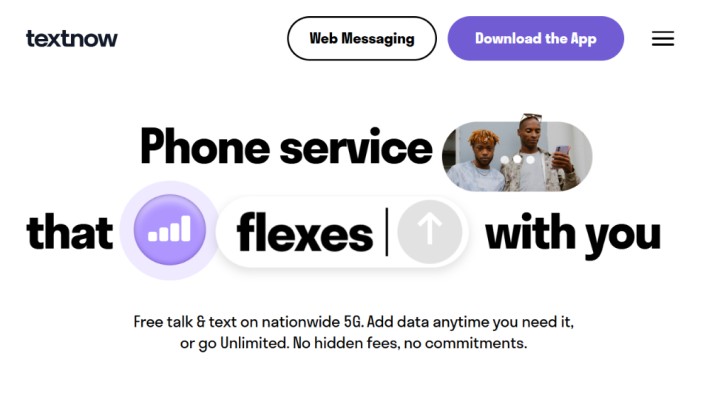
TextNow is a popular free option for a Telegram without SIM card setup. It gives you a free US or Canadian number with unlimited calling and texting in the app. The number stays yours as long as you stay active.
How to set it up:
- Sign up at TextNow.com or in the app using your email.
- Choose your free number.
- Use that number in Telegram to sign up for Telegram without a phone number.
- Read the OTP inside TextNow and finish your Telegram signup.
Download: Play Store | App Store
Pricing: Free ad-supported plan gives you a number, calling and texting. Paid to remove ads and lock your number starts around $4.99 per month. Paid data plans are also available.
Read this too: Best private Messaging Apps Without Phone Number
3. TextFree Virtual Number for Telegram
TextFree is similar to TextNow. It offers a free number for texting and calling. The free tier may not always support short codes for verification, so you might need TextFree Plus for Telegram login without SIM card.
How to set it up:
- Install TextFree and create an account.
- Get your number and enable verification code support if prompted.
- Enter it in Telegram and verify.
Download: Play Store | App Store
Pricing: Free plan available with ads. TextFree Plus with verification support and ad-free experience starts around $9.99 per month.
Important note on VoIP: Telegram sometimes blocks heavily used free numbers. If one virtual number fails, try another.
Paid VoIP numbers have a higher success rate than free ones. Avoid public SMS verification services for Telegram because anyone can see your code and steal your account.
Method 3: Privacy Settings
Getting a number is only half the job. If you want to use Telegram anonymously, you need to lock down what people see. This method does not replace verification, but it completes your privacy.
You already know how to create a Telegram account with a virtual number. Now make sure no one can find your real number.
Another interesting read: Best Secure Messaging Apps for Android
How To Hide Phone Number on Telegram?
- Open Telegram > Settings > Privacy and Security > Phone Number.
- Set Who can see my phone number to Nobody.
- Set Who can find me by my number to My Contacts.
- Under Privacy and Security, set Last Seen, Profile Photo, and Forwarded Messages as you like.
How To Use Telegram Username Instead of Phone Number?
After you hide your number, create a username in Settings. People can find you by @yourname without ever seeing any number.
You can share that username in groups, on your website, or with new contacts. This is how you chat daily while keeping Telegram without phone number truly private.
Extra Setups People Ask About
Can I sign up for Telegram without a SIM card?
Yes. Both Fragment and virtual number methods let you sign up for Telegram without a phone number tied to a physical SIM. Fragment is fully blockchain based, so you never touch a SIM. Virtual numbers work over WiFi.
Can I have Telegram without a real phone number for travel or second account?
Use a second number method. Keep your main account on your personal number and create a travel account with Fragment or Google Voice.
Log in to both on the same phone using Telegram’s multi-account feature. You can switch accounts with two taps.
How to use Telegram on desktop without a mobile number?
Telegram Desktop still asks for a number the first time. Use your Fragment or virtual number to sign up once on mobile, then open the desktop app and choose Log in by QR code. Scan it from your mobile Telegram.
You will stay logged in on desktop even if your virtual number app is closed. You cannot create a brand new account on desktop alone, you need to verify the number first.
Can I use Telegram landline verification for OTP?
Telegram can call a landline and read the code aloud if SMS fails. Some VoIP providers offer landline style numbers that support voice OTP. It works the same way as mobile verification, you just listen for the code.
Do I use eSIM or secondary SIM for Telegram signup?
If you want a real carrier number without exposing your main one, an eSIM or secondary prepaid SIM works. Services like Holafly, Airalo, or a local prepaid give you a number for OTP.
This is less private than Fragment but more stable than free apps for long term use.
Which Method Should You Choose?
If you compare all three, Fragment stands out for privacy, virtual numbers win for cost, and privacy settings are mandatory for both.
Fragment is better if your priority is anonymity and you want an official, resaleable number that never expires because of inactivity. It is the only way to have Telegram without SIM card and without any carrier record.
Google Voice is better if you want a free, stable US number you can reuse for other apps too. TextNow and TextFree are better if you need something instantly and free for a second account.
My recommendation: Start with Fragment if you can. If you need a free solution today, use Google Voice first, then TextNow as backup. And no matter which method you choose, set your Telegram privacy settings to hide phone number and use a username.
Learning how to use Telegram without phone number gives you control. You decide who sees what, you keep spam away from your personal number, and you can still enjoy all of Telegram’s features from chats to channels to desktop.