Are you a fan of games like Assassin’s Creed, Apex Legends, Fortnite, and Death Stranding? You can stream these games and more on GeForce NOW.
GeForce NOW supports cloud gaming. Simply put, you can stream and play your favorite PC games from remote servers onto a device without first downloading the games locally.
The platform lets you stream and play games on macOS, Chrome OS, Windows, SHIELD, iOS, Android, Android TV, and smart TVs.
GeForce NOW lets you select a game from its library of 1500+ games, most from popular game stores such as Steam, Ubisoft, Epic Games Stores, and more.
You also have the quickest access to GFN servers, uninterrupted game session lengths, ray tracing, and maxed-out graphic settings.
However, GeForce NOW isn’t the only cloud gaming platform in the market. Other cloud gaming alternatives include PLAYKEY, Loudplay, Shadow, Amazon Luna, Blacknut, PlayStation Plus, and more.
The best GeForce NOW alternative is Loudplay because it’s available globally, operates on most devices, has pre-installed games, connects with major game stores, and costs less to use.
Why Explore GeForce NOW Alternatives?
While GeForce NOW provides a compelling cloud gaming experience, you won’t find every game on this platform. It supports Epic Games Store, Steam, Uplay, and GOG, but not every title from these digital storefronts is available.
Furthermore, the platform removes some game titles occasionally, meaning you can start streaming a game, pause, and not find it the next time you want to finish it.
Although GeForce NOW offers several free-to-play games, you must link them to your Steam, Epic Game Stores, and Ubisoft accounts to play compatible games. So, you pay a premium subscription but must subscribe to other gaming platforms to enjoy your games.
The Priority (medium) Plan’s resolution is limited to 1080P at 60FPS even though this plan offers six gaming hours per session and an RTX video card. We expect at least 1444P from GeForce RTX.
More importantly, you may notice lagging if you have a finicky Wi-Fi connection or are located farther from their data centers. Plus, GeForce NOW isn’t available in all countries.
Given all this, it’s worthwhile to explore alternatives. Let’s take a look at some of the best tools to use in place of GeForce NOW.
Best GeForce NOW Alternatives
1. Shadow

Shadow is a solid GeForce Now alternative that supports macOS, Windows, Android, iOS, Linux, and tvOS. It’s one of the reputable cloud gaming services that offers high-performance gaming that everyone can access.
With Shadow, rather than subscribe to a shared cloud gaming service with several users pulling from a single resource pool, you are accessing a dedicated gaming computer for yourself.
Shadow can deliver a fluid experience through its resource isolation with a seamless game streaming performance at peak hours.
Purchasing a Shadow plan gives you access to a dedicated gaming computer for remote access. It’s a complete Windows 10 installation, allowing you to do anything you usually do on Windows 10. GeForce NOW doesn’t operate this way.
For example, you can switch the resolution to 4K, download your best browser, change the desktop wallpaper, and more.
Shadow lets you turn any tablet, laptop, phone, or even smart TV into a powerful gaming Windows PC.
With Shadow’s 1GbPs download speeds, you can accomplish more fast. The hard drive is 256 GB, but reinstalling games is fast, making the hard drive size not a major issue. Besides, you can add more storage, up to 2TB.
Check out the latest pricing here.
2. PlayStation Plus

Formerly PlayStation Now, PlayStation Plus gives you access to a game library with 800+ titles. Availability may vary by region, but you can access iconic games, including Fallout: New Vegas, Devil May Cry 4, Ninja Gaiden 3, inFAMOUS 2, God of War HD, and more.
PlayStation Plus gives you cloud streaming access to various PS4 games from its Game Catalog. You also access hundreds of PS2 and PS3 games from the Classics Catalog via your PS4, PS5, and PC. You can’t play games on GeForce NOW from PlayStations.
When streaming games from the Game and Classics Catalogs, you can save progress to the cloud and continue from where you left off on a PS5 or PS4 console. Connecting a controller can deliver an authentic PlayStation experience on your PC.
Membership has three plans: Essential, Extra, and Premium. Each plan has monthly, three-month, and 12-month subscriptions.
Check out the pricing details here.
Also Read: How To Stream PS5 To Discord?
3. Loudplay

Loudplay is another cloud gaming service similar to GeForce NOW. It lets you turn any device into a powerful, modern gaming computer.
The Loudplay application operates on any device running on macOS, Windows, or Android. If your device can play a YouTube video in your preferred quality, you can run Loudplay’s cloud PC.
Playing comfortably from the Loudplay server requires at least 10 Mbps of reliable internet connectivity. However, Loudplay recommends at least 30 Mbps on an Ethernet connection or 5 GHz Wi-Fi for high-quality streaming.
After you start the cloud PC, download any game from a store like Origin, EPIC, Steam, or a torrent tracker. If you’ve previously bought a game from one of these platforms you won’t need to purchase it again.
It gets better: Loudplay has pre-installed various licensed games on particular gaming computers, so you can start playing right away. The server computer connects to the internet at 1 Gbps, encouraging fast downloads.
Loudplay’s low pricing is what makes it popular. Find pricing information on the home page under ‘Have Questions’ section.
While Loudplay’s servers are all over Europe, their signal is strong enough to be accessed anywhere in the world.
4. Blacknut
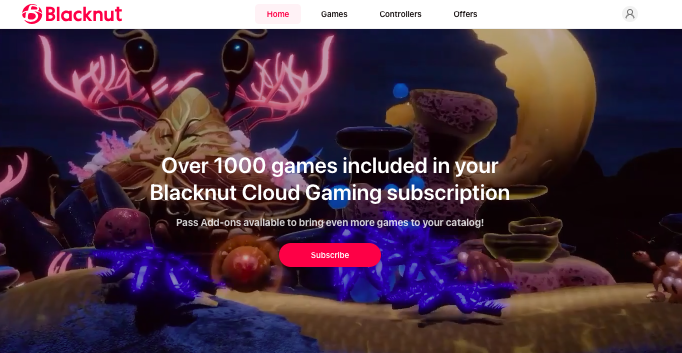
Blacknut is a cloud gaming service for the entire family. You can create a separate account for your child and add parental controls and a PIN (four digits) to ensure they don’t access inappropriate games from the library.
Blacknut’s games are instantly available to start streaming. Use Safari or Chrome browsers to play games. You can also stream games on apps installed on your computer, mobile phone, tablet, or smart TV.
The game library has hundreds of games including some of the most popular AAA titles. Blacknut stores any saved games for your subscription’s life.
If you choose to cancel, your saved games will remain in the cloud for the next six months. If you don’t renew the subscription within that period, Blacknut will delete the games.
Explore all plans on offer here.
5. Xbox Game Pass Ultimate

Microsoft’s Xbox has risen in popularity since its debut in 2001, and it offers cloud gaming via the Xbox Game Pass Ultimate subscription.
You can now experience your favorite Xbox games on your PC, Xbox console, Apple devices (phones, tablets, and MacBooks), Windows devices, Android tablets and phones, and Samsung smart TV.
The cloud gaming service gives you instant access to over 100 games without any installation or downloading.
An incredible feature of Xbox Game Pass is that it lets you play new release AAA games (a collection of blockbusters and trendy games) on the day of their release. GeForce NOW doesn’t do that.
Besides, Xbox’s library has games from EA Play, Xbox Game Studios, and Riot Games.
The EA Play gives you instant access to EA’s top titles and series, exclusive rewards, member-only content, and trials of chosen games lasting up to 10 hours. GeForce NOW doesn’t offer this feature.
The pricing information is on the home page. Scroll down to see all plans.
6. Amazon Luna

If you are new to cloud gaming and eager to explore things, Amazon Luna is for you. The platform lets casual gamers test various games and see if they like cloud gaming.
Amazon Luna offers a smooth user experience and lets you broadcast gameplay to Twitch, a functionality that’s missing on GeForce NOW.
New subscribers should buy the Luna Controller after subscribing to Luna+ for one month. You can also purchase it as part of the Fire TV gaming bundle.
As an Amazon Prime member, you can play Fortnite and other games. But you can enlarge your games library by subscribing to Luna+.
If you’re using Bluetooth, Luna Controller lowers latency by 17-30 ms. Luna Controller is created to enhance Amazon Luna’s experience, but you can also use it on other gaming platforms.
However, you don’t need the Luna Controller at all. You can use other controllers to play Amazon Luna games, including Xbox One, Razer Kishi Mobile Game, and Sony DualSense. You can also use your keyboard and mouse.
Amazon Luna’s network connection requires 2.5 GHz to 5 GHz Wi-Fi. You can also use an Ethernet cable.
You can play your games on Android devices, FireTV, Chromebook, Microsoft Edge browser, Chrome browser, iPhone, iPad, Samsung TV, Android, and Windows.
Find out the pricing here.
7. PLAYKEY

Playkey is another cloud gaming platform that streams PC games from remote servers to low-spec devices, letting users play demanding titles without powerful local hardware.
The performance depends on internet quality and server proximity. PlayKey’s model involves renting server time to run games you own, so you don’t download heavy files.
In 2024, PlayKey merged with VK Play Cloud, expanding its technological base and access to infrastructure in Eastern Europe and Russia.
The merger aims to strengthen server reach, reduce latency for more users, and improve service stability, making it more competitive in the cloud gaming space.
While GeForce Now offers a larger game library, broader global coverage, and deeper integration with major digital stores, PlayKey with VK Play Cloud backing can be a solid option in supported regions with good connectivity.
Also Read: Is Gamivo Legit For Game Codes?
8. NETBOOM

NETBOOM focuses more on those who want to play PC games on their mobile devices. You only need your iPhone, iPad, or Android phone to play games from the cloud.
You can play over 300 games for free, with new ones added monthly. NETBOOM also supports multiple game modes, including the virtual keyboard, gamepad, keyboard, and mouse.
NETBOOM offers various game genres, such as racing, casual, sports, FPS, sim and strat, RPG, action, and adventure.
Examples of games in the action category are FARCRY5, JUMP FORCE, DAYS GONE, GHOSTWIRE, LEFT 4 DEAD, TEARDOWN, DEAD BY DAYLIGHT, THE WITCHER WILD HUNT, and more.
Like GeForce NOW, you can use your Google account to log into NETBOOM. You can also use a QR code and then purchase a subscription.
Next, click on the download button at the top and click on the available buttons to install it from Google Play or App Store or play it in the browser.
After installing it on your mobile phone, you will be asked to log into your NETBOOM subscription account and start playing.
9. Parsec

Parsec is another solid alternative to GeForce NOW that let users play various games remotely on their devices as they stream the content from a cloud server.
Parsec has servers with robust graphics cards and hardware in data centers across the globe. The servers feature sophisticated NVIDIA GPUs that can run games with intense graphics.
To start using Parsec for cloud gaming, you should install the Parsec app on your preferred device – Mac, PC, Android, or iOS.
After launching Parsec and logging into your account, browse through the list of cloud servers and select one based on availability, location, and performance.
Your device is a remote control that sends input signals to the remote cloud server. It also receives audio and video output from the game on the server.
Similar to GeForce NOW, Parsec makes you as social as you want. You can bring friends or make new ones and play with them online. It integrates with Discord, making it feel like you’re in one room.
The best part is the cloud servers save your games and settings, allowing you to pick up from where you stopped, even if you change devices.
The cloud gaming service offers a free plan for personal use. It also offers paid subscriptions for individuals, teams, and enterprises.
10. now.gg

Unlike other platforms on this list, now.gg is a mobile cloud gaming service.
The platform gives you access to a broad collection of free games that you can access without downloads. now.gg gives you endless fun, whether gaming with friends, alone, or looking for multiplayer adventures.
The now.gg server is an Android computer that runs remotely on the cloud. Thus, playing games on now.gg is similar to playing on your Android phone, which you can access remotely from any device.
You will find many fun games, such as Poppy Playtime, Roblox, and Bloxd.io on now.gg. You can access various game genres, including sports games, ludo games, card games, shooting games, browser games, solitaire games, and zombie games.
If you want to play with friends online, now.gg offers you the opportunity with its multiplayer games like Soul Land Reloaded, Roblox, Call of Duty, Fireboy and Watergirl 2: Light Temple, and more. You can connect with various friends globally and engage in epic combat.
Gamers of all ages will find now.gg exciting. Children get a secure and fun gaming environment. They can explore games such as Toca Kitchen 2, Kahoot! Play & Create Quizzes, and VEXcode V5.
These games inspire and entertain your little ones, providing everything from delightful adventures to educational quizzes.
The user interface on now.gg is clean and easy to navigate. To find the right games, check their home page, which features games like Getting Over It, Death Chase, Tropical Merge, Short Life, Ninja Hands, and more.
You can also explore games by category, including action games, role-playing games, sports games, productivity games, racing games, entertainment games, simulation games, trivia games, adventure games, and more.
The website’s home page has short videos that educate users about now.gg and why you should use it. GeForce NOW doesn’t have this feature. Plus, now.gg is completely free to use on all devices.
Also Read: Best Games Like Sally Face
11. Boosteroid

With Boosteroid, you can run games in your browser on macOS, Windows, Android, Linux, iOS, or with Boosteroid applications.
What I found most interesting about this cloud gaming service is how it works with an internet connection. Unlike GeForce NOW, which requires a highly stable internet, Boosteroid works even when the internet is unstable; you can keep playing without lagging.
Boosteroid offers 1080p and 60FPS gameplay and is mostly available in European countries like the UK, France, Italy, Spain, Serbia, Slovakia, Romania, and Sweden.
But it’s also available in the United States, with servers located in North Carolina, Florida, Pennsylvania, Texas, and Washington).
Signing up on Boosteroid gives you unlimited access to the entire game catalog with unlimited gaming session time.
You can access games from all compatible devices, including Mac, PC, tablet, laptop, smart TV, or smartphone. You can start playing a game on one device and stop and pick up from where you left off on a different device.
It also works with most gamepads, such as Xbox, PS5, Xbox Series X|S, PS4, Xbox One, and more.
Also Read: Best Games Like Geometry Dash
12. Antstream Arcade
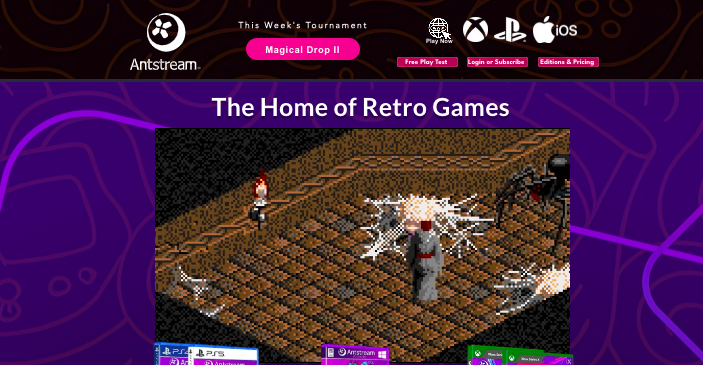
Antstream Arcade focuses on streaming classic and retro video games rather than modern AAA titles.
It offers what’s widely regarded as the largest officially licensed library of retro games available to stream, with over 1,300 titles from arcade machines, early consoles and home computers like Atari, SNES, Commodore 64, and PlayStation 1, all playable without downloads or ROM tinkering.
Unlike general cloud gaming services, Antstream makes vintage gaming social and competitive with weekly tournaments, high-score leaderboards, cloud saves, challenges, and co-op modes.
You can access it on many devices including PC, mobile, smart TVs, and even Xbox platforms, bringing timeless classics to screens wherever you are.
For fans of nostalgia and retro collections, Antstream Arcade is a unique alternative to mainstream cloud platforms.
Also Read: Best Brands Like Gunfire Reborn
Wrapping Up
Of all the alternatives, Loudplay stands out because it lets you stream games even with an internet connection of 10 Mbps.
You can connect with other gaming stores like Steam, EPIC, Origin, and even a torrent tracker. While it’s Russia-based, it’s available globally.
You can start playing games when you connect to its server, as some games are pre-installed. It’s cheaper too.
Enjoyed the post?