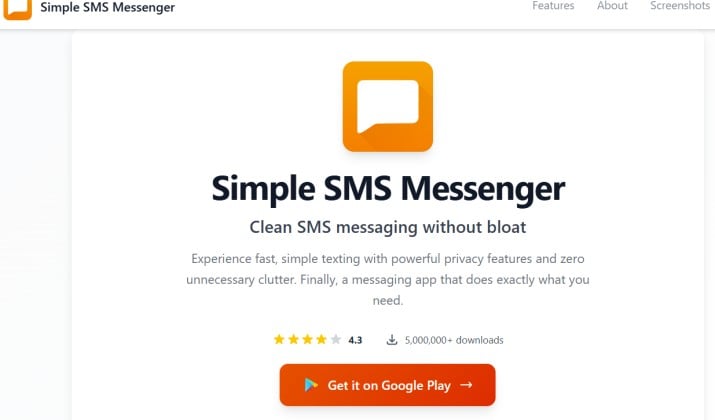
You just want to text, without pop-ups, confusing menus, or the app trying to be a social network. If your current messaging app feels like it’s doing too much, it’s time for a change. That’s where the Simple SMS Messenger app for Android comes in. It does exactly what you expect from a texting app and nothing you didn’t ask for.
This no-nonsense texting app for Android strips away the bloat so you can send messages, share photos, block spam, and get on with your day. It’s fast, private, and built for people who value clarity over clutter.
Let’s walk through why this lightweight SMS app for Android might be the last texting app you ever need.
Simple SMS Messenger the No-Nonsense Texting App for Android
What makes Simple SMS Messenger different?
Simple SMS Messenger comes from Simple Mobile Tools, a team known for making open‑source SMS messenger focused on stability and convenience. Their whole idea is simple: apps should respect your time, your battery, and your privacy.
When you open the Simple SMS Messenger app for Android, you see your conversations. That’s it. No news feed, stories, or AI chatbot trying to write texts for you. Just a clean, classic interface that works like texting used to work, but faster and safer.
Here’s what you get right out of the box:
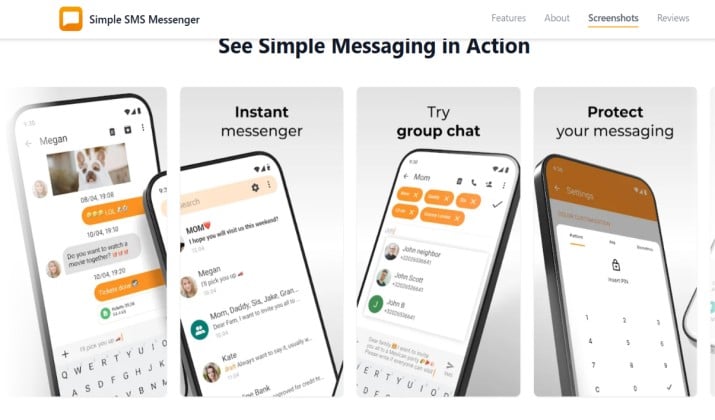
- Simple SMS Messenger SMS and MMS management (send, receive, group chats) that just works
- Fast SMS app with group chat, backup, and blocking features built in
- Ad‑free SMS app for Android with clean, classic interface — zero ads, ever
- Privacy‑friendly SMS app with no ads and no tracking because your texts stay on your phone
- Simple texting app with contact management and media sharing for photos, videos, and audio
You also get full control. You can change colors, choose a dark theme, set custom notifications per contact, and schedule messages. But you never have to. If you want the best SMS app for people who just want to send and receive texts (no bloat), you can install it and ignore the settings completely.
Who Is This App Really For?
- Minimalists: You hate apps that beg for attention. You want one job done well.
- Seniors and non‑technical users: Big buttons, clear layout, no surprise updates that move everything. It’s a simple SMS app for seniors and non‑technical users without talking down to anyone.
- Older phones and low‑end Android devices: It’s one of the best lightweight communication apps for older phones and low‑end Android devices. It uses very little storage and RAM, so your phone stays snappy.
- Privacy-focused users: This is one of the top privacy‑focused SMS apps for Android (open‑source, local storage). No cloud sync. No account needed. Your messages never leave your device unless you export them.
And because it’s a simple offline SMS app that works without internet or cloud accounts, you can still text during a Wi‑Fi outage or when you’re traveling without data.
Simple SMS Messenger for Fast SMS, MMS, Group Chat, Backup, and Blocking
You probably don’t care about a feature list unless those features solve real headaches. So here’s how Simple SMS Messenger handles the stuff that matters.
1. Speed and Stability
Texts send the moment you hit send. No “connecting” spinner. No delay because the app is loading ads. This fast SMS app with group chat, backup, and blocking features is built to be light. That means fewer crashes, even on a phone from 2018.
2. Group Chats and MMS
You can run group chats, send pictures, GIFs, and audio clips. The Simple Mobile Tools SMS app handles MMS without choking on large files or compressing them into pixel soup.
3. Blocking and Spam Control
Tired of spam texts? Block any number in two taps. You can also auto-block messages that contain specific keywords. This SMS app with message backup, spam blocking, and clean UI gives you peace without installing a separate blocker.
4. Backup and Restore
You own your messages. Export them to a file and store it wherever you want — your SD card, your computer, or a private cloud. Then restore them later on a new phone. No account lock-in. That’s the benefit of a privacy‑friendly SMS app with no ads and no tracking.
5. Contact Management and Customization
You can assign colors and ringtones to contacts, pin your favorite conversations, and archive chats you don’t need to see daily. It’s a simple texting app with contact management and media sharing that keeps you organized without nagging you.
How To Set Up and Use Simple SMS Messenger As Your Default SMS App on Android?
Switching is easier than you think. Here’s how to switch from default SMS app to Simple SMS Messenger in under a minute:
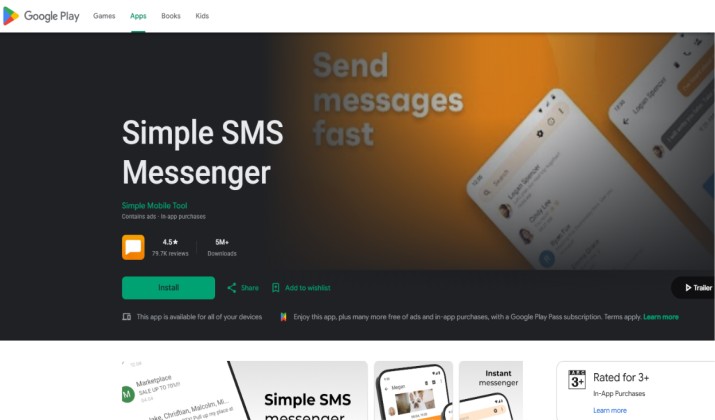
- Install the app: Grab the Simple SMS Messenger app for Android from the Google Play Store.
- Open it and set as default: The first time you launch it, Android will ask if you want to make Simple SMS Messenger your default SMS app. Tap “Yes.” That’s it. All your existing texts will show up automatically.
- Customize if you want: Tap the three dots > Settings. You can change themes, notification sounds, font size, and more. Or skip this step. The defaults are already great for most people.
- Start texting: Your contacts, conversations, and groups are all there. Send your first message and notice how fast it goes through.
You don’t need to sign in, verify email, or grant weird permissions. Because it’s a simple offline SMS app that works without internet or cloud accounts, you keep full control from day one.
Simple SMS Messenger vs Google Messages, Textra, and Other Android SMS Apps
You have options. So why pick this one? Let’s compare the best simple SMS app for Android against the big names.
|
Feature |
Simple SMS Messenger |
Google Messages |
Textra |
|---|---|---|---|
|
Ads |
None, ever |
None |
Free version has ads |
|
Tracking |
No tracking |
Google account ties |
Some analytics |
|
Open source |
Yes |
No |
No |
|
App size |
∼5 MB |
∼80 MB+ |
∼15 MB |
|
Offline use |
Full offline |
Needs Google services |
Works offline |
|
Best for |
Privacy, speed, old phones |
RCS, smart features |
Heavy customization |
So which tool is better and why?
If you want RCS, smart replies, and Google integration, Google Messages wins. If you love tweaking every color and animation, Textra is fun.
But if you want a lightweight SMS app for Android that respects your privacy, runs on any phone, and never shows an ad, Simple SMS Messenger is better. It’s the clear pick for minimalists, seniors, and anyone tired of app bloat. You get SMS app with message backup, spam blocking, and clean UI without trade-offs. For pure texting, nothing beats it.
Best Simple and Ad-Free SMS Apps for Android Users Who Value Privacy
There aren’t many privacy‑focused SMS apps for Android (open‑source, local storage) that also feel polished. Simple SMS Messenger nails both. Your messages stay on your device. There’s no telemetry. No ad networks. No “anonymous usage stats.”
If you care about privacy but still need MMS, backups, and group chat, this ad‑free SMS app for Android with clean, classic interface should be at the top of your list. Other privacy‑friendly SMS app with no ads and no tracking options exist, but few are this stable or easy to use.
Pricing
Simple SMS Messenger is free to download and use. The core app has no premium tier and no ads. Simple Mobile
You can also get it free on F-Droid, where all Simple Mobile Tools apps are fully open source.
Is This the Right App for You?
Ask yourself two questions:
- Do you want your texting app to do one thing really well?
- Do you prefer local control over your data instead of cloud features?
If you answered yes, the Simple SMS Messenger app for Android will feel like a breath of fresh air. It proves that “simple” doesn’t mean “limited.” You still get Simple SMS Messenger SMS and MMS management (send, receive, group chats), backups, blocking, and media sharing. You just don’t get the noise.
Download it, set it as default, and see how texting feels when an app isn’t trying to be anything else. For a no‑nonsense texting app for Android, this is the benchmark.