Tweening is the secret behind every smooth animation you see.
In traditional animation, artists had to draw every single frame. In modern digital animation, you don’t. Tweening, also called inbetweening, does the heavy lifting for you. You create two keyframes: where your character starts and where it ends. Your animation software then automatically creates all the frames in between to make the movement fluid and lifelike.
From cartoon walk cycles to web banners and Lottie animations, if it moves smoothly, it was tweened.
In this article, we will talk about some of the best tweening apps to create animated actions. I’m sure you’ll be in a better position at the end of this review to settle on an app that will meet your animation needs.
Let’s get straight to it.
Best Tweening Apps To Create Animated Actions
1. Adobe Animate
Best for: Web animation, interactive banners, game assets
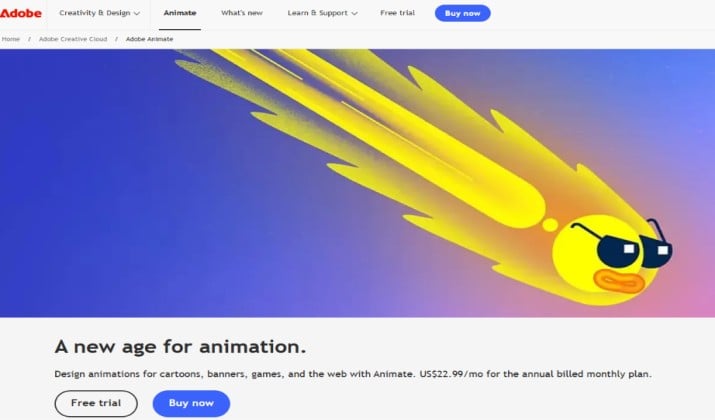
Adobe Animate is still the industry standard when it comes to vector and HTML5 Canvas animation.
It has moved it into maintenance mode, which means the app will continue to get security updates, bug fixes, and platform support, but no major new features are planned. That makes it a safe bet if you already live inside Creative Cloud and need a reliable tool for the long haul, not a shiny new experiment.
Where Animate really shines for tweening is its classic workflow. You can create motion tweens and shape tweens in seconds, use the bone tool for character rigging, and fine-tune everything with the Motion Editor for custom easing.
Its vector brushes feel natural, and the auto lip-sync feature saves hours on dialogue scenes. When you’re done, you can publish everywhere, HTML5 Canvas, WebGL, SVG, or 4K video, without rebuilding your project.
Adobe Animate pricing: It’s available as a single app for $22.99/month on the annual plan billed monthly with a 7-day free trial, and it’s also included in Creative Cloud All Apps. You’ll need Windows or macOS to run it.
Also read: Best Animation Apps for Android
2. Callipeg
Best for: iPad and tablet frame-by-frame animators
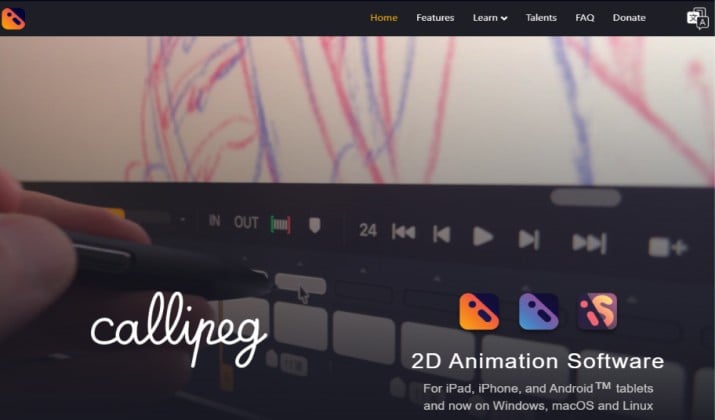
Callipeg started as a subscription app for iPad but has completely flipped its model. It’s now a one-time purchase with no subscription required, which is a big win for freelancers.
Callipeg Studio on desktop was built specifically for hand-drawn animation combined with modern keyframe power. It gives you a true desktop experience rather than a stretched tablet port.
The tweening workflow is built around transform layers. You can draw your key poses frame-by-frame with Apple Pencil, then use transform keyframes to pan, rotate, and scale without redrawing.
The onion skinning is highly customizable, and the 2D camera lets you add depth to your scenes easily. You also get audio import for lip-sync, layer management, and clean export to MP4 and GIF.
Callipeg pricing: One-time purchase cost of Callipeg Mini comes to $5.00, while Callipeg is priced at $15 and Callipeg Studio is $30. It runs on iPad, iPhone, Android tablets, and now all desktop platforms.
3. Wick Editor
Best for: Free, browser-based beginners
Wick Editor is proof that you don’t need to install anything to make good animation.
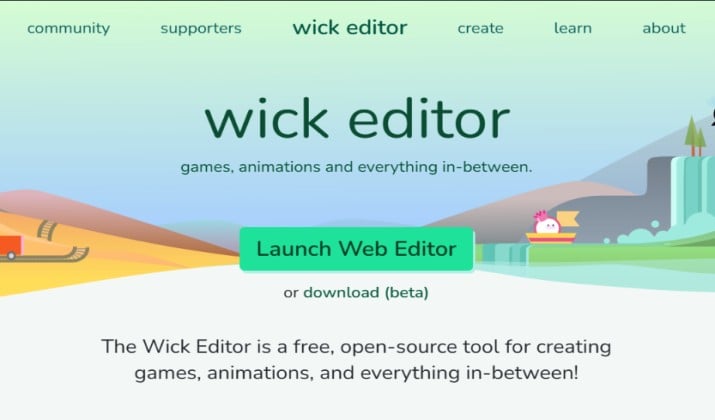
It’s a free, open-source hybrid that feels like Flash met Scratch. It runs entirely in your browser and is community maintained, so it’s always accessible whether you’re on a Chromebook at school or a PC in the studio.
It’s surprisingly capable for tweening. You can draw a shape on frame one, move it on frame twenty, and Wick will automatically create a path tween between them.
For more organic motion, you can switch to shape tweening to morph one drawing into another. Add in layers, onion skinning, and the ability to add JavaScript interactivity to your clips, and you have a perfect learning tool for games and interactive stories. You can export to GIF, video, and HTML.
Wick Editor pricing: It’s 100% free and open-source, and it works in any modern browser on Mac, PC, iPad, Android, and Chromebook.
4. OpenToonz
Best for: Professional 2D film/TV production
If you want the tool that Studio Ghibli used for Spirited Away and Princess Mononoke, this is it.
OpenToonz is an open-source powerhouse. This is more than a simple motion graphics app. It’s built for full production.
Its tweening comes from its plastic tool with mesh deformation and a full bone rigging system that lets you build cut-out puppets with smooth, natural bends. Beyond that, you get a professional scanning workflow for paper drawings, particle systems, and a massive node-based effects stack that rivals paid software.
It does have a steep learning curve and a complex interface, but if you put in the time, it’s one of the most powerful free 2D tools out there.
OpenToonz pricing: It’s completely free for Windows, macOS, and Linux.
Read this too: Best Flipaclip Alternatives
5. Glaxnimate
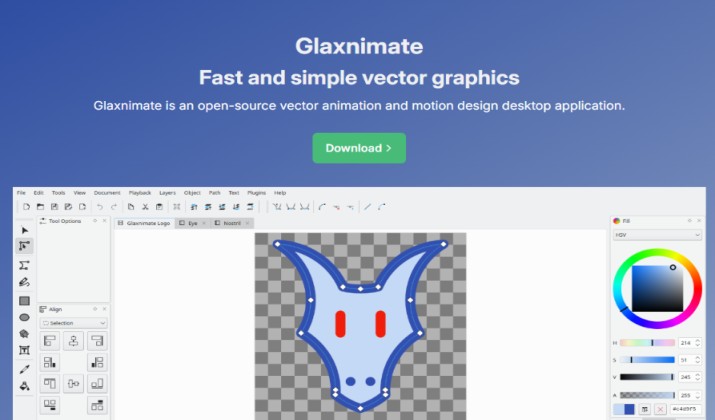
Best for: Vector motion graphics for web
Glaxnimate is the opposite of OpenToonz. It’s deliberately simple, fast, and focused.
If your end goal is the web, not TV, this is a much quicker path. It’s a free and open-source vector animation app built from the ground up for modern formats.
Everything in Glaxnimate is resolution-independent vector, so your animation never loses quality whether it’s on a phone or a 4K screen.
Its tweening is clean and visual: you set keyframes for position, scale, and rotation, and it interpolates smoothly between them. You can nest layers inside other layers for complex rigs, and its support for Lottie, animated SVG, GIF, and WebP means you can go straight from design to website without a converter.
It also has a Python scripting interface if you want to automate tasks or build plugins, and lets you switch between dark and light UI themes.
Glaxnimate pricing: It’s free and open-source, with full support for Windows, macOS, and Linux.
Explore: Best Adobe Animate Alternatives
6. Synfig Studio
Best for: Automatic tweening without drawing every frame
Synfig Studio was built with one goal: to stop animators from having to draw every single in-between.
Unlike frame-by-frame tools, it does the heavy lifting automatically. You set your key poses, and Synfig calculates the smooth transition between them, which makes it incredibly fast for vector animation.
What gives it depth is its layer system. You get over 50 layer types including gradients, distortions, filters, fractals, and transformations that you can stack in any combination.
Its bone system is fully featured, letting you create cut-out character puppets from bitmap images and apply complex skeleton distortions without breaking the artwork.
The most powerful part is the parameter linking. You can link any property to another using mathematical expressions, so you can build advanced rigs that would take hours elsewhere. I
Synfig Studio pricing: It’s completely free and open-source, and runs on Windows, Linux, and macOS.
7. Toon Boom Harmony
Best for: Studio-grade TV and film animation
This is one of the best tweening apps and the software behind most of what you watch on TV.
Toon Boom Harmony is the industry standard for Disney, Warner Bros., and Netflix productions, and it’s an end-to-end pipeline for both paperless and cut-out styles. If you are serious about a career in animation, this is the tool studios will expect you to know.
Its tweening is production-grade. You can work with both bitmap and vector on the same timeline, which is rare, and switch from pencil to textured brush without changing tools.
Harmony’s deformers and master controllers let you build sophisticated rigs with inverse kinematics, while its node-based compositing lets you add blur, lighting, and 3D camera moves without leaving the app.
The color management is non-destructive, so you can change palettes across an entire episode in seconds.
Toon Boom Harmony pricing: Essentials costs $31/month, Advanced is priced at at $71/month, and Premium comes at $143/month, with annual discounts and a 21-day free trial. It runs on Windows and macOS.
Check this out: Best 2D Animation Courses Online
8. AnimeEffects
Best for: Mesh-based 2D puppet animation
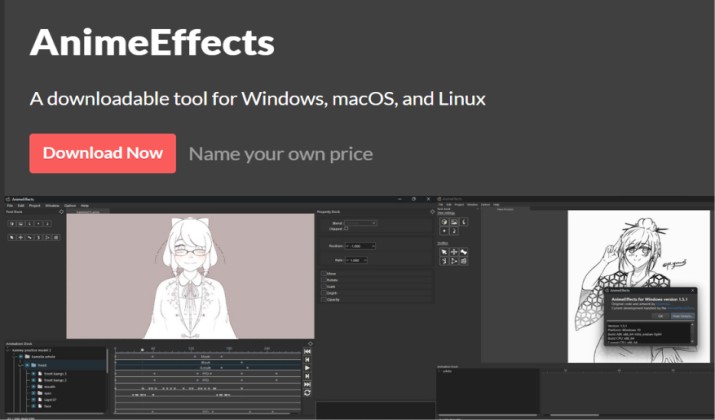
AnimeEffects takes a different approach to tweening. Instead of relying on bones alone, it works by deforming polygon meshes. That means you can take a single flat illustration and bend, stretch, and warp it like rubber, which is perfect for quick, expressive character animation without a complex rig.
The tool is still available as a community-maintained open-source project on GitHub. It’s lightweight and very forgiving.
You can import images as PNG, JPEG, GIF, and even layered PSDs with clipping and blending modes preserved. Then you animate using simple keys for position, rotation, scale, opacity, and bone deformation.
It also has full graphic tablet support and an intuitive paint tool for mesh editing. A quick note: development has been slow for the last two years, so if you need active support and regular updates, consider other alternatives.
AnimeEffects pricing: It’s free for Windows, macOS, and Linux.
9. Expressive Animator
Best for: Web designers needing SVG & Lottie
Expressive Animator has grown up. It’s now positioned as a professional, buy-once vector animation suite for web designers. If your work ends up on websites, apps, or social media, this is built specifically for that.
The workflow is built for speed. You can import static assets like logos, icons, and illustrations and bring them to life with its powerful animators, pre-built easing presets, and path effects for self-drawing text and strokes.
The real value is in export: from a single timeline you can output clean SVG, Lottie, animated GIF, WebM video, and APNG without quality loss. It also works completely offline and can even run from a USB stick.
Expressive Animator pricing: It costs €129.99 per license, billed once. The perpetual license includes all v1 updates and allows use on two devices, with a 7-day free trial. It’s available for Windows, macOS, and as a web version.
Another interesting read: Best Spriter Alternatives
10. Bestsnip Animation Studio
Best for: Quick browser tweening
Bestsnip is as minimal as it gets, and that’s its strength.
It’s an ultra-lightweight, free online tool that lets you create 2D tweening animations directly in your browser with no account or install.
You draw your keyframes, open the curve editor, and adjust your easing to get that perfect smooth or snappy feel. It gives you an instant preview of your animation so you can spot mistakes before you render, and it exports at full 1920×1080.
Because it’s optimized for pen input on Chrome, it actually works surprisingly well on Android tablets too. It’s best for quick ideas, memes, or testing a movement.
Bestsnip pricing: It’s free and runs in Chrome, Safari, and Firefox on desktop and mobile.
11. Aphalina Animator
Best for: Interactive SVG/HTML5 banners
Aphalina is a niche tool but it owns its niche completely. While other apps focus on characters, Aphalina is built for fast, interactive SVG animations that stay crisp on any display, including ultra hi-dpi and retina screens.
It uses the Greensock Animation Platform (GSAP) under the hood, which is known for best-in-class browser performance.
The timeline editor is more sophisticated than it looks. You get complete control over every transform component with keyframes, plus unlimited timelines per scene that you can trigger with mouse clicks, hover, or other events. That makes it perfect for animated infographics, icons, banners, and web illustrations that need to react.
When you publish, it embeds all your images, JavaScript, and graphics into a single HTML file. It’s a Windows-only desktop app, version 1.5 is the current stable release.
Aphalina pricing: One-time fee for a perpetual license comes to $60 for Personal and $120 for Business, with an unlimited free trial to test all features.
12. Jitter
Best for: Motion design for designers who live in Figma
Jitter has become the go-to tool for designers who want motion without becoming motion designers. It’s 100% web-based and has added AI features like Image-to-Video and custom AI effects, making it even faster for branded content.
The magic is its integration. You can import your designs from Figma with one click and they stay editable. Then you pick from over 300 animation presets, drag in animated components, and customize everything on a simple timeline. No keyframe complexity unless you want it.
When you’re ready, you can export as video, GIF, or Lottie, with transparent and 4K options on higher plans, and share directly to social or your site.
Jitter pricing: It has a free forever plan with 720p/30fps export and a watermark. Paid plans start at $19/editor per month for Pro, which unlocks 1080p/60fps, no watermark, and ProRes/WebM export. Max priced at $49/editor per month unlocks 4K/120fps and collaboration tools. It works in any browser on any OS.
Which One Should You Pick?
If you want one tool that gets tweening right at a professional level, pick Toon Boom Harmony.
It’s the only app on this list that handles both frame-by-frame and advanced rig-based tweening without compromises.
You get bitmap and vector on the same timeline, real deformers and IK rigs, and a curve editor that actually gives you control over weight and timing. It’s why Disney, Warner Bros. and Netflix studios still build their shows in it.
Free tools like Synfig and OpenToonz are powerful but slow you down with complex UIs. Web tools like Jitter are amazing for UI motion and Lottie, but they can’t do real character acting.
Harmony is the best balance of power, precision, and industry relevance.
On a budget? Go Jitter for motion design and social content, and Synfig Studio for free character tweening.
Enjoyed the post?