Still texting like it’s 2010? You’ve got two heavyweights fighting for your default SMS slot: Textra and Google Messages. If you’re stuck choosing between them, you’re in the right place.
The comparison breaks down every feature that actually matters. We’ll look at speed, customization, RCS, privacy, and real daily use. By the end, you’ll know exactly which app deserves your home screen.
Why You Should Care About Your SMS App?
You open your messaging app 50+ times a day. A clunky UI, delayed notifications, or compressed photos get old fast. Picking the right messaging app saves you time and frustration. So let’s settle the Textra vs Google Messages which is better debate once and for all.
Quick Snapshot
Let’s take a glimpse at what offers what.
|
Category |
Textra |
Google Messages |
|---|---|---|
|
Cost |
Free with ads, $4.99 to remove |
100% free, no ads |
|
RCS support |
Carrier only, no encryption |
Full Google RCS with E2EE |
|
Customization |
180+ themes, per-contact colors, fonts |
Material You, limited tweaks |
|
Speed |
Extremely fast, lightweight |
Fast, but heavier |
|
Scheduling texts |
Yes, very flexible |
Yes |
|
Send delay |
Yes, up to 9 seconds |
No |
|
Media quality |
MMS compression |
Full-res on RCS |
|
Group chat limit |
∼10-20 via MMS |
100+ via RCS |
|
Spam blocking |
No built-in |
Yes, plus Gemini Nano scam detection |
|
Encryption |
None |
E2EE for RCS 1-on-1 |
|
Bubbles/replies |
Basic |
Yes, with reactions |
|
Best for |
Tinkerers, SMS purists |
Most people, RCS users |
Overview
What is Textra?
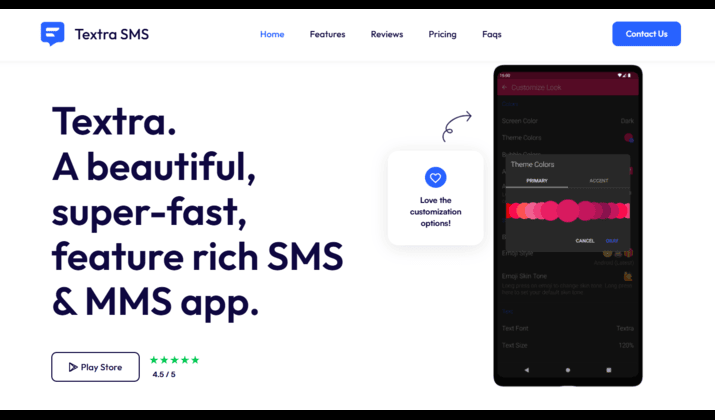
Textra is a third-party SMS/MMS app built for speed and control. Think of it as the “tuner car” of texting apps.
You get 180+ Material You themes, bubble styles, fonts, and per-contact settings. It handles SMS and MMS like a champ but doesn’t do RCS natively.
Get it here: Play Store
Textra Pricing: Free with ads. Remove ads with a one-time $9.99 in-app purchase.
What is Google Messages?
This is Google’s default Android SMS and RCS app. It comes pre-installed on most new phones.
Google Messages gives you end-to-end encrypted RCS chats, typing indicators, high-quality media, and tight integration with Android. It’s the “stock car” that keeps getting factory upgrades.
Get it here: Play Store
Pricing: Free. No ads, no paid version.
Customization vs RCS: Which Matters More?
Here’s where these apps split. You’re choosing between deep personalization and next-gen messaging tech.
Customization and Themes
If you like making your phone yours, Textra dominates. You control everything:
- Textra themes, pure black mode, and per‑conversation colors: Pick light, dark, or true AMOLED black. Set different bubble colors for every contact. Your mom can be pink, your boss blue, your group chat neon green.
- 21 bubble styles and 25+ app icons
- Custom fonts, sizes, and emoji styles
- Per-contact notification sound, vibration, and LED color
Google Messages? You get Material You theming that matches your wallpaper. Dark mode looks clean. But you can’t set per-contact colors or change bubble shapes. Google keeps it simple.
Winner: Textra
RCS, Typing Indicators, and Read Receipts
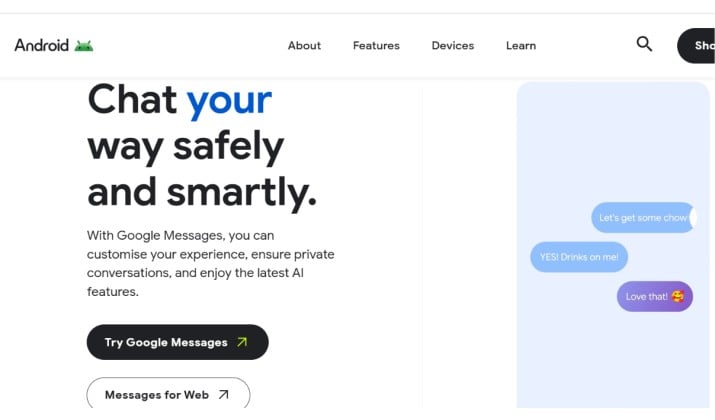
RCS is the upgrade to SMS. It brings iMessage-like features to Android. This is where Google Messages pulls way ahead.
With Google Messages you get:
- Google Messages end‑to‑end encrypted RCS chats for 1-on-1 conversations
- Typing indicators and read receipts
- Full-resolution photos and videos, no MMS compression
- Reactions, replies, and voice notes over data/Wi-Fi
- Google Messages spam protection and Gemini Nano scam detection that flags shady links and job scam texts on-device
Textra relies on your carrier for RCS. That means no encryption, no typing indicators, and features vary by carrier. Most carriers dropped RCS support for third-party apps. So with Textra, you’re mainly on SMS/MMS. For RCS, typing indicators, and read receipts, Google wins by default.
Winner: Google Messages.
Group Chats, Media Quality, and Reliability
Group chats reveal the biggest difference between these apps.
Textra SMS vs Google Messages for Android group chat breakdown looks like this:
|
Feature |
Textra |
Google Messages |
|---|---|---|
|
Protocol |
MMS |
RCS or MMS |
|
Member limit |
Carrier dependent, usually 10-20 |
100+ on RCS |
|
Media quality |
Compressed. Videos cap at ∼1MB |
Full-res photos, HD video on RCS |
|
Naming groups |
Yes |
Yes, on RCS |
|
Leaving chats |
No, MMS limitation |
Yes, on RCS |
|
Reactions |
Converts to text like “Liked a message” |
Full tapback reactions |
|
Reliability |
Very reliable for SMS/MMS |
Excellent on RCS, SMS fallback works |
If your friends use iPhones or SMS, both apps work fine. But if your group is all-Android, Google Messages feels years ahead. You send a 50MB video and it stays sharp. Textra compresses it to potato quality because MMS is ancient.
Winner: Google Messages
Privacy, Encryption, and Spam Protection
You want your texts private. Here’s how they stack up.
Google Messages:
- RCS 1-on-1 chats are end-to-end encrypted. Not even Google can read them.
- Spam protection scans messages on-device and warns you about suspected spam or scams.
- Gemini Nano scam detection runs locally on Pixel 8+ to catch new scam patterns without sending your data to servers.
Textra:
- No encryption. SMS/MMS is sent in plain text through your carrier.
- There’s no built-in spam filter. You rely on your phone’s dialer or third-party apps.
- No data collection. Textra doesn’t see your messages, but your carrier does.
For Textra vs Google Messages for privacy, encryption, and spam protection, Google Messages gives you stronger safeguards. If encryption matters to you, Textra can’t compete.
Winner: Google Messages, because of E2EE RCS
Speed, Performance, and Power User Features
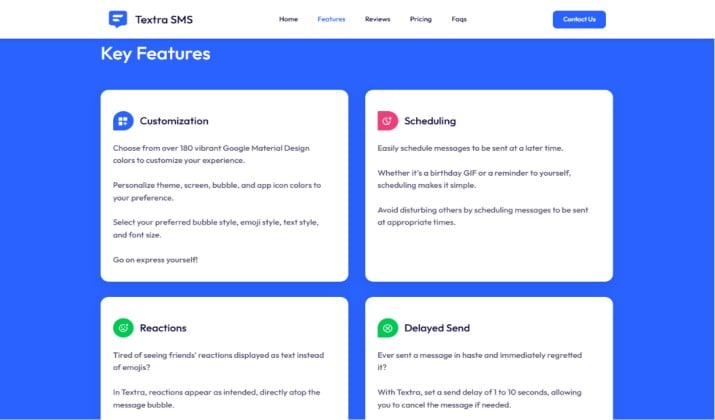
Textra advantages:
- Opens instantly, even with 100k+ messages
- Textra SMS scheduling, send delay, and per‑contact notifications are built in. Schedule a birthday text for 9am. Set a 3-second delay to unsend a typo.
- Quick reply popup is super customizable
- Mark as read from notification without opening the app
- Pin up to 10 conversations to the top
Google Messages advantages:
- Scheduled send rolled out and works well
- Smart Reply suggests quick responses
- Organized categories for Personal, Transactions, OTPs, Offers
- Voice message transcription
- Integration with Gemini for drafting messages, planning events
Textra still feels snappier and offers more knobs to turn. Google Messages added many power features, but Textra’s UI is faster and the send delay saves you from mistakes.
Winner: Textra
How To Switch From Textra to Google Messages (or Back)?
Switching is easy because your texts live on your phone, not in the app.
Moving to Google Messages:
- Install Google Messages from the Play Store.
- Open it. Tap “Set default SMS app.”
- Tap “Yes” on the prompt. All your existing SMS/MMS move over instantly.
- Enable “RCS chats” in Settings > RCS chats. Verify your number.
- Tell your Android contacts to use RCS too for full features.
Moving back to Textra:
- Install Textra from the Play Store.
- Open it. Tap “Set as default.”
- Confirm the switch. Your messages appear immediately.
- Re-do your per-contact colors and notifications. Those settings don’t transfer.
One heads-up: RCS messages you received in Google Messages show up in Textra, but they’re stored as MMS. You lose encryption history and reactions turn into plain text.
Best SMS App for Android Power Users
You have other options like QKSMS, Pulse SMS, or Samsung Messages. But for most Android users, the choice boils down to these two. Here’s the cheat sheet:
Choose Textra if you:
- Text over SMS/MMS only and don’t care about RCS
- Want the fastest, most customizable app
- Need per-contact sounds, colors, and LED alerts
- Love scheduling texts and send delay
- Hate Google’s simpler UI
- See Textra as the best Textra alternative to Google Messages RCS app when you don’t need RCS
Choose Google Messages if you:
- Want iMessage-like features with other Android users
- Send lots of photos and videos
- Care about encryption and scam blocking
- Use group chats heavily
- Prefer clean, no-fuss design
- Want the official Google Messages review default Android SMS and RCS app experience
The Verdict: Which SMS App Wins?
You asked for a clear winner. We’re not dodging the question. Google Messages wins for 80% of Android users.
Here’s why. The way we message changed. SMS is now the fallback, not the default. Textra customization vs Google Messages RCS features sounds like a fair fight, but RCS features impact your daily life more than bubble colors. Full-quality video, encryption, typing indicators, and real spam blocking solve actual problems.
Textra is still the king if you’re a tweaker who lives on SMS. If you manage dozens of contacts with unique sounds, colors, and schedules, nothing beats it. For Textra SMS vs Google Messages for Android power users who value control over chat tech, Textra stays on top.
But for everyone else? Switch to Google Messages. You get modern features, better security, and no ads. Your photos won’t look terrible. Your group chats won’t break. And as more people turn on RCS, the gap only grows.
The best SMS app for Android Textra or Google Messages debate ends with Google Messages taking the crown. Textra was the champion of the SMS era. Google Messages owns the RCS era.
Try both. They’re free. But if you only pick one, make it Google Messages. Your future self will thank you when you don’t have to resend that blurry video three times.